
AvaTax: Parts
This section describes how AvaTax works with Parts Invoicing and Quoting. Configure product codes and use exemptions on parts, then review how tax is calculated on invoices and quotes. Topics in this section are:
AvaTax Product Codes
AvaTax Product Codes identify the item to Avalara so the AvaTax calculator can determine taxability based on jurisdiction. This is the first page of over 2000 different AvaTax Product Codes to choose from.
 AvaTax Product Codes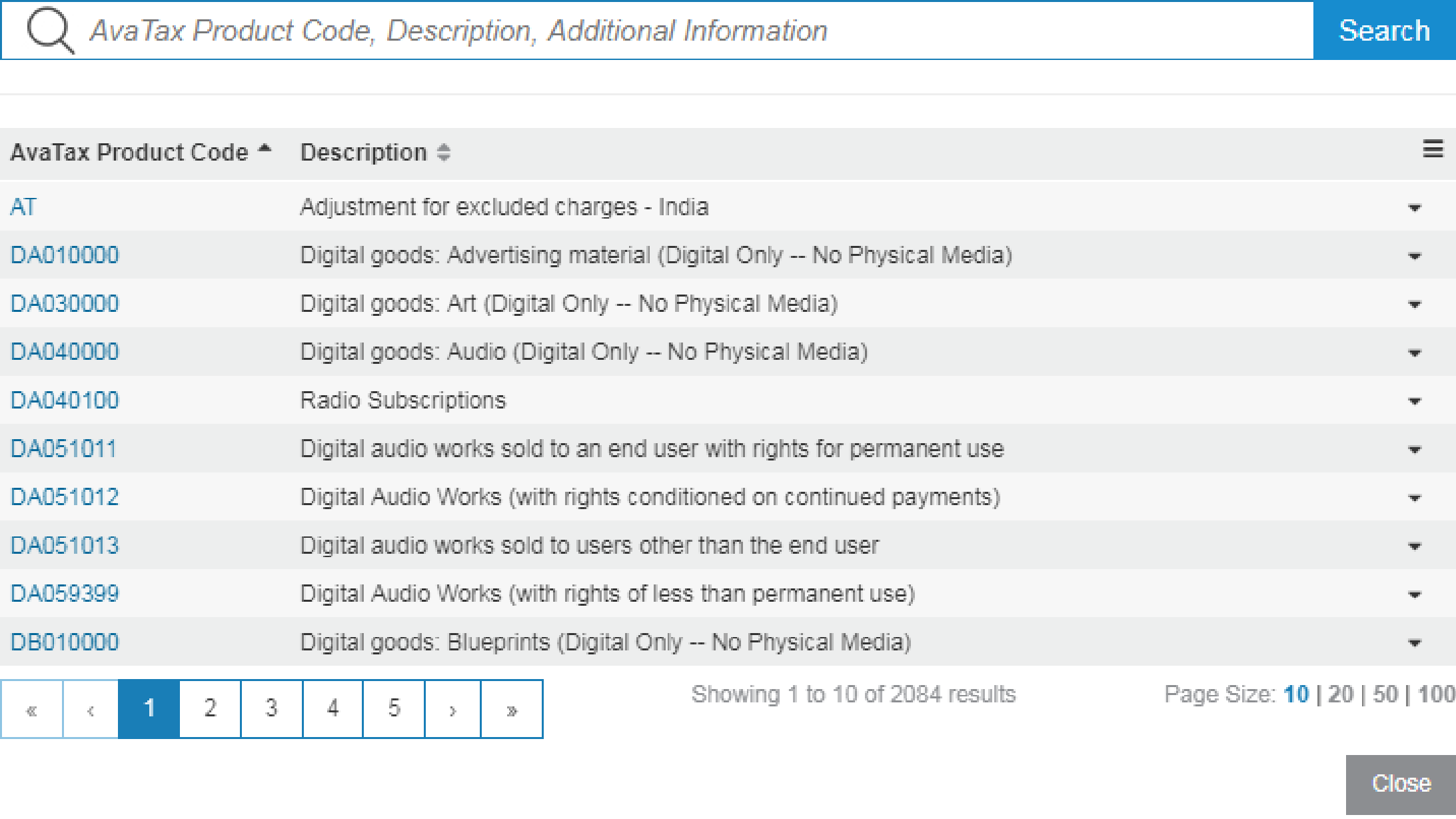
Dealers must review the product codes from Avalara and choose the ones that best suit their products and services. For assistance, contact Avalara AvaTax support or consult www.avalara.com.
If you do not code products with a specific AvaTax Product Code (such as stock number, miscellaneous charge, and so on), AvaTax treats the item as tangible personal property (TPP), applying AvaTax Product Code P0000000, which is fully taxable everywhere.
There are situations where certain products (charges and credits) are added to an invoice that are not considered saleable items. For example, part number ROA (received on account) is used to reduce the total amount owing. It reduces the amount owing but has no effect on the taxable sale amount on the invoice. To tell the system that a product is to calculate no tax, use one of these product codes:
-
ON030000—a non-taxable product that is not treated as a physical product. It is not taken into consideration when determining the taxability of freight, so it can be used for non-taxable fees, services, pass-through costs, or deposit parts. Integrated Rental customers should use ON030000, as Integrated Rental's communication with Avalara does not have a client specific code of CDKOMIT, that is only reserved for us.
-
CDKOMIT—is similar to ON030000, but is specific to IntelliDealer.
-
NT—(not recommended for use) a non-taxable product but is taken into consideration when determining the taxability of freight. It should not be used for fees, services, or deposit parts. If a miscellaneous fee is mapped to NT on an invoice, it is factored into the freight calculation and may cause incomplete taxation of freight on a shipment of taxable products.
Warning: The NT code is non-SST compliant. Do not use the NT code if you are using the SST program as it will come back as taxable at the time of a tax return.
Loading Product Codes
Before you assign AvaTax Product Codes or AvaTax Use Exemptions to parts, import the code lists from Avalara into IntelliDealer. See AvaTax: Installation and Setup.
Then configure defaults for parts as they are added to the system. Navigate to Configuration > Parts > Profile > Part Adds. On each Part Adds configuration, set the default AvaTax Product Code and AvaTax Use Exemption values applied when a part is quick-added.
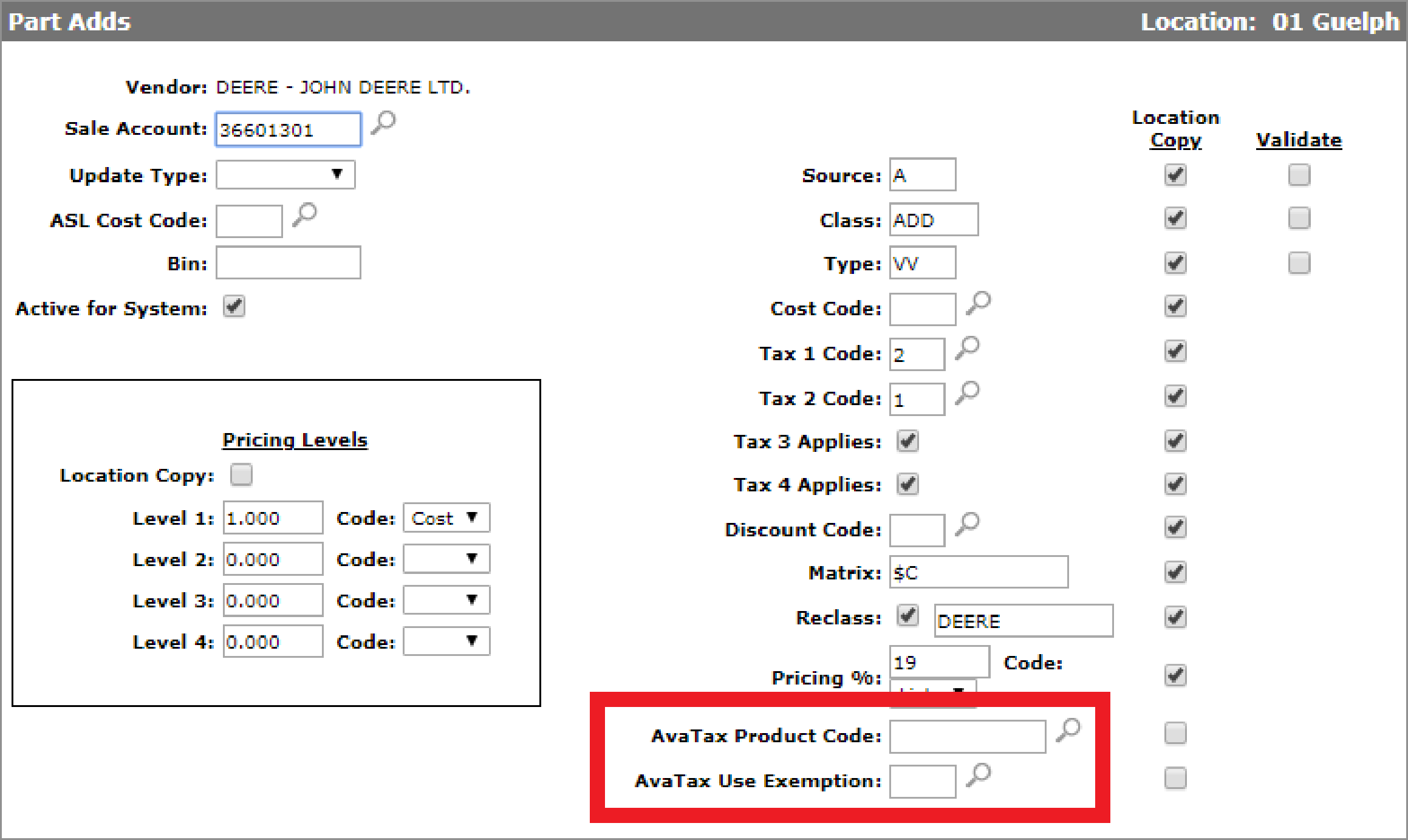
The Add Part screen has an AvaTax Product Code and AvaTax Use Exemptions field.
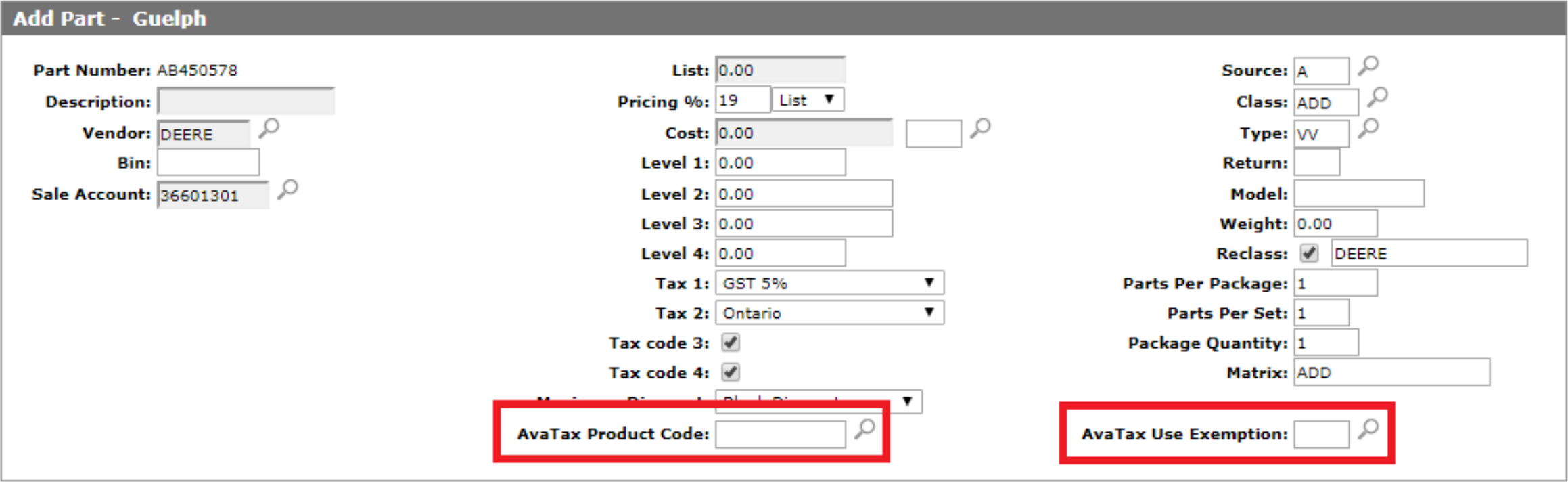
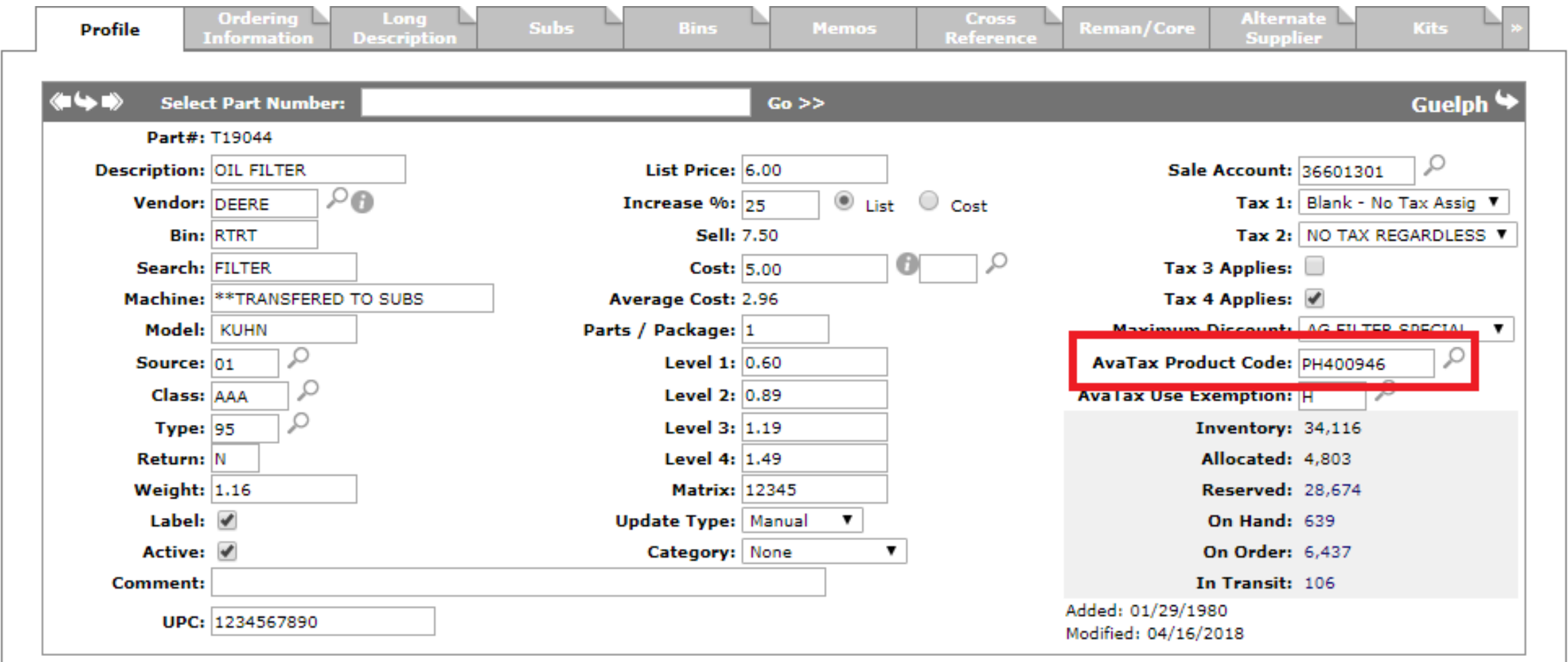
If an item has no product code, the system assumes it is a taxable product. You only need to set a product code on items that have special taxability. For example, labor might be taxable in some states, but not others. The Parts Profile screen also has an AvaTax Product Code and AvaTax Use Exemption field.
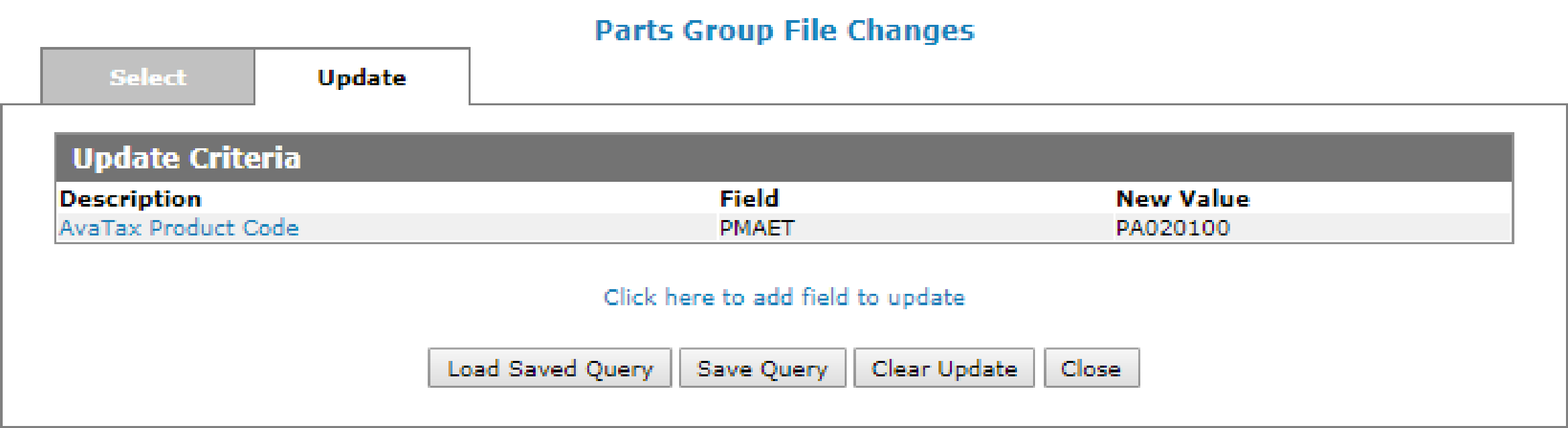
If you need to apply a product code to a large number of parts, use Mass Update. Mass Update allows for bulk modifications. If the dealer prefers to change these individually, they can go into Parts Profile and set the code manually. This must be done for each company/division combination that will be using this interface.
You can access Mass Update by navigating to Product Support > Parts > Parts Profile, and click the Mass Update button at the bottom right of the screen.
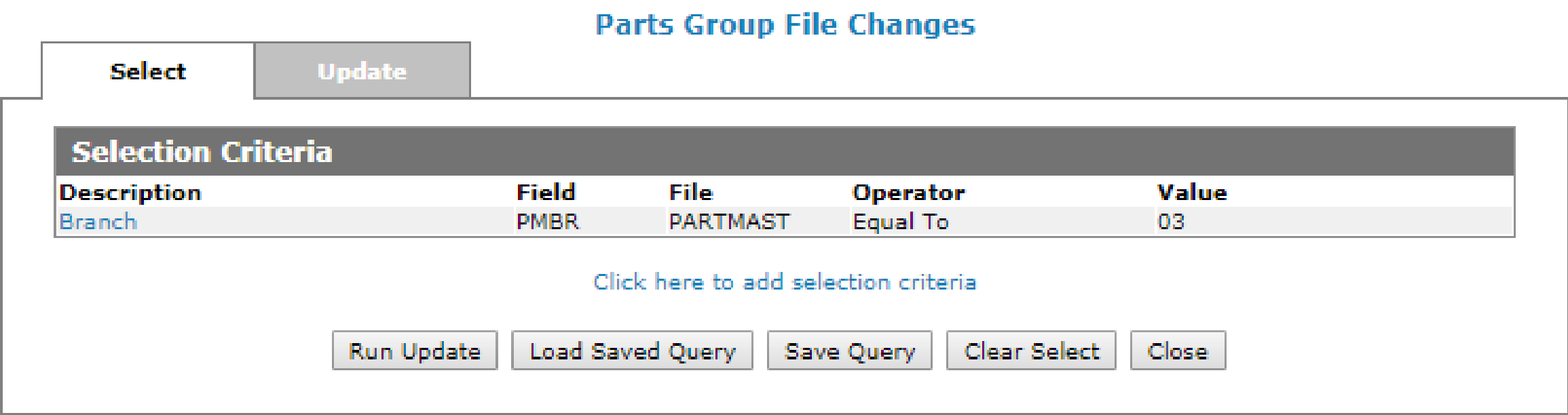
On the update tab, select the AvaTax Product Code field and set the code accordingly. You may have to run the Mass Update multiple times to set the codes on all of the applicable parts.
If you are not familiar with the AvaTax service yet, consult with your Avalara implementation specialist for any questions about what AvaTax Entity Use Codes to use.
Note: Ensure that special freight part numbers are coded with one of Avalara's Freight & Handling codes.
Note: Legacy tax codes remain available because open transactions still exist when the AvaTax system is activated. The dealer is responsible for maintaining the legacy coding until all old transactions have been completed.
AvaTax Use Exemptions
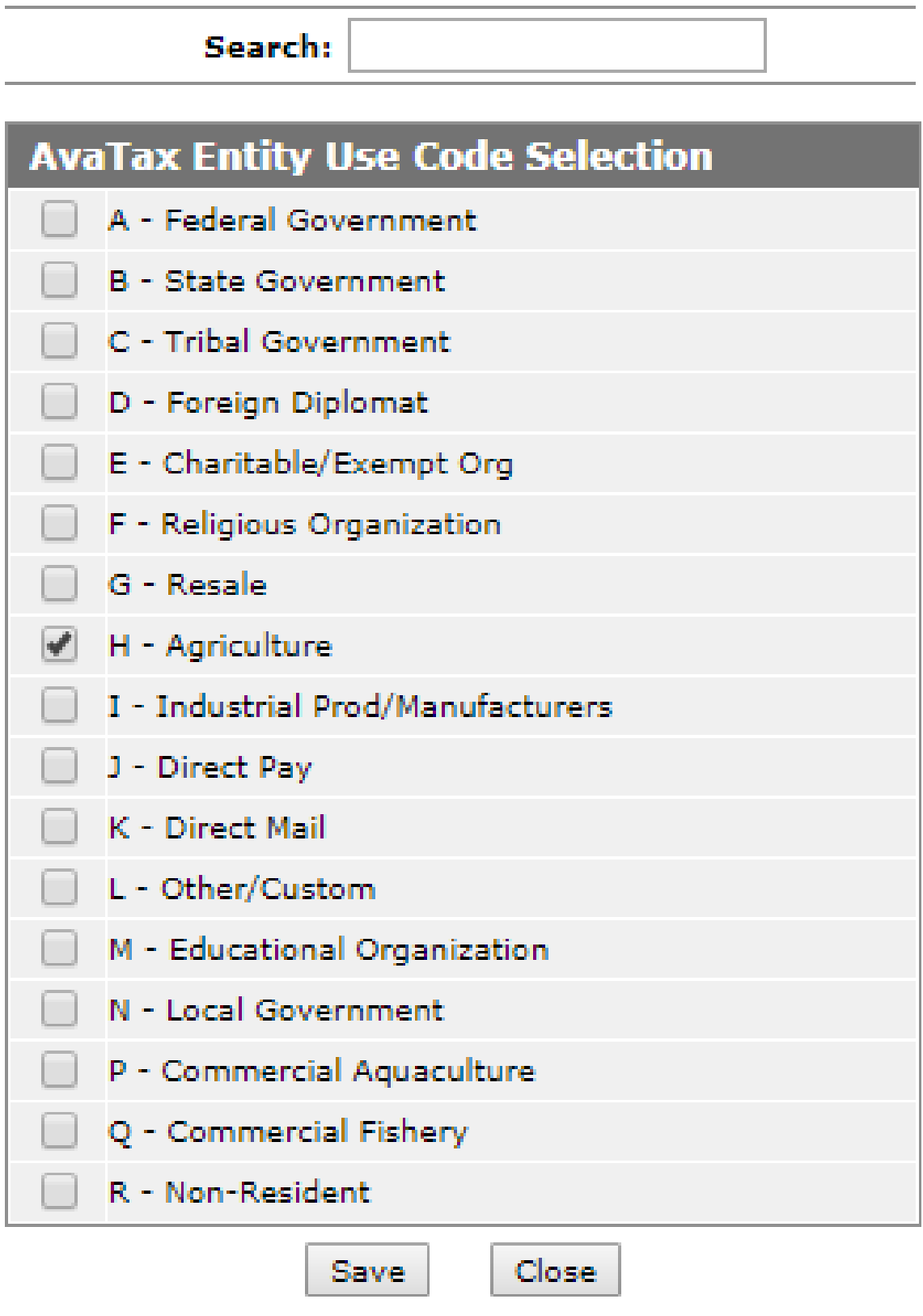
You may need to identify some Entity Use Codes which do not apply to certain parts. For example, if a customer has an Entity Use Code of 'H' (Agricultural) but purchases a hat, jacket or toy, the Agricultural use should not be applied to that part; the hat, jacket or toy should be taxed. This is accomplished by explicitly setting the part through Part Profile to state that Entity Use Code 'H' does not apply to this part (AvaTax Use Exemption). When the hat, jacket or toy is added to the invoice, the system overrides the customer Entity Use Code of 'H' to 'TAXABLE' on the sale line of the hat, jacket or toy.
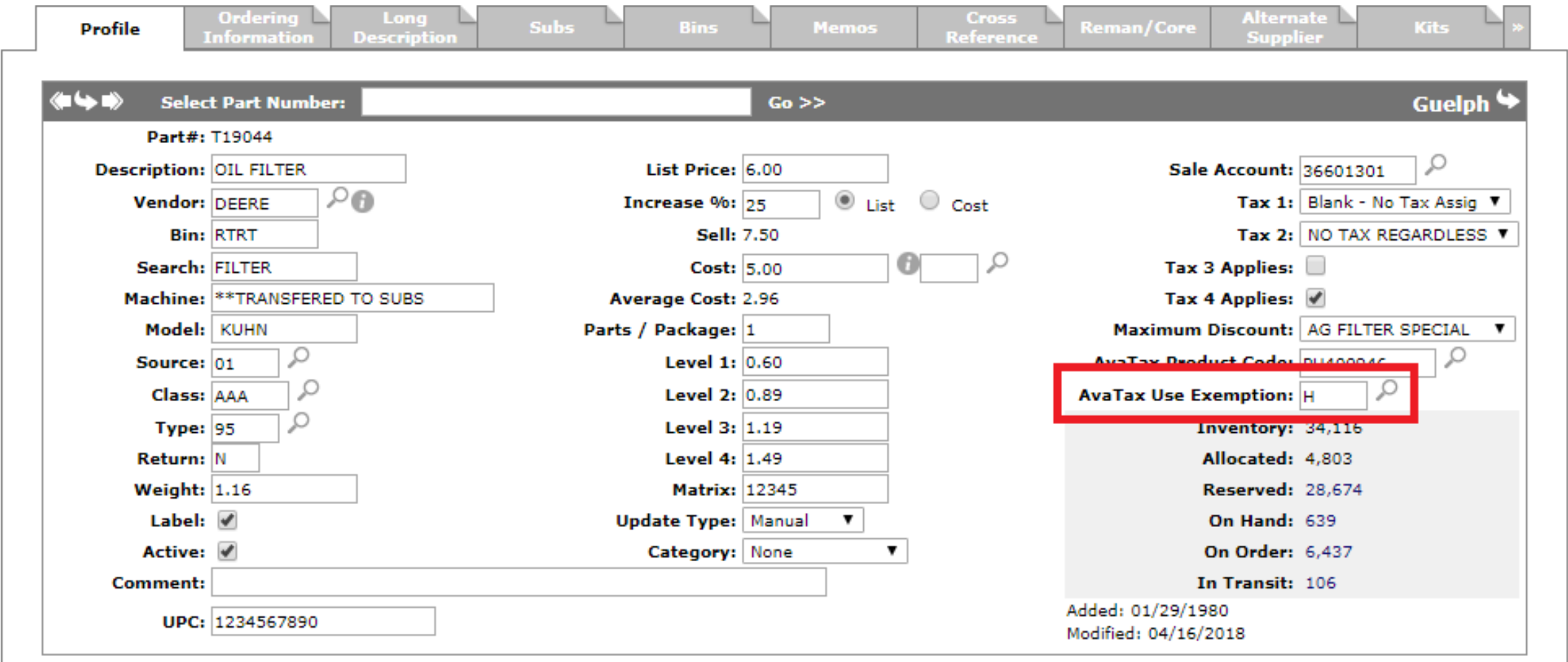
Use the magnifying glass beside the AvaTax Use Exemption field to specify up to three codes.
Parts Invoicing and Quoting
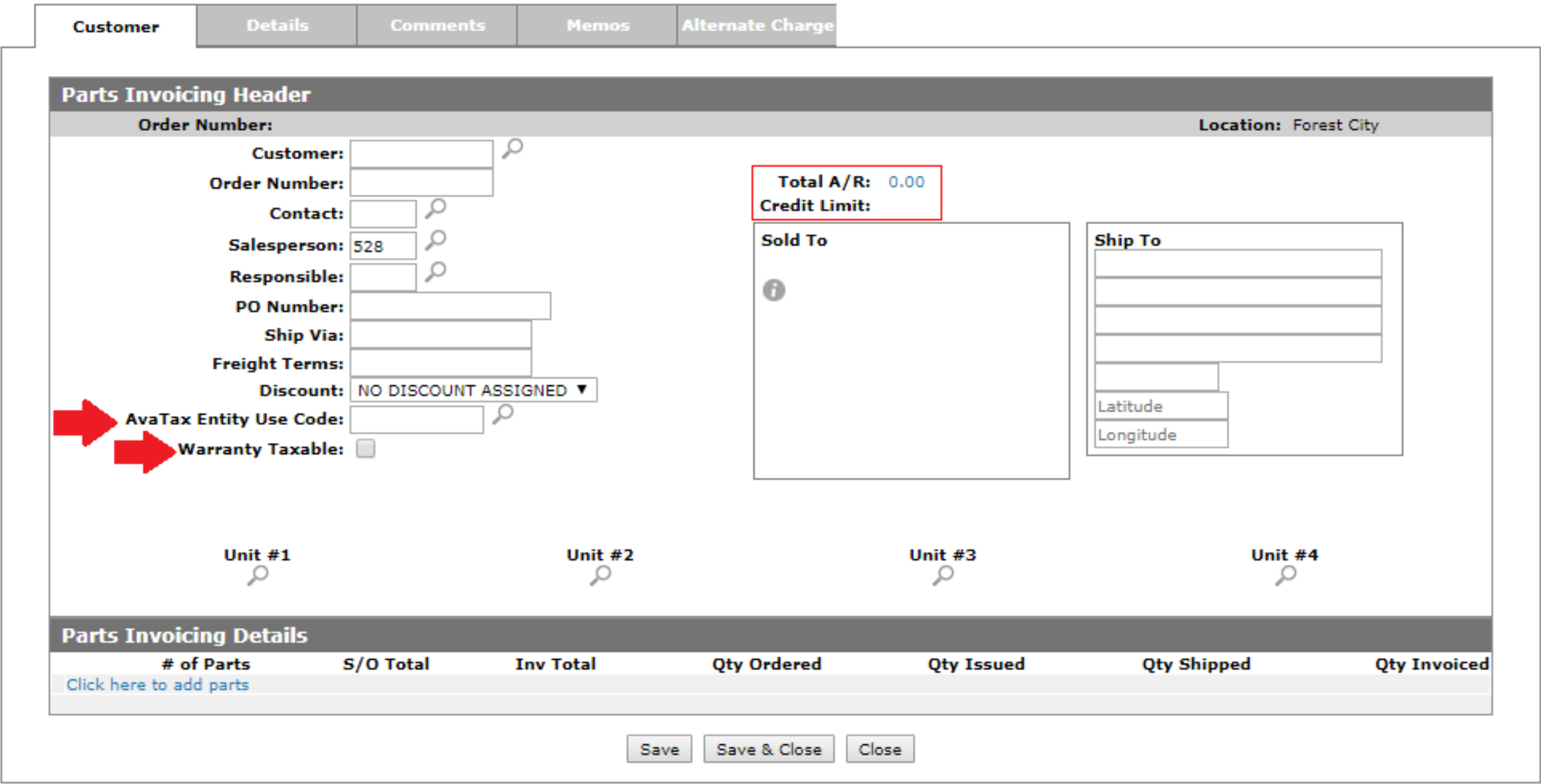
AvaTax has been implemented in Parts Invoicing & Quoting. The AvaTax Entity Use Code field is available on the Customer tab and defaults according to the value loaded on the customer. If necessary, the Entity Use Code can be changed to a different code.
You can specify the defaults for whether or not warranty is taxable in Parts Invoicing (cash code 3). The Warranty Taxable field is available only in Parts Invoicing and defaults according to the Transmit Warranty Transactions setting on the Configuration > Interfaces > AvaTax screen. This default value can be overridden on the invoice as required. This value is also used as the default for warranty work order quoting and work orders.
Note: The printed Parts Invoice does not identify which lines were taxed. The TTTT column has been removed from the printout.
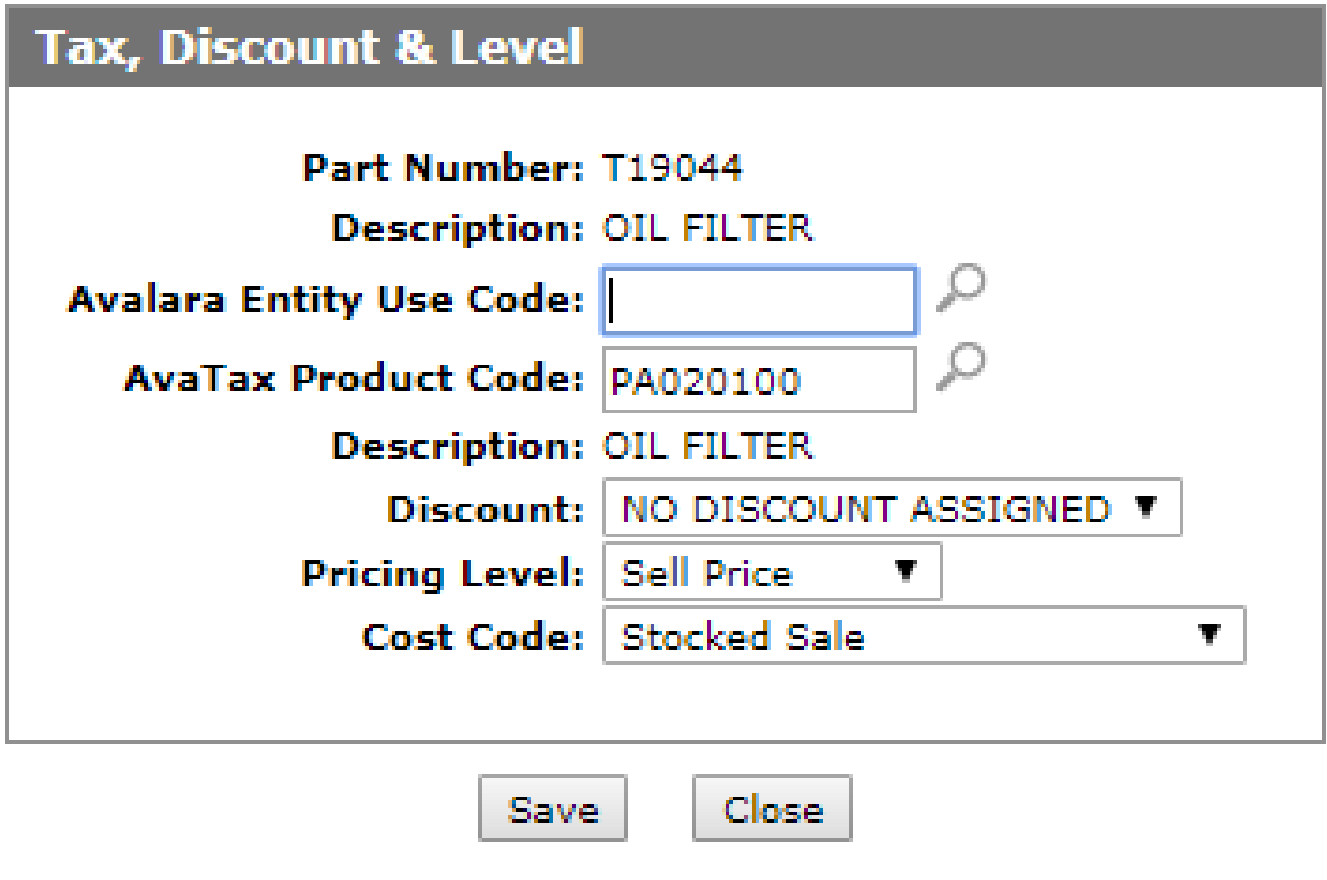
When you are on the Details tab of the invoice, you can access the Tax, Discount & Level window. The AvaTax Entity Use Code and AvaTax Product Code fields are available to override as necessary. If the AvaTax Entity Use Code is left blank, the system uses the AvaTax Entity Use Code configured on the Customer tab when communicating to AvaTax.
Special product codes for the AvaTax Entity Use Code field are:
-
CDKOMIT—these items are not reported to AvaTax. Use this code for transactions that are non-taxable.
-
FOREIGN—for items being shipped internationally, and are therefore not subject to your country's tax laws.
Since AvaTax can only validate addresses in the US and in Canada, you should use one of the above product codes when shipping outside of these areas.
The AvaTax Product Code defaults to the product code configured on the part in Parts Profile and can be overridden if desired.
Deposits
Parts deposits involve two separate transactions. Each behaves differently with AvaTax.
Deposit Invoice
When a customer pays a deposit, the system generates a separate deposit invoice. This deposit invoice is not transmitted to AvaTax for tax calculation. When AvaTax is enabled, the deposit invoice header is assigned the AvaTax Entity Use Code of CDKOMIT, which omits the invoice from AvaTax processing. The deposit invoice PO Number shows DEP: followed by the original order number.
Deposit Credit on the Original Invoice
When the original sales invoice is finalized, the deposit credit line is transmitted to AvaTax as part of the sales invoice. Tax on the deposit credit depends on the AvaTax Product Code assigned to the deposit part in Parts Profile.
Note: Code the deposit part with AvaTax Product Code ON030000 or CDKOMIT so the deposit credit is non-taxable and does not affect freight taxability. Do not use NT for the deposit part, because NT is included in freight taxability calculations.
Non-Transmitted Transactions
IntelliDealer does not transmit the following Parts Invoicing transactions to AvaTax for tax calculation because they do not represent sales transactions:
-
Location transfers
-
Deposit invoices
-
Parts Invoicing invoices that use the Alternate Charge tab with a G/L Account
Note: Deposit credit lines on the original sales invoice are transmitted to AvaTax. See Deposits.
Feature: 6238 Avalara Tax
Revision: 2026.08