AvaTax: Customers
The entity use code identifies any special designation for a customer (eg. Agriculture, Government, etc.) for tax purposes. Not all customers require an AvaTax Entity Use Code – only those with a special designation. The best setting for this value is based on the exempt codes you previously used in the legacy tax code system. If you are using Avalara’s Exemption Certificate Management (ECM) System you do not need to set the Entity Use Code on any customers. You can set this code by hand or use one of these mass change utilities:
IntelliDealer only imports use exemptions from Avatax that have the rule type Exempt Entity Rulein the AvaTax configuration. If you have a type of use or exemption that does not appear on the AvaTax Entity Use Codes list, consult your Avalara representative about potentially creating a custom code.
Note: When setting up custom codes, you are responsible for managing and maintaining the codes and their custom rules.
How Entity Use Codes are Applied
Entity use codes identify customer exemption or special tax designation when IntelliDealer sends a transaction to AvaTax. Codes must exist in the local AVATAXE list before you can assign them; see Download Entity Use Codes.
When you maintain customers, set the code on the screen that applies to the sale:
-
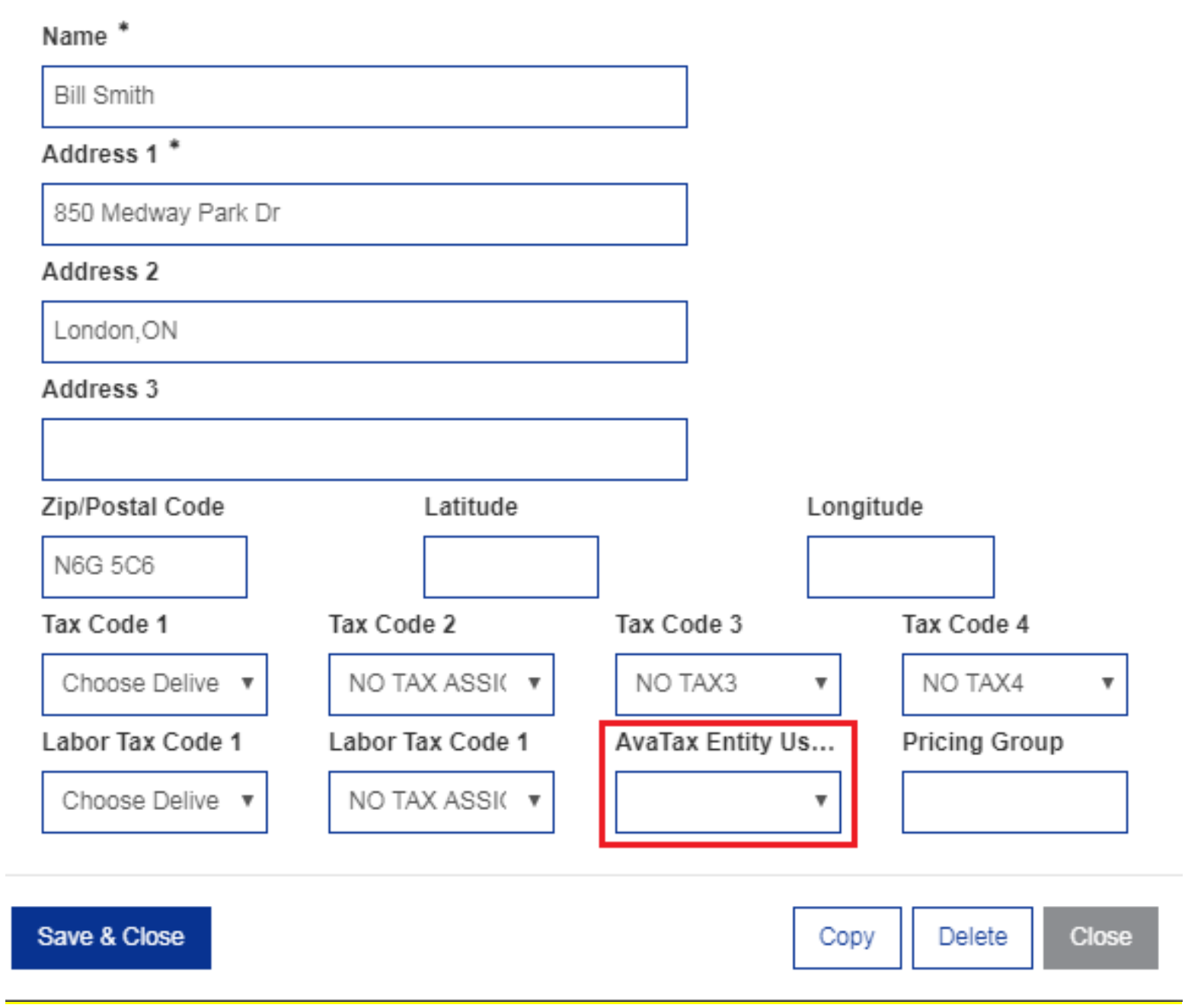
Edit Alternate Ship to/Add Default Ship to—when a ship-to address is configured for the customer, AvaTax uses the AvaTax Entity Use Code on that ship-to for transactions that use that address, including when the field is left blank.
-
Customer Profile—used when no ship-to address is configured for the customer.
During quoting and invoicing, more specific settings override the customer default when present:
-
Transaction header—on supported screens (for example, the Customer tab in Parts Invoicing or Work Orders), you can change AvaTax Entity Use Code for that quote or invoice. When the header field is blank, the system uses the ship-to or customer profile value described above.
-
Line level—on parts invoices, you can set AvaTax Entity Use Code on a line in Tax, Discount & Level. When the line field is blank, the system uses the code from the invoice Customer tab (then ship-to or customer profile as applicable).
-
Part profile use exemption—when a part is configured with AvaTax Use Exemption for a code assigned to the customer, that line is sent to AvaTax as TAXABLE instead of the customer code. See AvaTax Use Exemptions.
Note: If you use Avalara Exemption Certificate Management (ECM), you typically do not set entity use codes on customers manually; ECM drives exemption handling in AvaTax.
Where to set entity use codes on customers
Entity use codes are set in the AvaTax Entity Use Code field on these IntelliDealer screens:
-
Edit Alternate Ship to/Add Default Ship to—preferred when exemptions vary by ship-to address (for example, a partial rate at a specific location).
-
Customer Profile—default for the customer when no ship-to is configured.
Group File Maintenance (Mass Update)
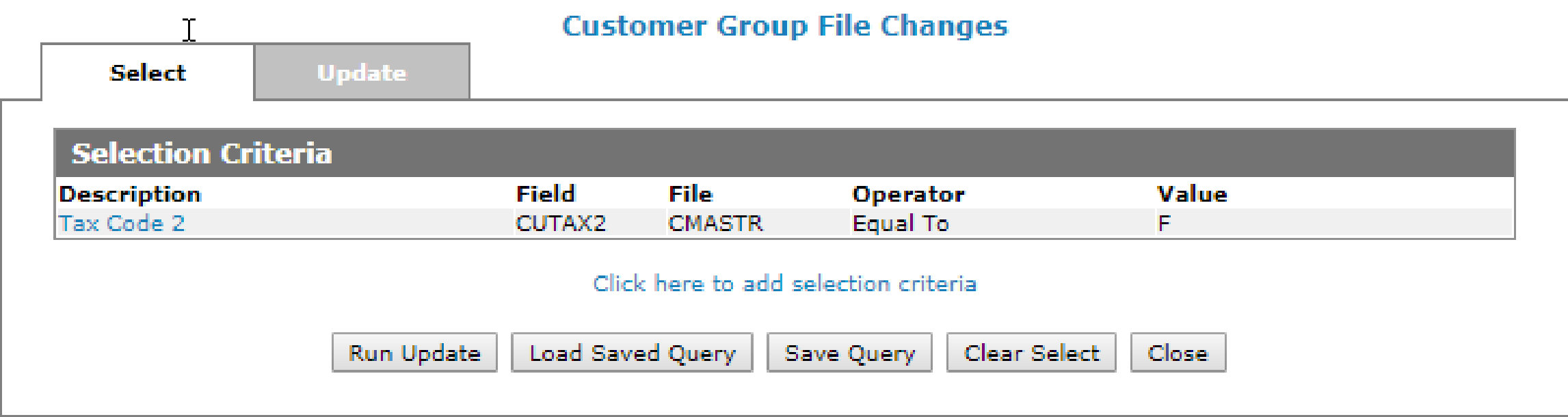
If you set exempt codes on the Profile tab of Customer Profile, you can use the Mass Update facility to set the Entity Use Codes accordingly. For example, all farm exempt customers might have been coded with an ‘F’ in Tax 2 code. You can use this coding to set the proper AvaTax Entity Use Code. You need only perform this procedure during setup.
Navigate to Financial Management > Accounts Receivable > Customer Profile and click the Mass Update button on the bottom of the page .
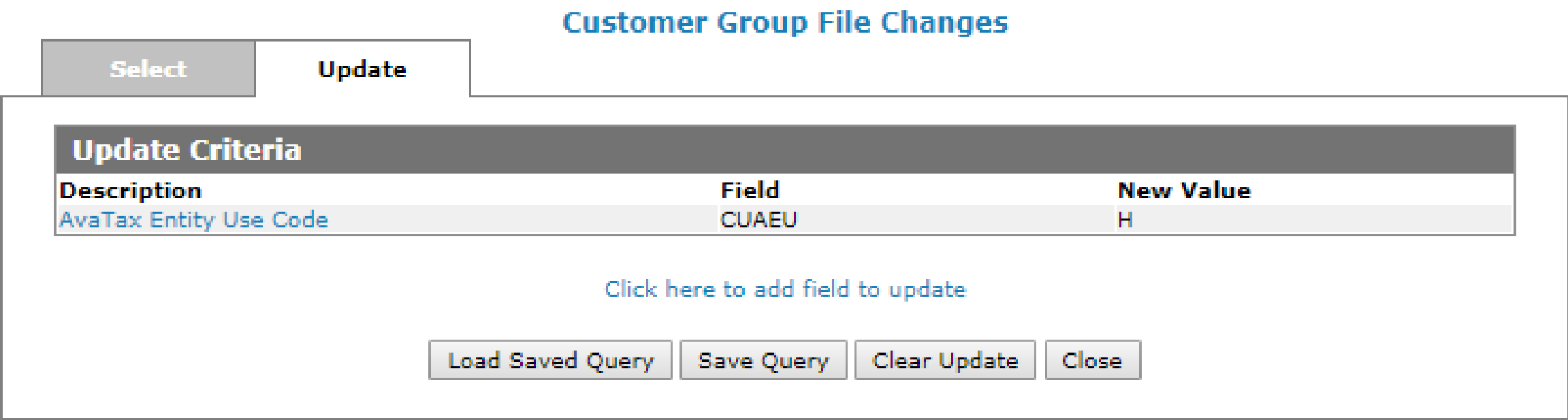
On the update tab, select the AvaTax Entity Use Code field set the code accordingly. You may have to run the Mass Update multiple times to set the codes on all of the applicable customers.
Note: You must perform this procedure for each company/division combination that is using this interface.
If you are not familiar with the AvaTax service yet, you should consult with your Avalara implementation specialist for any questions about what AvaTax Entity Use Codes to use.
Location Tax Utility
If you set up exempt codes on the Location Tax tab of Customer Profile, you can use the Update Entity Use Code utility to set the Entity Use Codes accordingly based on the Location Tax configured on customers. You need only perform this procedure during setup.
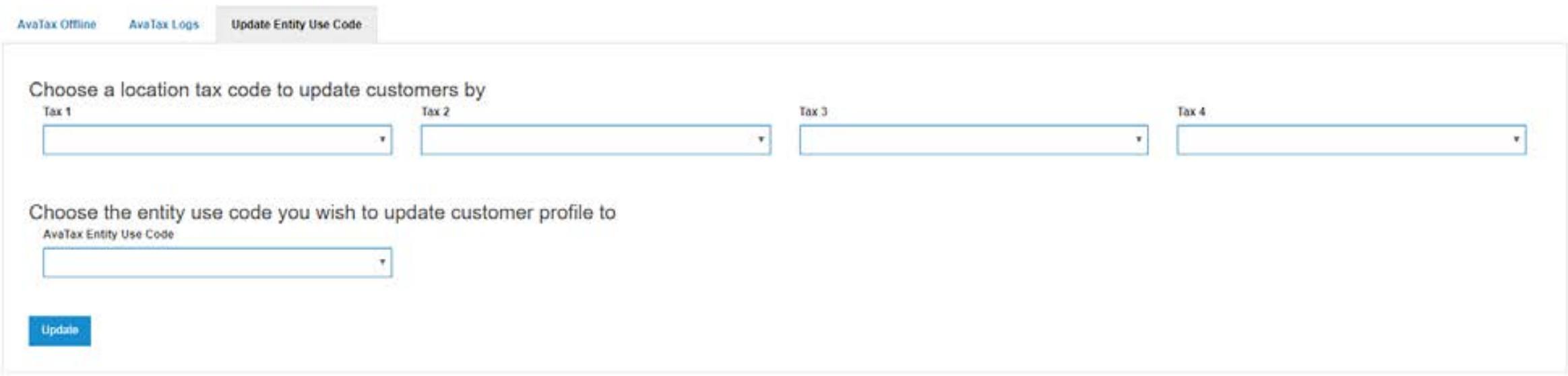
You must first select a value for either Tax 1, Tax 2, Tax 3 or Tax 4 which represents the code you loaded in the Location Tax tab of Customer Profile for exempt sales (eg. Agricultural, Government, Resale, etc.).
Note: Only one of the four tax codes can be selected at a time.
Next, select the AvaTax Entity Use Code that corresponds to the legacy tax code selected. This will update the Customer Profile Avatax Entity Use Code field accordingly. You should run this utility multiple times, once for each unique exemption code. This run will only process customers in the company and division you are currently assigned to.
Navigate to Financial Management > General Ledger > AvaTax - Update Entity Use Code tab.
The Customer Profile screen has an AvaTax Entity Use Code to identify what kind of customer it is. The legacy tax codes are still available because open transactions will still exist when the AvaTax system is activated. The dealer is responsible for maintaining the legacy coding until all old transactions have been completed.
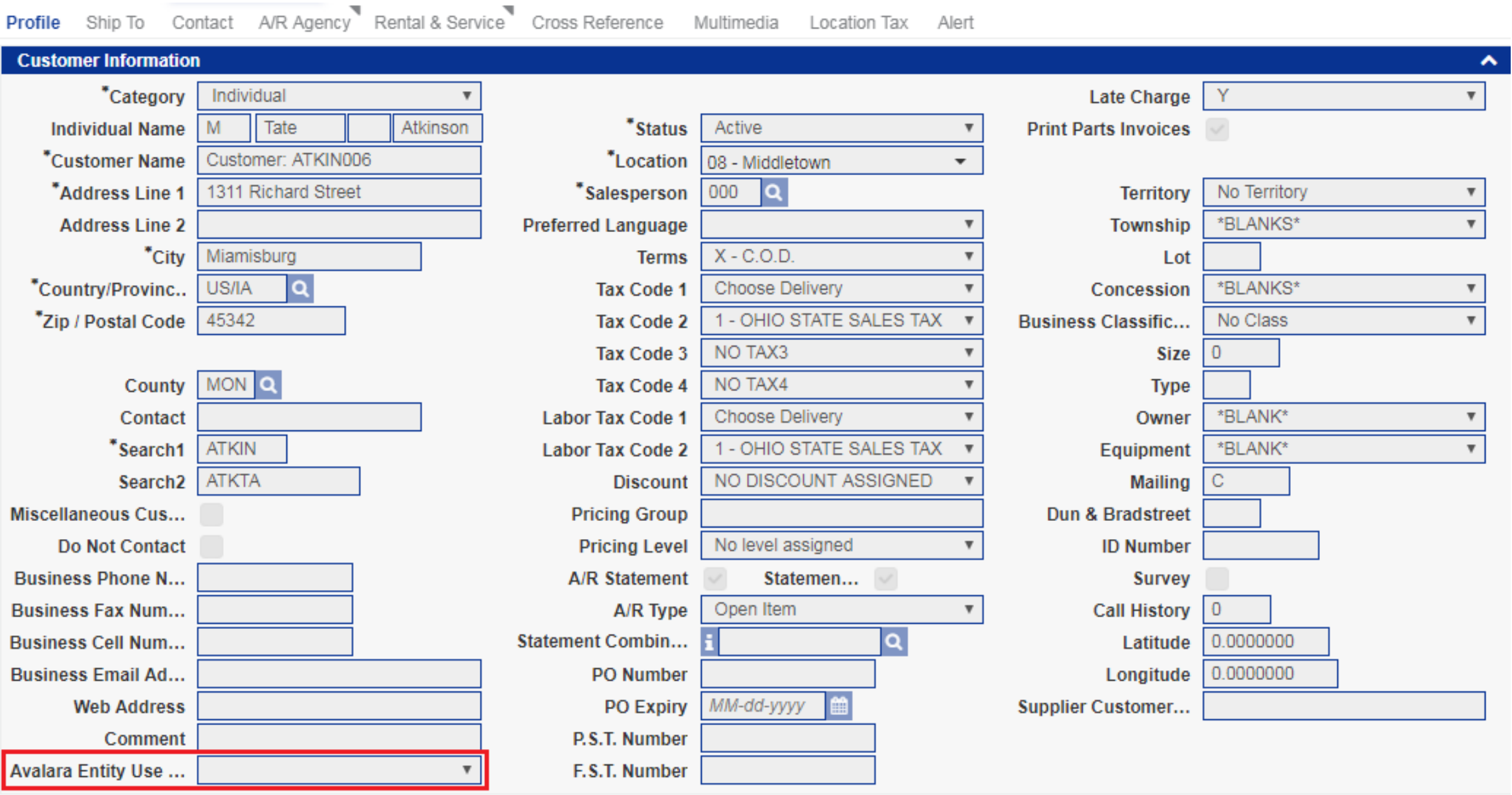
If not using ECM, load a default AvaTax Entity Use Code on the Ship To addresses loaded on customers. The legacy tax codes are still available because open transactions still exist when the AvaTax system is activated. The dealer is responsible for maintaining the legacy coding until all old transactions have been completed.