
For customers wanting to prepay for parts prior to them getting all the parts in IntelliDealer.
There is a DEPOSIT table that can be configured to control the IntelliDealer deposit ability through parts invoicing….
This table is now in IntelliDealer under Configuration > Parts > General > Deposits
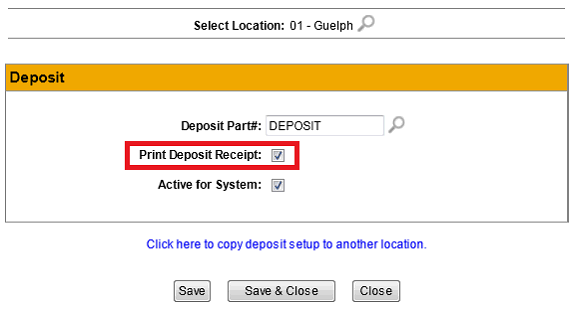
If you have the print receipt button on it will print out a picpak with this part# on it for the amount of the deposit.
Note: Note: If you have been using the deposit process being used previously you are better not to use the same part number for this process otherwise it will lock the previous transactions. You are better to start with a new DEPOSIT part number for this purpose so you don't confuse previous transactions.
Problem:
I have a cash only customer that wants me to special order some parts for him. I would like him to prepay for the parts or put down a deposit for the parts at the time I place them on order. How do I accomplish this?
Solution:
To record a deposit at the time of ordering the parts, a new special part number will have to be added to the system. Call this part number DEPOSIT. This part should have a Vendor Number of 'GL' and a sale account that will be used to hold the value of the customer's deposit until the parts are received and invoiced to the customer. This GL account will normally be considered a Current Liability and will always wash out to a zero balance.