
JD Quote
JD Quote is an interface within IntelliDealer that allows salespeople to create, manage, and track official price quotes for John Deere equipment without needing to switch to a separate John Deere portal.
Open the JD Quote interface by navigating to Product Support > Equipment > JD Quote.
Quotes are retrieved on-demand from the John Deere quoting system. A number of filters are available for searching.
These fields can be searched on the JD Quote screen:
| Field | Description |
|---|---|
| Quote ID | The unique identifier for the quote. |
| Quote Name | The name of the quote. |
| Salesperson |
Quotes assigned to a specific sales representative. This field requires a John Deere RACF (Resource Access Control Facility) ID it order to appear in searches. |
| Customer | The customer associated with the quote. |
| Status | The status of the quote. |
| Expires On | The expiration date of the quote. |
| Modified On | The date the quote was last modified. |
Search results are displayed in a table where each quote is selectable by Quote ID.
Clicking on a Quote ID opens the extended Quote Details for that quote.
 JD Quote Details screen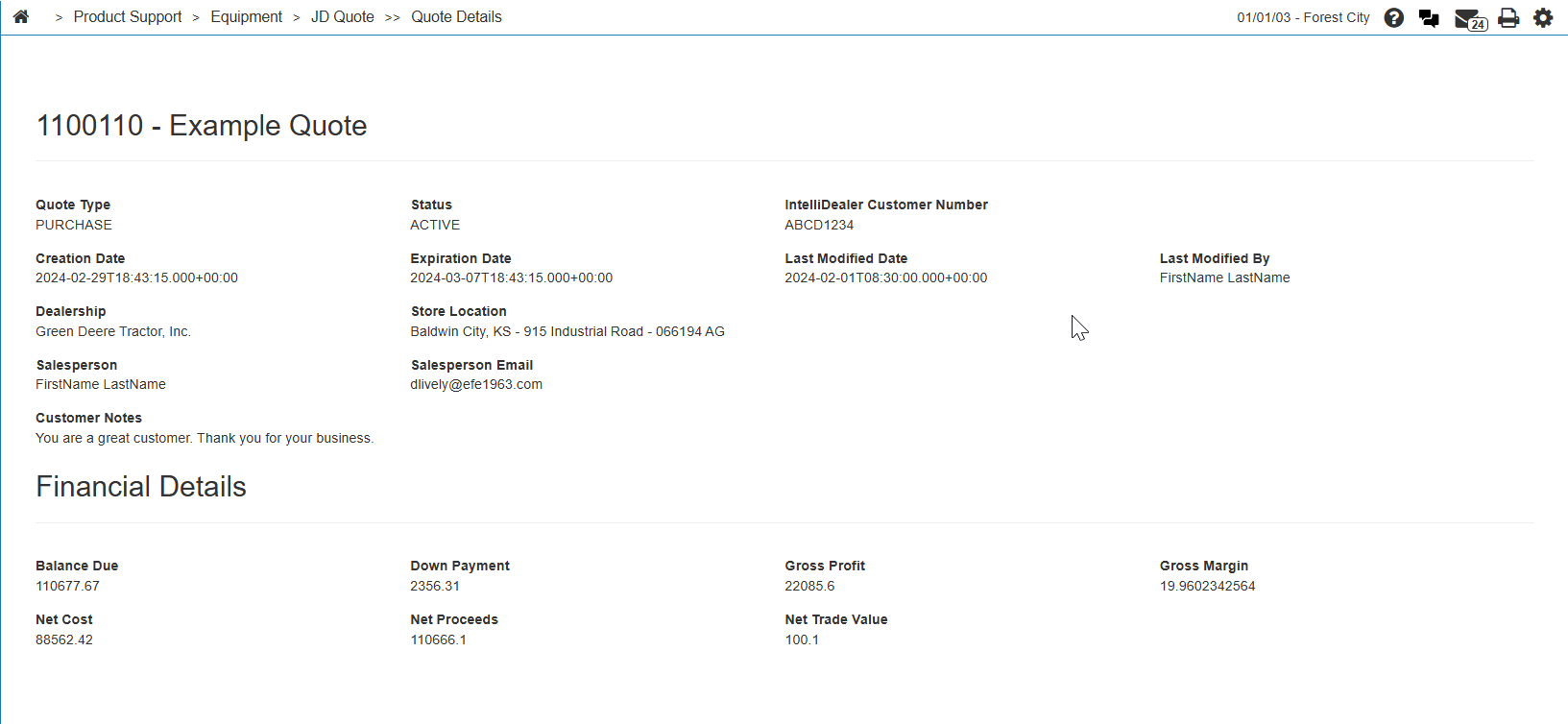
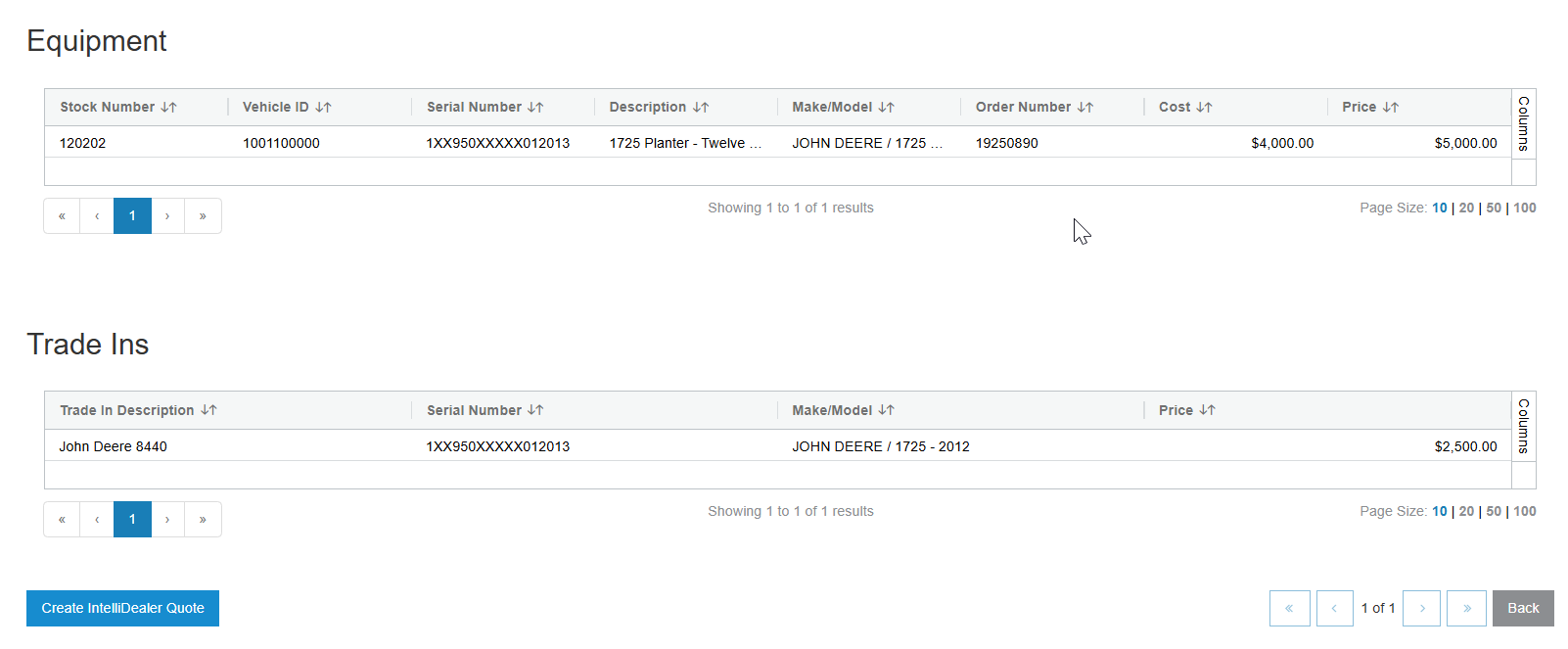
At the bottom of the Quote Details screen is an option to Create IntelliDealer Quote. Clicking this button opens the quote mapping screen.
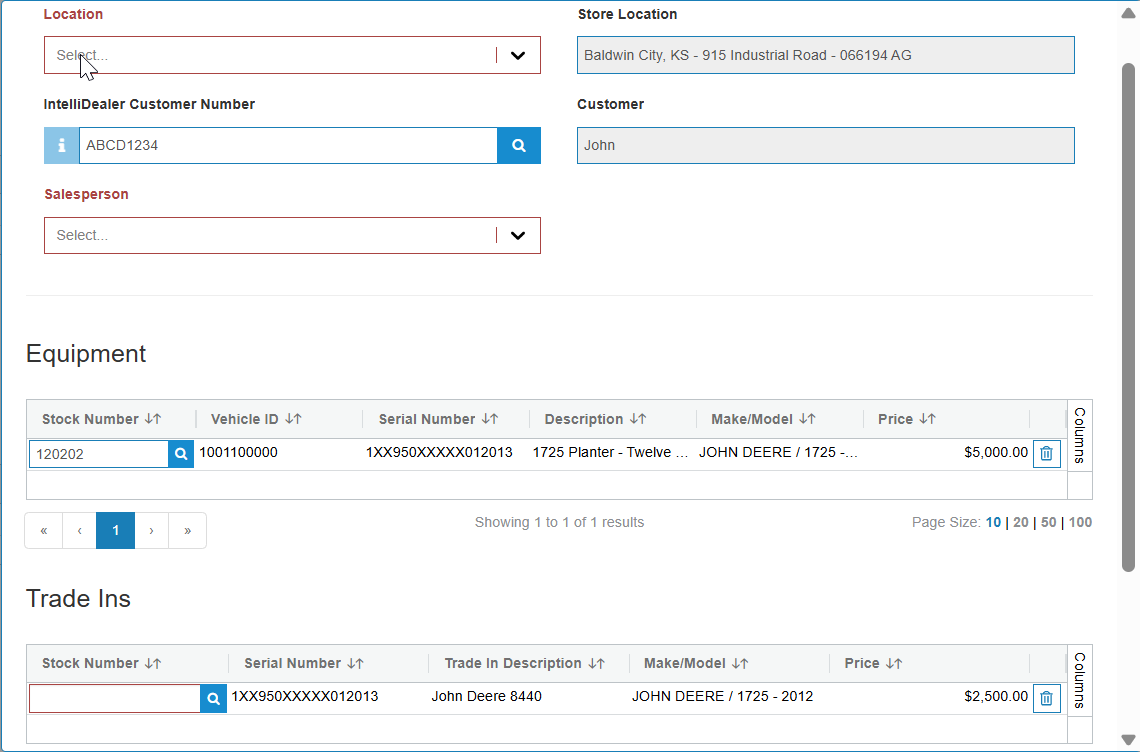
Data from John Deere is shown on the right side of the screen and must be mapped to IntelliDealer data entered on the left. The interface attempts to automatically match what data it can, but some mappings may need to be updated.
A stock number must be selected for all equipment and trade-ins that are used on the quote. If no stock number is available, a "?" character can be used instead to allow the quote to be built in IntelliDealer.
Feature: 6220 - JD Quote II - JDPO Service Interface
Revision: 2026.01