
Editing a Location Tax Code
-
From any IntelliDealer screen, click on the Configuration tab.
The Configuration Quick Links screen will appear.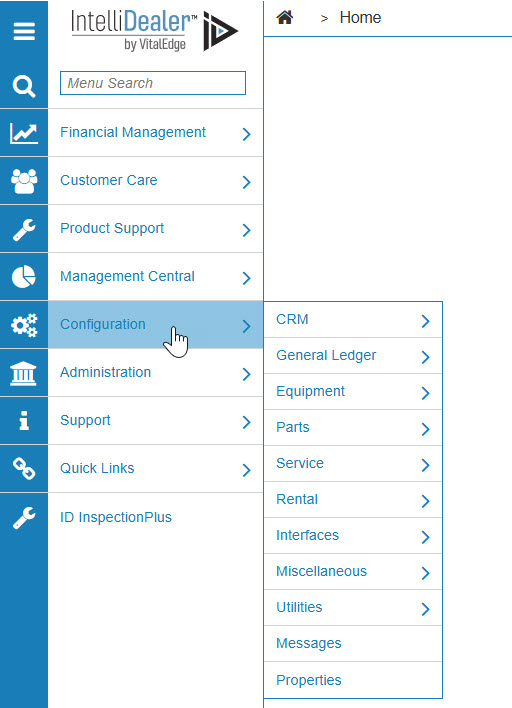
Configuration Quick Links screen
-
From the CRM list, click the Taxes & Discounts link and select Location Tax from the drop down list.

Configuration Quick Links screen
-
The Location Tax screen will appear.
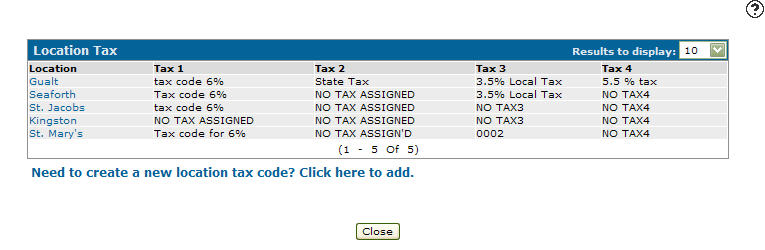
Location Tax screen
-
On the Location Tax screen, move the cursor over a Location and select Edit from the pop-up menu.
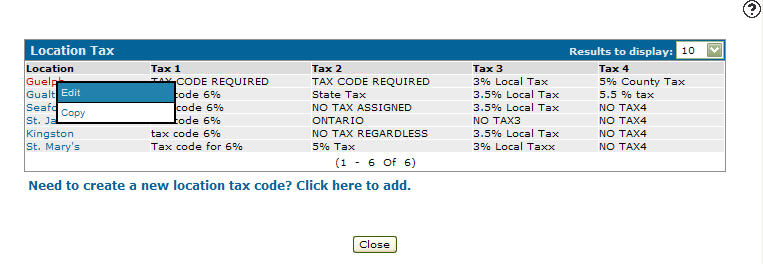
Location Tax screen
-
The Edit Tax Code screen will appear.
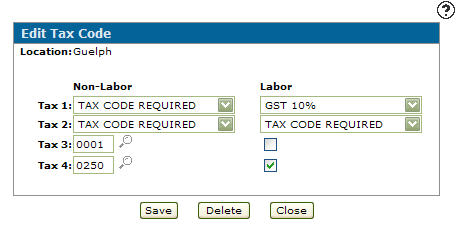
Edit Tax Code screen
-
On the Edit Tax Code screen, you may edit any of the fields within the selected tax code.
-
Click the Save button to save any changes made to the tax code.