
Confirmation
Use the Confirmation screen to confirm or decline the parts group file update, generate the Group File Parts Updated report, and view the number of parts affected by the update.
The Confirmation screen is accessed by clicking Run Update from either the Selection Criteria tab or Update Criteria tab when performing a parts group file change.
Fields on the Confirmation screen are:
| Field | Description |
|---|---|
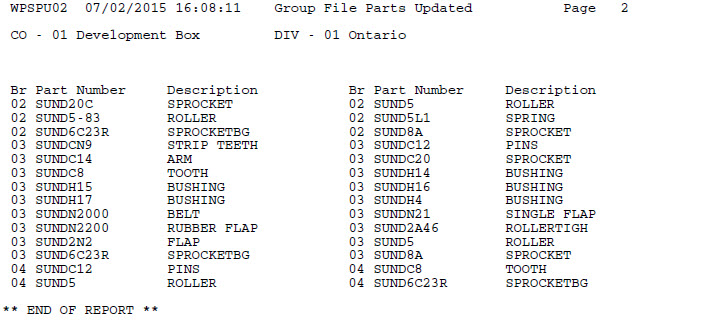
| Print Parts Updated Report | If selected, generates the Group File Parts Updated report (report WPSPU02) with the update, which lists the part numbers affected by the update. |
| Printer | The printer used for printing the parts group file update report. |
| or PDF | Creates a PDF file of the parts group file update report. which can be viewed via the PDF Viewer. |
Reports produced:
| WUPDRPT | Select/Update Criteria - Parts |
| WPSPU02 | Group File Parts Updated |
Buttons on the Confirmation screen are:
-
Continue—runs the selected parts group file update following the parameters within the created query and, if selected, generates the Group File Parts Updated report.
-
Cancel—cancels the parts group file update and returns to the previous screen.
Revision: 2026.01