ARI PartStream - Brand Mapping tab
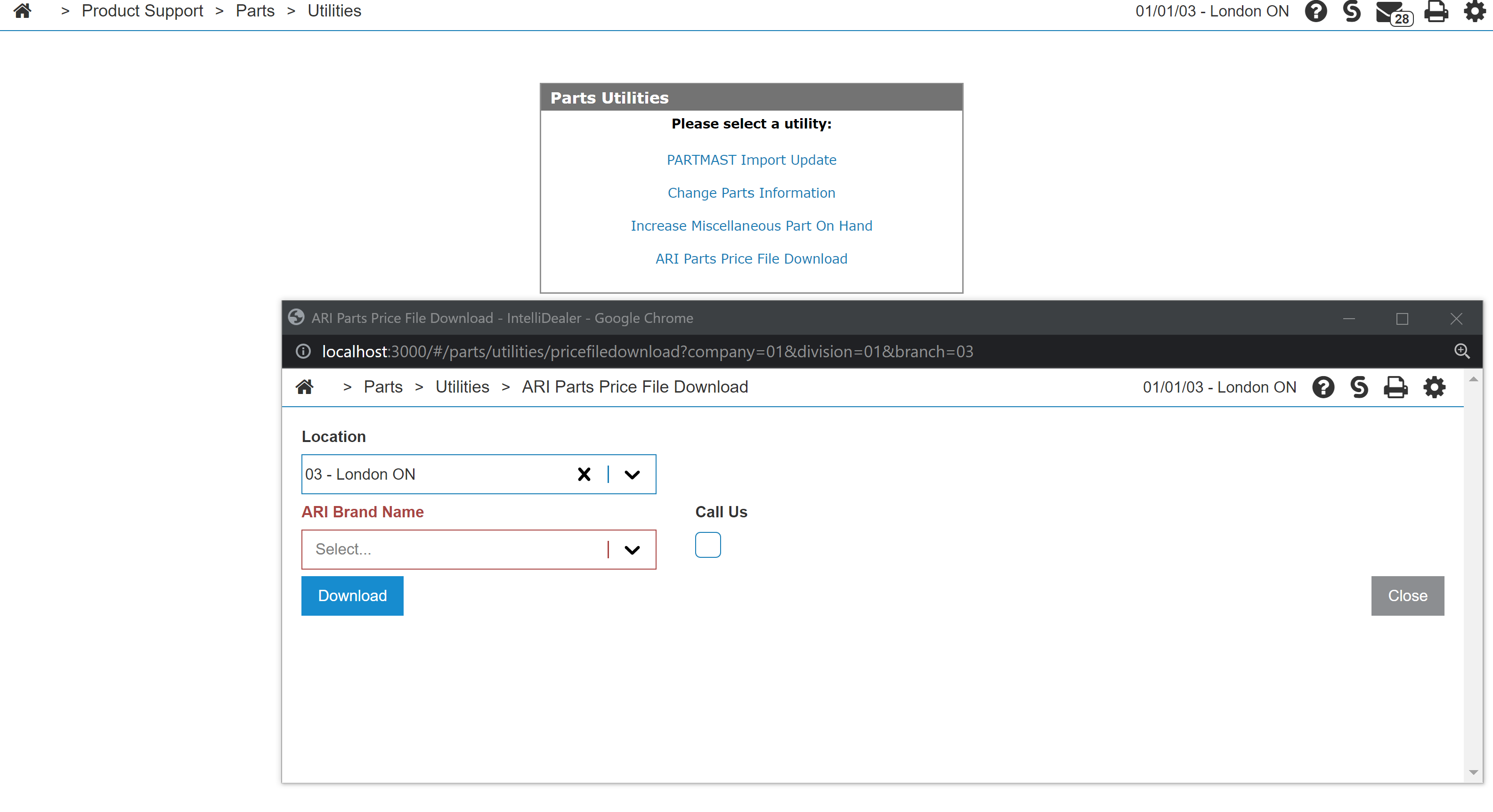
ARI offers a tool to upload the dealer parts prices via a specific CSV file format. The interface offers the export of ARI Brand part price data from IntelliDealer into a CSV file. That file can then be uploaded to streamsadmin.arinet.com.
Setup Requirements
-
Feature 6421 - ARI PartStream must be licensed.
-
A user must have the security switch "Product Support - Part Utilities - Allow ARI Parts Price File Download" (833:29) enabled to access the interface.
-
The Brand Mapping for part vendors with part prefixes must be configured. This can be configured from Configuration > Interfaces > Other > ARI PartStream - Brand/Vendor Mapping.
Walkthrough
-
Navigate to Product Support > Parts > Utilities > ARI Price File Download, and open a pop-out window.
-
Select the Location and ARI Brand Name for which you would like to download the price file.
-
CallUs—indicate whether or not you want the user to contact you directly to order parts.
-
Click Download to open a new tab in the main window. A "price.psprice.csv" file is downloaded.
 ARI Brand Mapping