
Configuration: Price Update Contacts
Use the Price Update Contacts screen to maintain the name and email address for each contact who receives an email notification when a price file is available for download from the OEM. IntelliDealer stores these contacts for use by the price file notification service. Email notifications are sent from PriceFiles@vitaledge.com. See also: Parts: Price Update.
Note: This button is only visible when the Manage Price Update Contacts security switch is enabled.
To open the Price Update Contacts screen click the Price Update Contacts button on the Parts: Price Update screen.
 The Price Update Contacts screen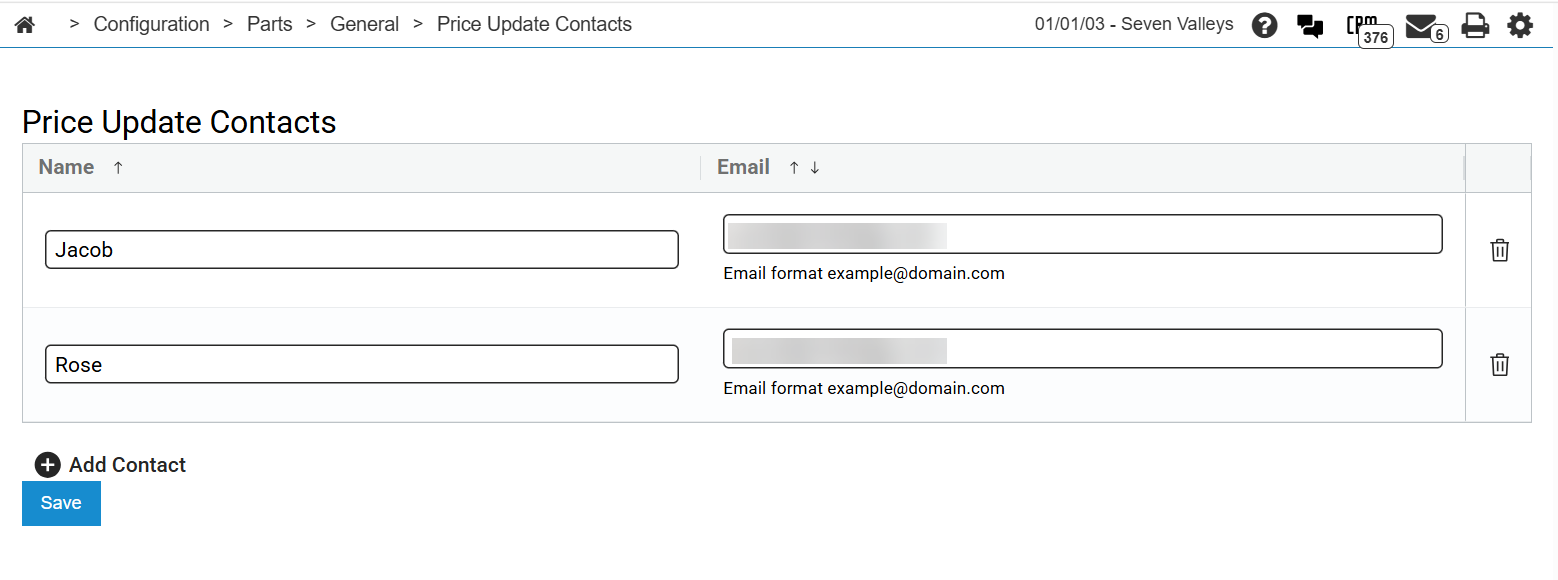
When no contacts are defined, the table displays No contacts defined.
The fields on the Price Update Contacts screen are:
| Field | Description |
|---|---|
| Name | The contact name displayed in price file notification emails. |
| The email address that receives notification when a price file is available for download. |
Click the  Add Contact icon to add a row for a new contact to the table.
Click Save to save your changes on the Price Update Contacts screen. IntelliDealer displays a warning if any contact row is missing a name or email address.
Security: 832 - Product Support - Parts Price Update
Revision: 2026.08