
Rental Configuration - Inspection Steps
Use the Inspection Steps screen to define inspection steps for rental equipment units.
To open the Inspection Steps screen, navigate to Configuration > Rental > Setup > Inspection Steps.
The fields on the Inspection Steps by Category & Class screen are:
| Field | Description |
|---|---|
| Step Number | The number assigned determines when the step occurs in a sequence. |
| Description | A brief description of the step used to inspect the unit. |
| Labor Code | The Labor Code defined for the step used to inspect the unit. |
To create a new Inspection Step, click Create.
 New Inspection Step window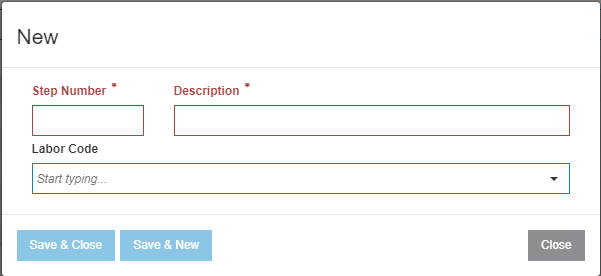
The buttons on the New Inspection Step window are:
- Save & Close—saves any entered data and closes the window.
- Save & New—saves any entered data and opens a new window.