
Configuration: Job Customers
Use the Job Customers screen to manage customer associations with job sites for rental contracts.
To open the Job Customers screen, navigate to Configuration > Rental > Setup > Job Customer.
 Job Customers screen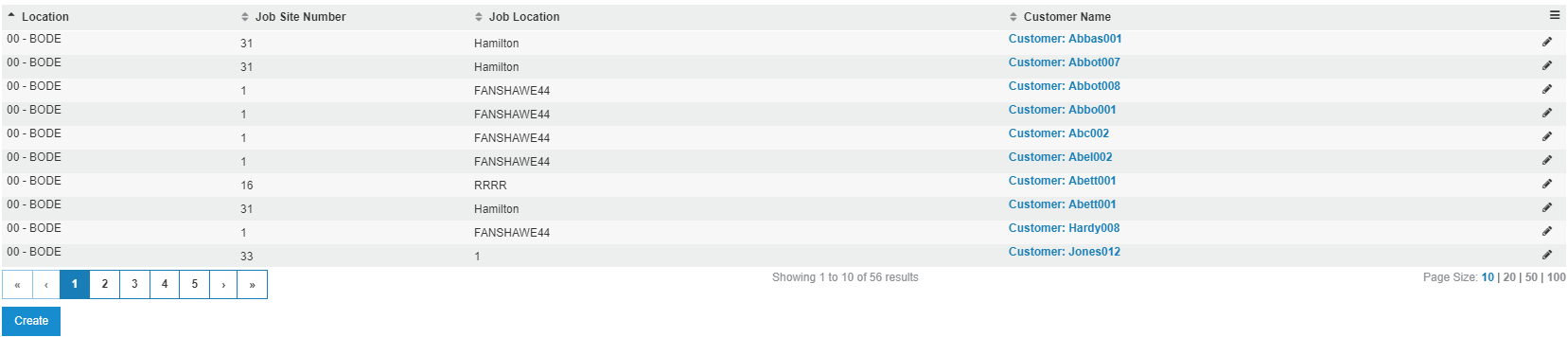
The fields on the Job Customers screen are:
| Field | Description |
|---|---|
| Location | The location for the job. |
| Job Site Number | The number assigned to the job site. |
| Job Location | The location of the selected job site. |
| Customer Name | The customer associated to the job. |
To create a new Job Customer, click Create.
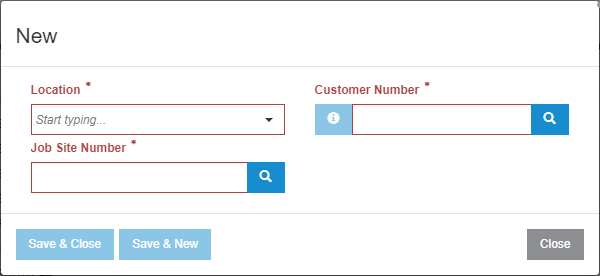
The buttons on the New Job Customer window are:
- Save & Close—saves the entry and closes the window.
- Save & New—saves the entry and opens a new window for additional Job Customers to be created.
- Close—closes the window.