
John Deere: CGE Logs
You can access the JD CGE Logs screen by navigating to Product Support > Equipment > JD CGE Logs.
 JD CGE Logs screen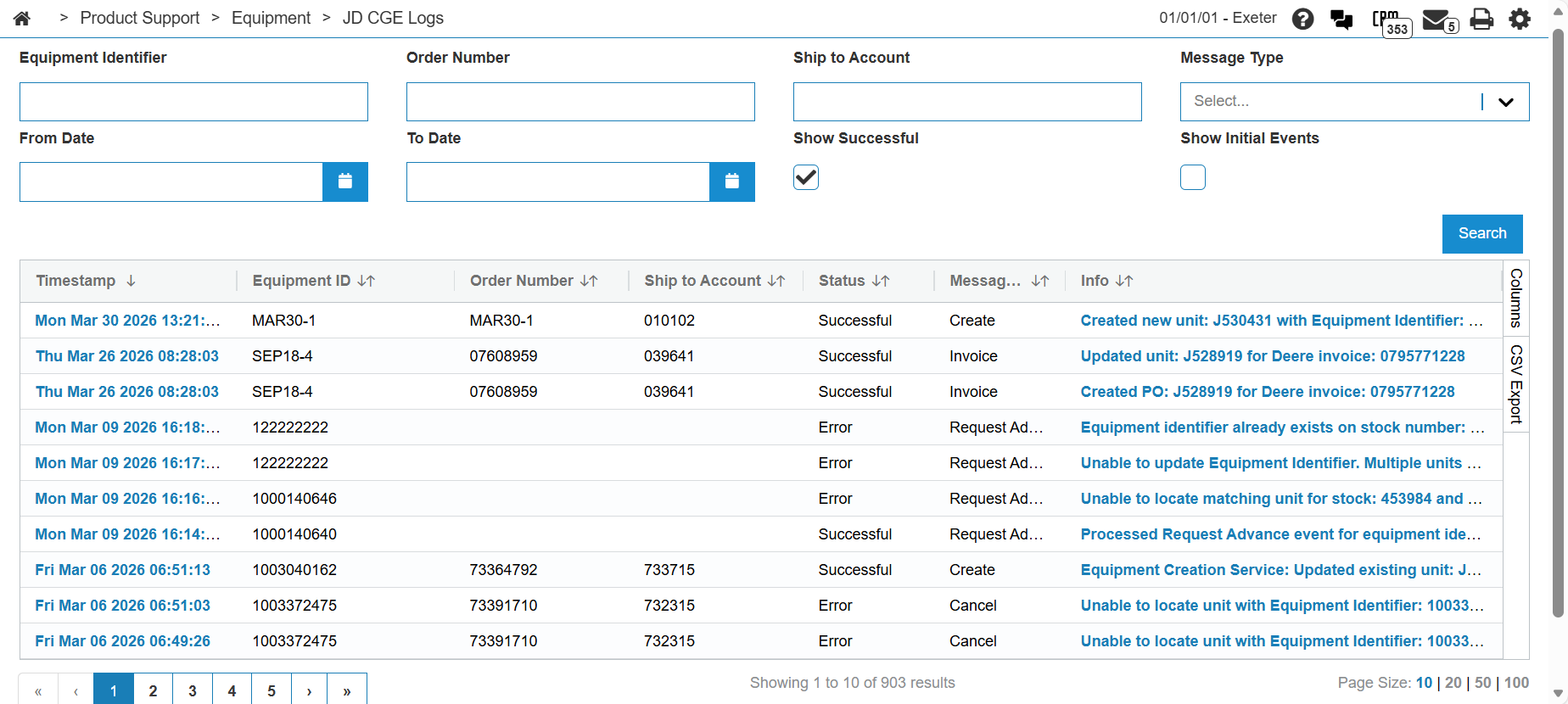
The Logs screen keeps a record of events processed by the interface, such as:
-
A Success event is generated when a unit is created or updated, or a PO is created.
-
An Error event is generated when there is some kind of issue while processing an event.
-
An Initial event is a record of the request when it was first received from John Deere. This information is logged to ensure there is a record of the raw request in case something goes wrong and a proper Error is not logged.
Errors are shown by default and some errors are clickable to show additional data. This data may be useful when attempting to isolate a problem with the interface. Note that the Customer entityId in the error messages is John Deere's customer number.
Use the Message Type drop-down to filter logs by event type. Values include Create, Maintain, Transfer, Cancel, Invoice, Reconcile, Logistics Update, Payment, and Request Advance.
You can also filter the listed results by clicking the Show Successful or Show Initial Events checkboxes respectively.
Logs are retained for up to three months before they are cleared from the system.
Click the  icon on the right to export logs to a .csv format. See Listing Screens.
Security: 800 - Equipment Profile, Access JD GC Events Logs
Revision: 2026.09