
Claas: Parts Availability
Use the Claas Parts Availability screen to search for parts information and view part details from Claas.
To access the Claas Parts Availability screen, navigate to Product Support > Parts > Parts Profile, then click the Parts Availability button at the bottom of the screen and select Claas Parts Availability.
 Claas Parts Availability option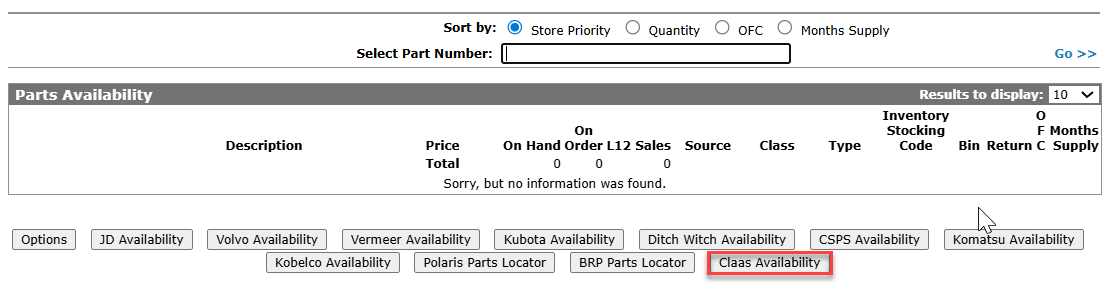
Topics in this section include:
Searching for Parts
After selecting Claas Parts Availability, you can search for parts by entering a part number. The search will return a list of matching parts.

Viewing Part Details
Click a part number from the search results to view detailed information about that part. The part details screen displays information in several sections, including Part Price, Stocking Information, and Parts Substitution.
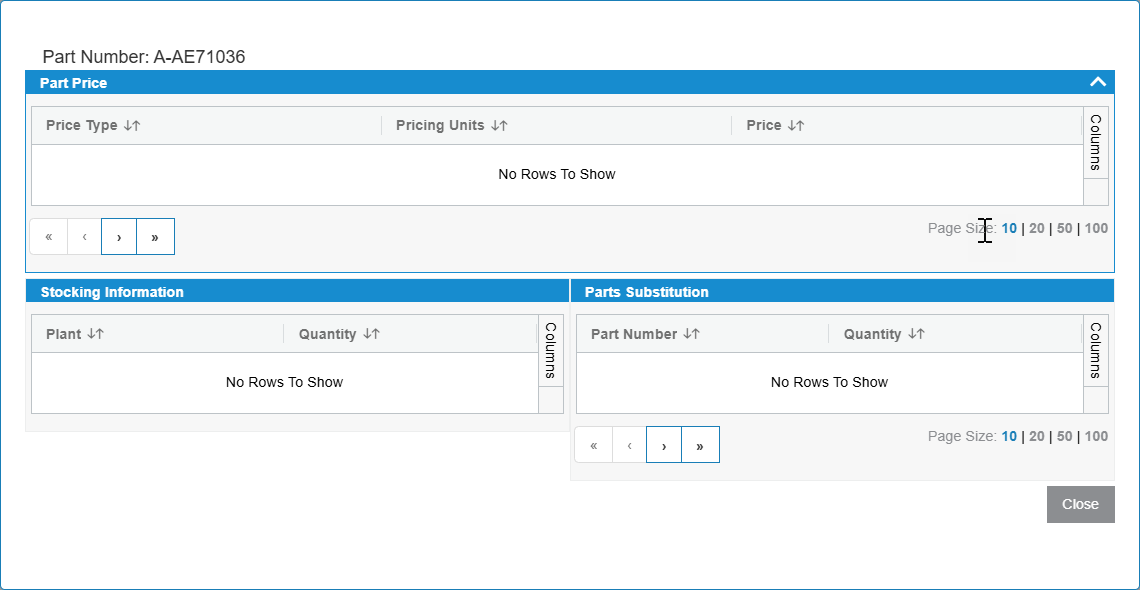
Part Price Section
The Part Price section displays pricing information for the selected part in a table format. The table includes the following columns:
| Field | Description |
|---|---|
| Price Type | The type of pricing for the part. This indicates whether the price shown is a Cost price (the amount paid to acquire the part) or a List price (the suggested retail or selling price for the part). |
| Pricing Units | The unit of measure or quantity basis for which the price applies. This indicates the increment in which the part is priced (e.g., per each, per package, per box). The pricing units determine how the price should be interpreted when calculating costs for different quantities. |
| Price | The actual price value for the part, based on the Price Type and Pricing Units specified. This is the monetary amount that corresponds to the price type (Cost or List) and applies to the quantity indicated by the pricing units. |
The Part Price section may display multiple rows if the part has different pricing based on quantity breaks, different price types, or different units of measure. Each row represents a specific pricing configuration for the part.
Security: 820 - Parts Profile
Revision: 2025.12