
SVAP: Events
Use the SVAP Events tab to search for and view service agreement events.
The SVAP Events tab is accessed from the Work Orders screen by clicking JD Proactive Jobs and selecting the Events tab, or from the Equipment Invoicing screen by clicking JD Proactive Jobs and selecting the Events tab.
Search fields on the SVAP Events screen are:
| Field | Description |
|---|---|
| Customer Number | Enter or search a customer number. |
| Stock Number | Enter or search a stock number. |
| Machine Serial Number | Enter a unit serial number. |
| Invoice Number | Enter an invoice number. |
| Start Date/End Date | Select the start and end date on the invoice. |
| Status | Choose to search from a list of current status conditions. |
| Show Attached Invoices Only | Check this box to display only invoices attached to a service agreement. |
Results fields on the SVAP Events screen are:
| Field | Description |
|---|---|
| Agreement Id | The agreement ID on the agreement. |
| Event Id | The event ID on the agreement. |
| Location | The location on the agreement. |
| Status | The current agreement status. |
| Pending Status | The next state of the agreement. |
| Scheduled Date | The given completion date on the agreement. The Past Due segment color codes agreements that have exceeded their scheduled date. The Due Soon segment color codes agreements that are within two weeks of their schedule due date. |
| Stock Number | The stock number tied to the agreement. |
| Machine Serial Number | The machine serial number tied to the agreement. |
| Customer | The customer tied to the agreement. |
 Agreement Details
Click an Agreement ID to open the Agreement Details screen:
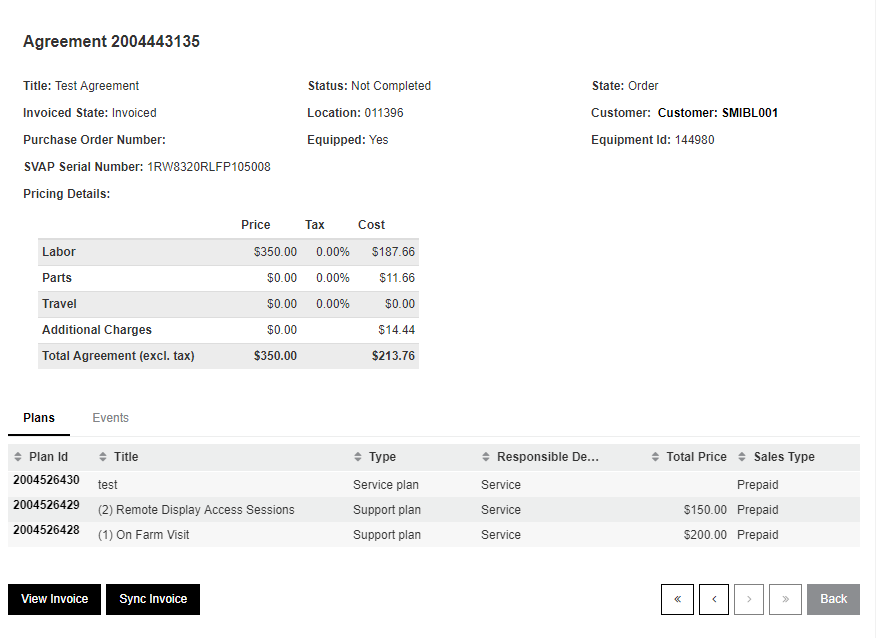
The Events tab creates or attaches a Work Order to the Event ID.
Click View Invoice to open the invoice for review.
Click Sync Invoice to synchronize and update the invoice (stock numbers, etc.).
Event Details
Click an Event ID to open the Event Details screen:
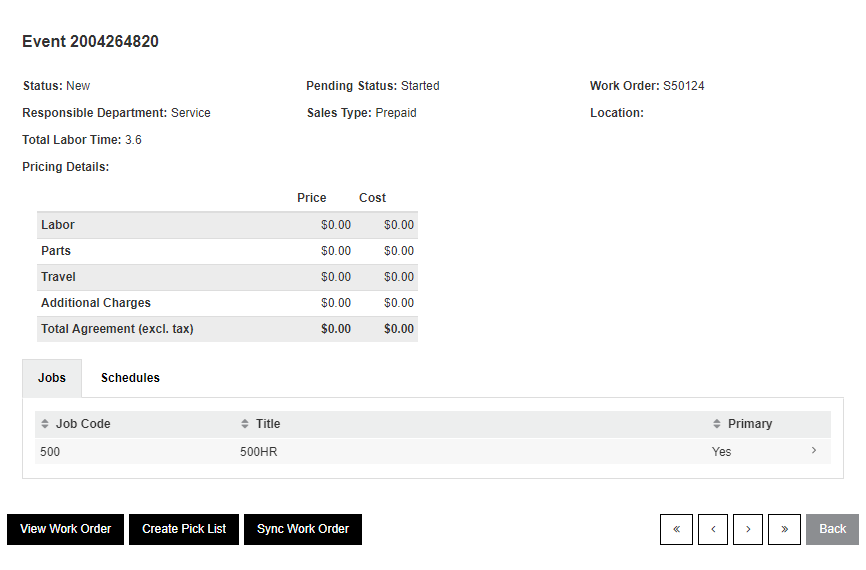
Click View to open the work order for review.
Click Sync Work Order to synchronize the work order.
Click Create Pick List to open the Create Pick List screen:
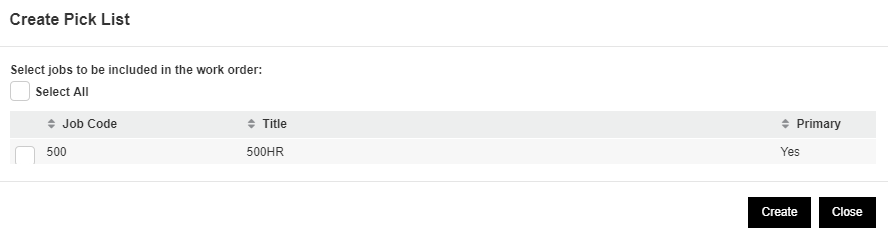
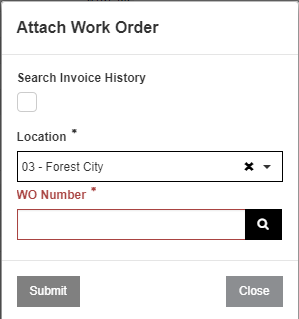
Click Create to attach a Work Order to the picklist:
Revision: 2026.01