
JDMINT
JDMINT allows John Deere dealers to create an order record on the JDMINT web site, which is transferred to the dealer's system via DTF. The system is updated by the Complete Goods Maintenance data records, transmitted on a daily basis by John Deere via DTF.
This interface behaves differently when considering the following:
- For new stock numbers (equipment that did not previously exist in IntelliDealer Equipment profile)
- For existing stock numbers (equipment that DID exist in IntelliDealer Equipment profile)
The following fields will ONLY update if their records did NOT previously exist in IntelliDealer:- CBSTA (Status)
- CBGLIA (Inventory History)
- CBGLIC (Inventory Profit Center)
- CBGRP (Group Code)
- CBMOD (Model)
- CBDTA (Date Added)
- CBIO (In/Out Indicator)
Benefits:
-
The system automatically creates an Equipment Profile for each unit transmitted from John Deere. The on order record is initially created by the dealer on the JDMINT web site and then transferred via DTF
-
The unit on order, will be updated in the system with Complete Goods Maintenance data records (e.g. changes to the unit), including deletion requests which will remove the unit from the system
-
Updates the invoice number, invoice date and serial number on the unit's Equipment Profile records
-
Creates a receipt record for the Accounts Payable system when a Complete Goods Invoice or traded record is received. The receipt record will allow the user to create an A/P voucher to book to inventory for the unit (the stock number can ONLY be changed at this point)
-
Once the unit is entered into inventory, the stock number can be changed provided there are no work orders or items posted to the stock number. Once the stock number is changed the system will automatically update the stock number on the voucher
-
Creates Base and Option codes in the BASE and OPTION files for each Base and Option code on an Equipment Profile record added to the system (if the codes do not already exist). This can happen on any Complete Goods record received except for Deleted record types
-
Updates the price and cost of the Base and Option codes (in the BASE and OPTION files) on an Equipment Profile record that has been received using the interface. This can happen on any Complete Goods record received except for Deleted record types
Configuration:
Note: There are fields that only pull information from Deere if you are creating a NEW stock or equipment profile record. If the unit existed previously in IntelliDealer then the interface will not pull the information from JD MINT. It will also NOT override what is already there even if there is no information present.
Dealer numbers must be loaded via the Vendor Profile screen on the Dealer tab.
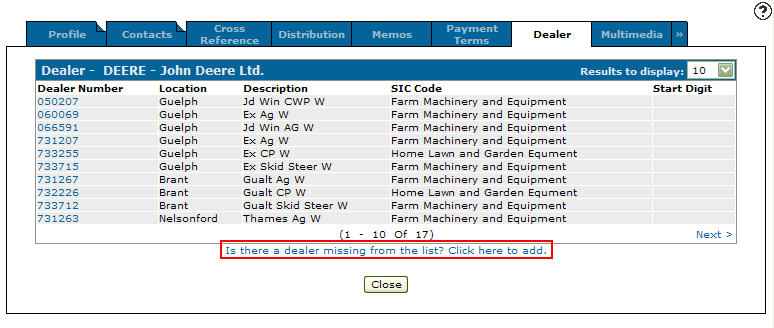
Dealer tab
Equipment defaults must have each branches inventory account loaded for types new and used, status O and make JD. This can be set up via the Configuration Quick Links by clicking on the Profile link on the Equipment list and selecting Equipment Defaults.
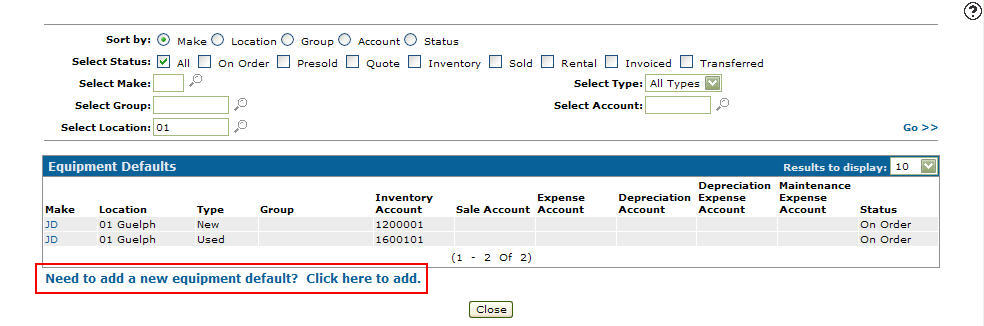
Equipment Defaults screen
VitalEdge needs to be provided with a list of your Deere vendor numbers by division.
A password protected switch exists in DIVTAB1 which determines whether a stock number can be changed when bringing the unit into inventory. VitalEdge staff can set this up during the configuration process.
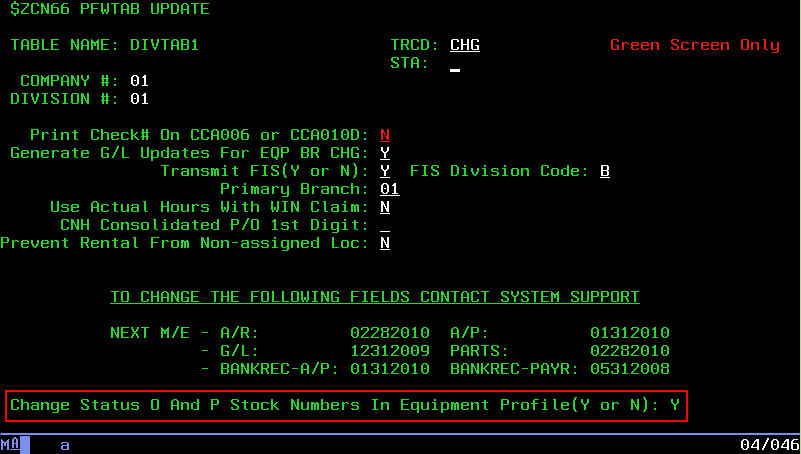
DIVTAB1
VitalEdge will then license the interface, and discuss the table configuration options.
VitalEdge has to contact Deere to set up the interface.
Process:
An order is created by a John Deere dealer on the JDMINT website.
The next morning, a CALL POLLUPD is run and the unit is added to the system.
The unit's stock number can be the same as the PO number or it can be the next available stock number assigned by the system.
If the unit's stock number is assigned by the system. The Deere order number will be loaded into the machine serial number field, when a Complete Goods On Order record is received via DTF.
A six digit Deere order code will be loaded in the Machine Serial Number and Customer Fleet # fields on the stock number Profile. This indicates that the unit is still On Order and Deere has not yet invoiced the unit.
Note: The system uses the stock number's Machine Serial Number to apply any updates during the ordering process. Changing the Machine Serial Number during the ordering process may result in duplicate orders on the system.
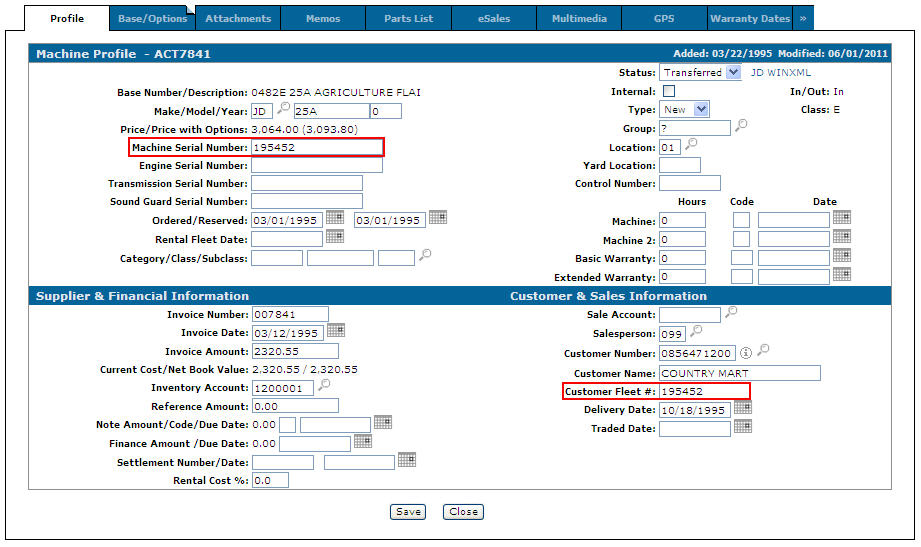
Profile tab
Note: The machine serial number field is a searchable field within IntelliDealer.
After the Complete Goods Invoice record has been received, the machine serial number field is updated with the actual serial number.
The supplier invoice number field is updated with the invoice number (same as original order number).
Base and Options codes on the unit are added, if they do not already exist within the system.
Within a few weeks Deere transmits the unit information (invoice number, date, etc.) via DTF, updating the unit information on the system which indicates that the order is now complete.
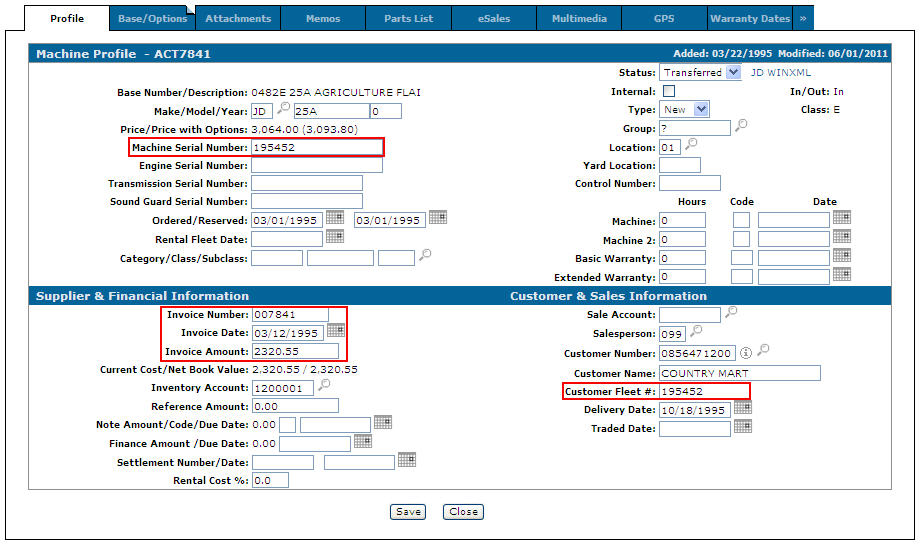
Profile tab
Note: The MSN and other information are not necessarily transmitted all at once. Deere will send updates throughout the life cycle of the order to update the system.
Once the unit's Machine Serial Number is loaded the unit's Stock Number can be changed. In the unit's Equipment Profile change the unit's status from On Order to Inventory by selecting Inventory from the Status drop down list and click Save. Once the status has been changed to Inventory the Stock Number field will open allowing you to change the unit's stock number.
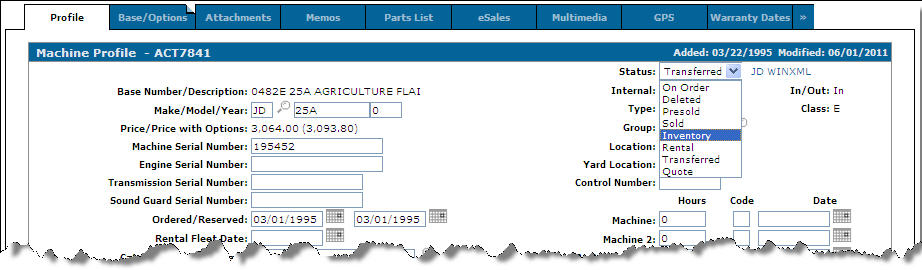
Status Field
The PO record is then created through the A/P system using the stock number on the equipment profile.
If an order is cancelled on the Deere JDMINT website, Deere will send a cancel record to the system which will automatically put a Status of D (deleted) on the corresponding equipment record.