
Record A Call
Use the Record a Call screen to edit, close, add, view or search for a job request.
The Record a Call screen is accessed from the Call Tracking tab by clicking the Need to record a call? Click here to add link.
 Record a Call screen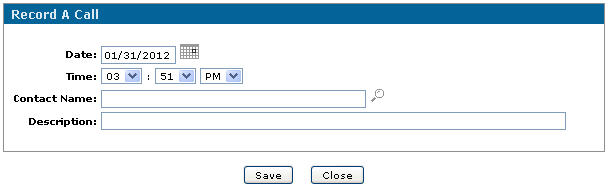
Fields on the Record a Call screen are:
| Field | Description |
|---|---|
| Date | Enter or select the date of the call. |
| Time | Select the time of the call. |
| Contact Name | Enter or select the name of the person called. |
| Description | Type a description of the call. |
Buttons on the Record a Call screen are:
| Button | Description |
|---|---|
| Save | Saves the changes made on the Record A Call screen. |
| Close | Closes the Record A Call screen without saving and returns to the Call Tracking tab. |
Data Source: JOBRCT
Revision: 2026.01