
Adding a Rental Reason Code
-
From any IntelliDealer screen, click on the Configuration tab.
The Configuration Quick Links screen will appear.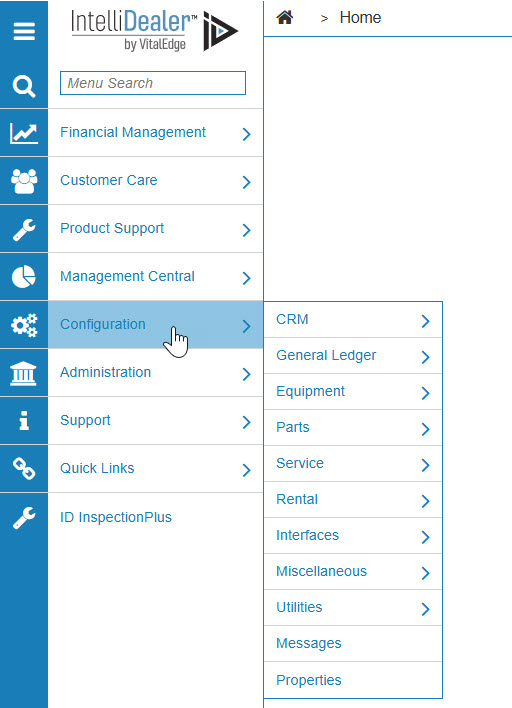
Configuration Quick Links screen
-
From the Rental list, click the Setup link and select Rental Reason Codes from the drop down list.
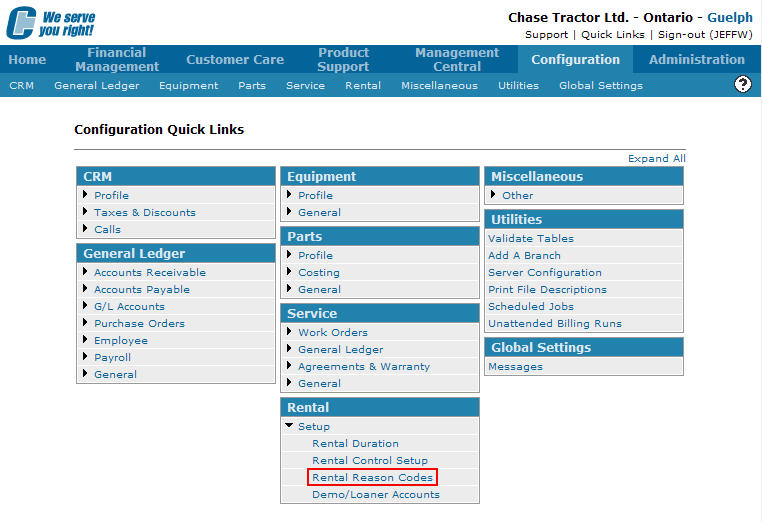
Configuration Quick Links screen
-
The Rental Reason Codes screen will appear.
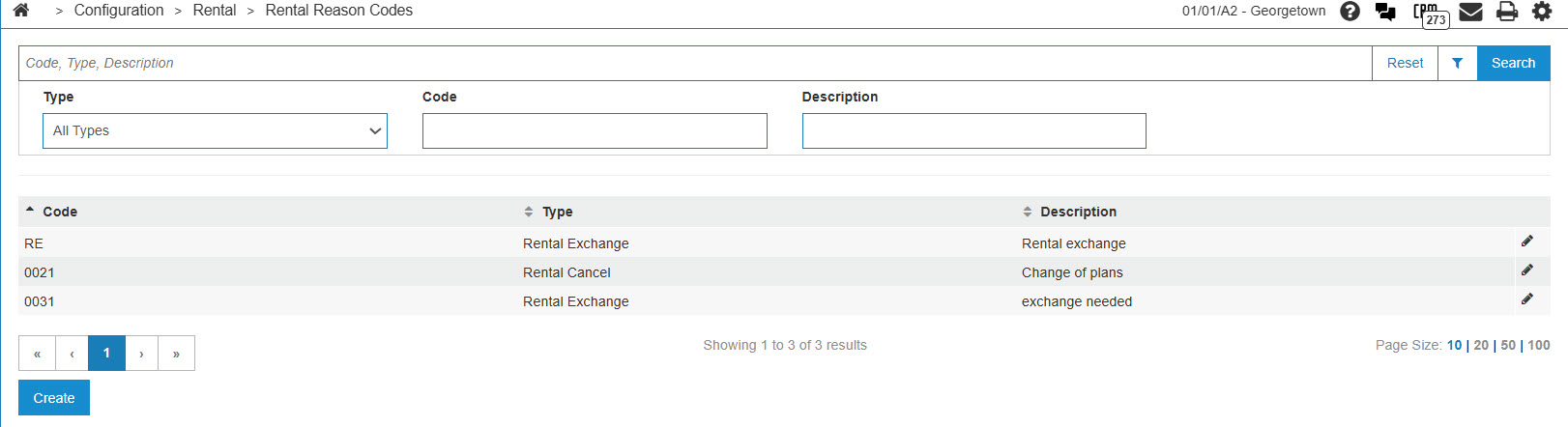
Rental Reason Codes screen
-
On the Rental Reason Codes screen, click on the Need to create a new reason code? Click here to add link.
The Rental Reason Codes screen will appear.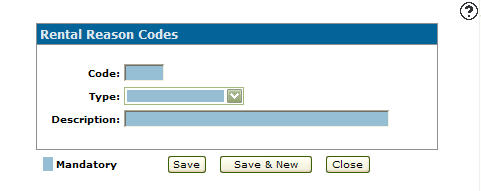
Rental Reason Codes screen
-
On the Rental Reason Codes screen, enter a rental reason Code.
- Select a Type from the drop down list.
Rental Exchanged
Rental Cancel
Rental Credit
Rate Override
-
Enter a reason code Description.
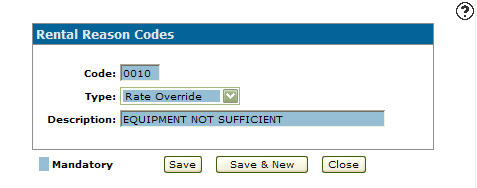
Rental Reason Codes screen
-
Click the Save button to save the new rental reason code and return to the Rental Reason Codes screen.
- or -
Click the Save & New button to save the new rental reason code.
The Rental Reason Codes screen will refresh allowing you to add another rental reason code without closing the screen.