

Adding an Account Receivable Terms Code
Allows you to define valid accounts receivable terms used with customer invoices. Valid terms codes appear on the Terms drop down list on the Profile tab within the Customer Profile application.
-
From any IntelliDealer screen, click on the Configuration tab.
The Configuration Quick Links screen will appear.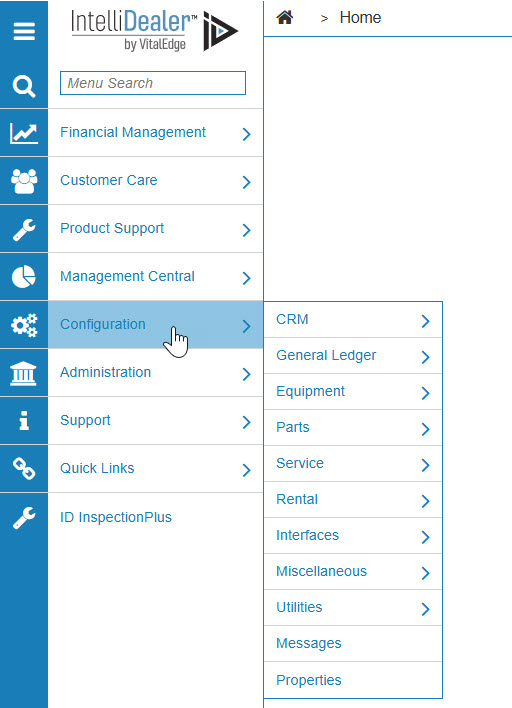
Configuration Quick Links screen
-
From the General Ledger list, click the Accounts Receivable link and select Terms from the drop down list.
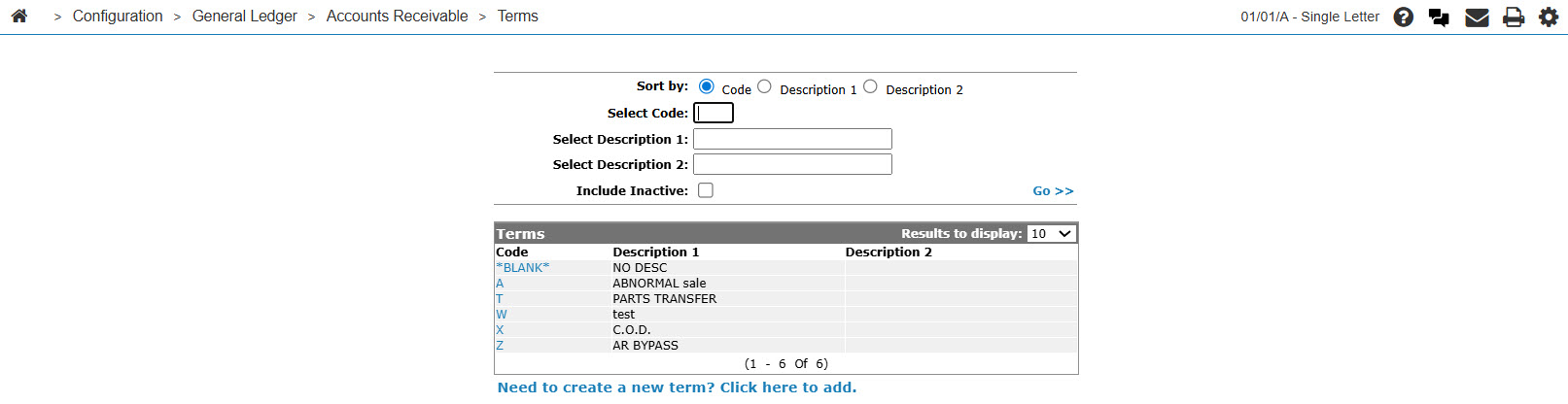
Configuration Quick Links screen
-
The Terms screen will appear.
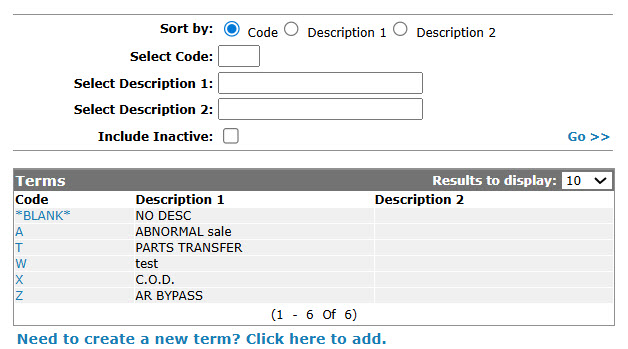
Terms screen
-
On the Terms screen, click on the Need to create a new term? Click here to add link.
The Terms screen will appear.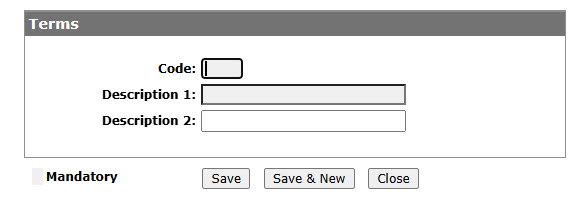
Terms screen
-
On the Terms screen, enter a terms Code.
-
Enter Description 1 and optionally enter a Description 2.
-
On the Terms screen, click the Save button to save the new terms code and return to the Terms screen.
- or -
Click the Save & New button to save the new terms code.
The Terms screen will refresh allowing you to add another terms code without closing the screen.