
Copying a Lot Code
-
From any IntelliDealer screen, click on the Configuration tab.
The Configuration Quick Links screen will appear.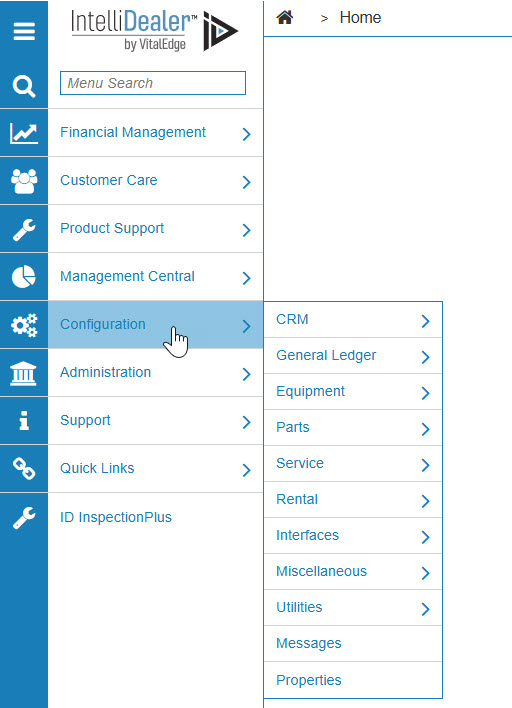
Configuration Quick Links screen
-
From the CRM list, click the Profile link and select Classifications from the drop down list.
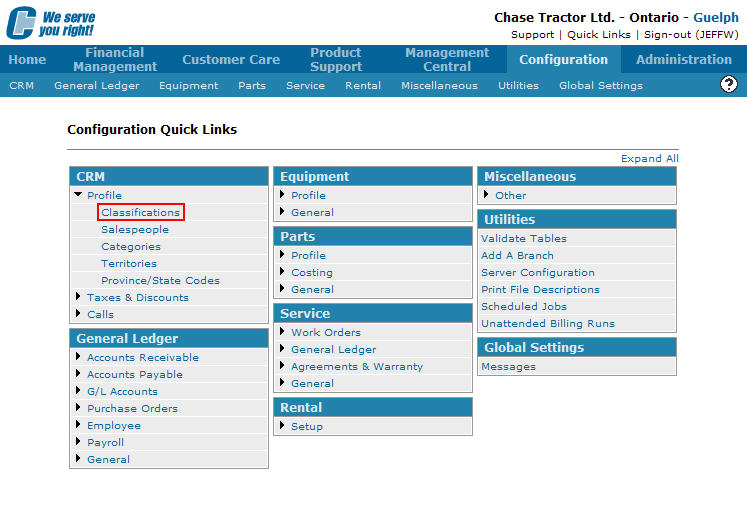
Configuration Quick Links screen
-
The Classifications screen will appear.
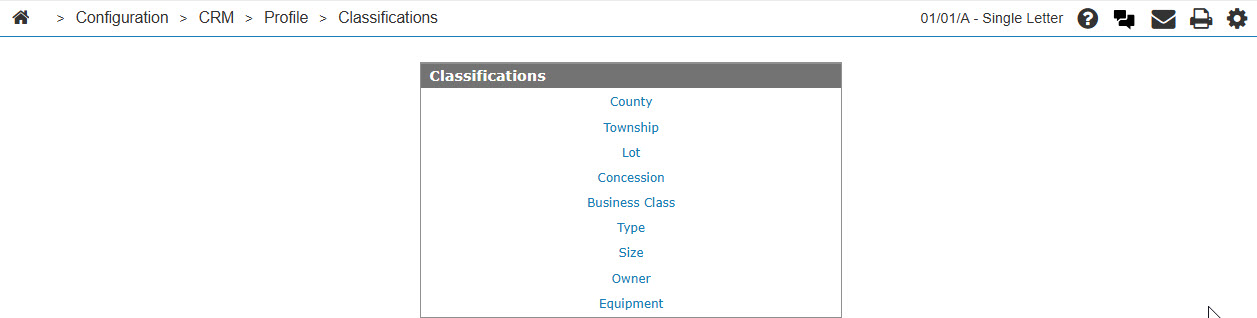
Classifications screen
-
On the Classifications screen, click on the Lot link.
The Lot Codes screen will appear.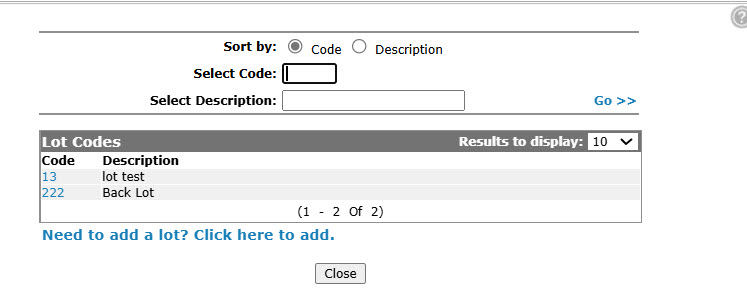
Lot Codes screen
-
On the Lot Codes screen, fill out the appropriate fields and click the Go >> link.
The Lot Codes screen will appear listing the generated search results.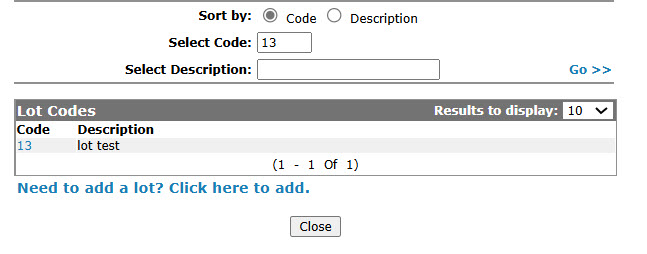
Lot Codes screen
-
Click on the Code.
The Lot Codes screen will appear.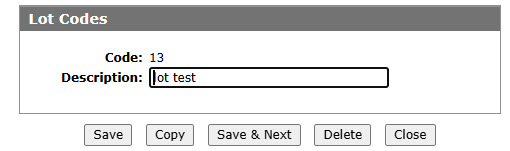
Lot Codes screen
-
On the Lot Codes screen, click on the Copy button.
The Lot Codes screen will refresh allowing you to edit any of the available fields before creating the new copy.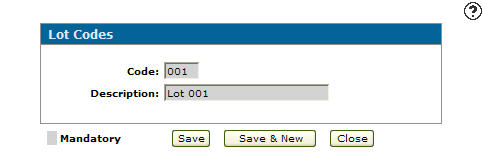
Lot Codes screen
-
Click the Save button to create the new copy.