
Recording a Lost Sale
Parts lost sales are used to indicate to the system that a parts sale was lost. You can select a parts lost sales reason code (set up on the Lost Sales screen) to indicate the exact reason the sale was lost. The reason code can also be used to record demands for the part in the parts system. Recording demands on a part indicates to the system that order parameters need to be altered for a non-stocked part.
The recommended best practice is to record a lost sale whenever you turn a customer away because you didn’t have a part. Essentially, by logging a lost sale you’re telling IntelliDealer “we would have sold this if we had it.”
A part with multiple lost sales shows up in reports and can be considered by the system as future demand, to be considered during demand forecasting. Accurate data means a better forecast, allowing you to capture future sales you might otherwise miss.
Dealers who enforce lost sale logging often see their fill rates improve over time because the system learns what it should carry. You can review lost sales reports periodically (Management Central has some or you can query via Data Miner) highlights where customers are going unserved so you can act (either stock the part, or adjust min/max). It’s a tiny daily effort for a potentially big impact on sales and customer satisfaction.
You can view the parts lost sales on the Parts - Lost Sales screen located at Management Central > Parts > Lost Sales.
Note: If security switch Force Lost Sale Code on Deleted Line in system 823 is active, the user is prevented from deleting parts off of an invoice and is forced to record a deleted part as a lost sale (cash code 4).
-
Navigate to Product Support > Parts > Parts Invoicing, then click the Parts Invoice Details tab.
-
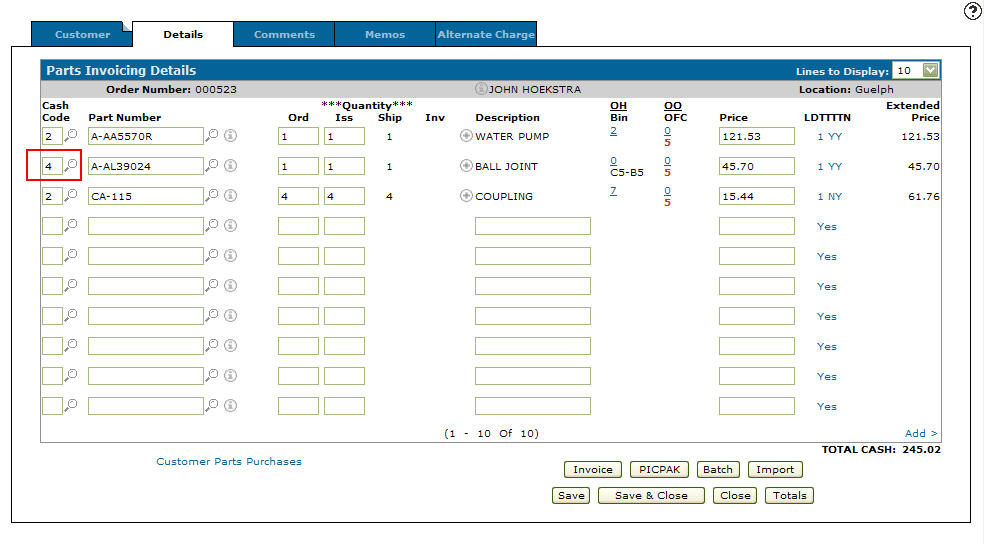
Locate the part you wish to delete and enter cash code 4 in the corresponding Cash Code field, or click the Search
 icon and select cash code 4 (lost sale) from the Select Cash Code screen.
 -
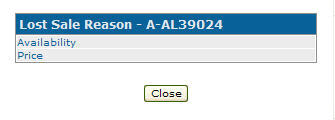
Click Save. The Lost Sales Reason screen appears.
-
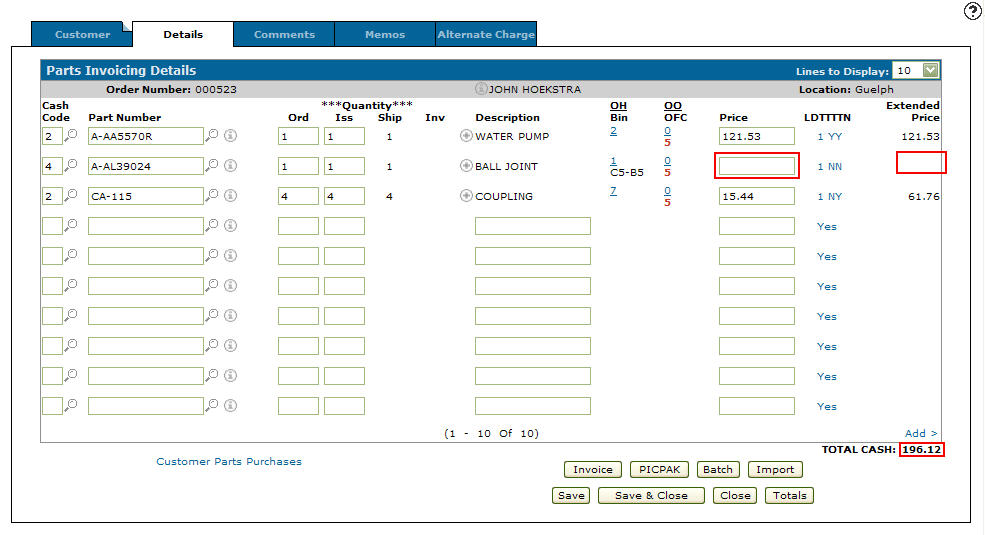
Select a lost sale reason. The Parts Invoicing Details tab appears. The Price and Extended Price fields of the part recorded as a lost sale are empty and the Total reflects the change indicating that the customer is not charged for the part line item.
 Parts Invoicing Details tab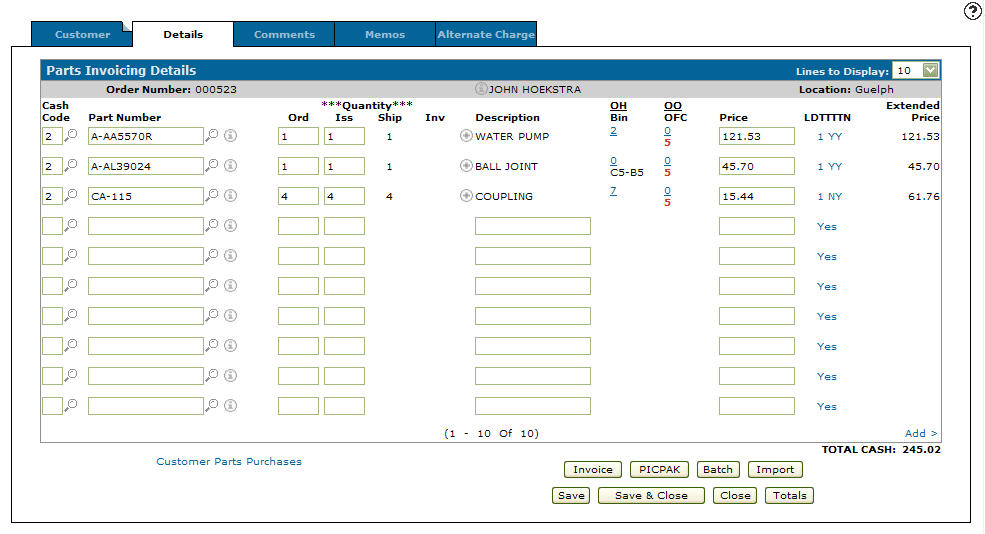
Security: 823 - Product Support - Parts Invoicing
Revision: 2026.03