General Invoicing FAQ
 My invoice won't post with the billing run, why?
For the invoice to post, you must queue the ticket up for the billing run. You can do this either by clicking the Invoice button on the Details screen or by setting an billing frequency on the Frequency tab. You do NOT have to do a print final, but you do have to go into the frequency tab at least once.
How can users change or delete an invoice after they've already done a print final?
This functionality is controlled by a security switch under system 602 called 'Access General Invoicing After Print Final'. Set the switch to Y to change or delete an invoice after the print final is done. However, VitalEdge recommends that this switch is deactivated for all users so the invoices must be billed once a print final is done.
How does the print checkbox default on an invoice?
If a line has a description the system defaults that line to print when the user clicks Save or Invoice. This can cause issues for credit card charges (such as CNH Gateway) so you must click Save and then check your print boxes to make sure the print options are correct before hitting Invoice.
What fields print when I select the print checkbox on a line?
The stock number, serial number, amount, description, and the long description all print if they are filled out. You must have at least one line set to print on the invoice.
What overlay system is used for general invoicing?
System 031 is used which is the same system number used for key invoices in green screen.
Are there any accounts that can't be used?
Yes. Parts sale accounts (application type P) cannot be used in general invoicing.
How does the system determine what the invoice amount is on the frequency tab?

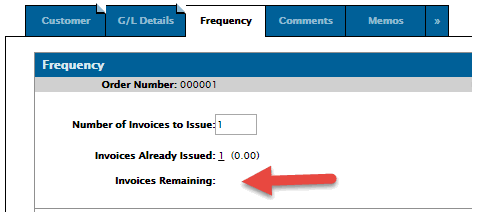
The system adds up the total of the lines that are set to print. If all lines are printed than the total will be zero, but normally for a true invoice there will only be certain lines printed so the total should be the amount showing on the printed invoice.
Where does the system get the default start digit?
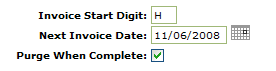
The system looks to CMBR table: Invoice 1st Digit. The very first entry is the one that gets used for general invoicing.
How can I bill out my general invoices with the rest of my billing runs at night?
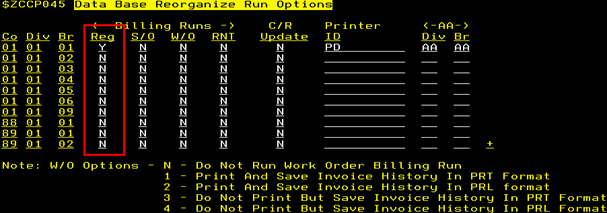
On the billing run screen during the nightly set up process you can run the 'regular' billing run which will pick up green screen key invoices, equipment invoices that are released, and any general invoices keyed in IntelliDealer.
Why isn't my invoice getting purged from the system? The 'Purge When Complete' box is checked on the frequency tab but the invoice isn't going away.
There are two considerations here. Once a general invoice has been fully processed by a general invoice billing run and there are zero invoices left to issue, another billing run is required to flag that invoice for deletion and it's the database after that second billing run that should purge the general invoice so that it's no longer showing on the listing screen.
However, the 'Purge When Complete' box is only considered during an actual invoice billing. If the box is UNchecked during the last invoice, the ticket will not get purged if you go back in afterward and check the box. Once the last billing is completed you'll need to go in and delete the invoice from the system manually.
What is the 'Include zero to issue' checkbox for on the main general invoice listing screen?
It shows invoices with no invoices remaining.
(number of invoices to issue – the invoices the have been issued) = 0
Why do some accounts default to Y for the tax options and others do not?
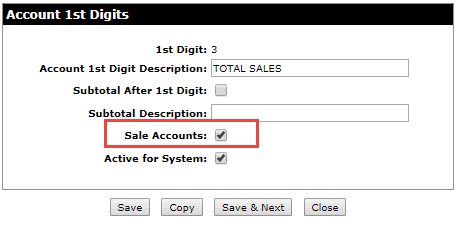
The customer's tax settings default on accounts that are defined as sales in the account first digit configuration. See Configuration> General Ledger > GL Accounts > Account 1st Digits.