
Use the Salespeople screen to search for, edit, and add salesperson codes. Salespeople added to the system appear on the Salesperson Selection screens and can be used as a valid salesperson throughout the system.
The salesperson Name, Phone Number, Cell Number, and Email Address can be used when adding an invoice or quote message on the Invoice Message screen, as substitution variables. For example, instead of signing a particular salesperson name on an invoice or quote message the substitution variable &SMN################### can be used. The # signs are place holders for the salesperson's name.
To open the Salespeople screen, navigate to Configuration > CRM > Profile > Salespeople.
The search fields on the Salesperson screen are:
| Field | Description |
|---|---|
| Code | The salesperson's code. |
| Name | The name of the salesperson. |
| Search Location | The location where the salesperson code appears as a valid code. |
Click the Create button to add a new salesperson code. The New Salesperson code window opens.
 The New Salesperson Code window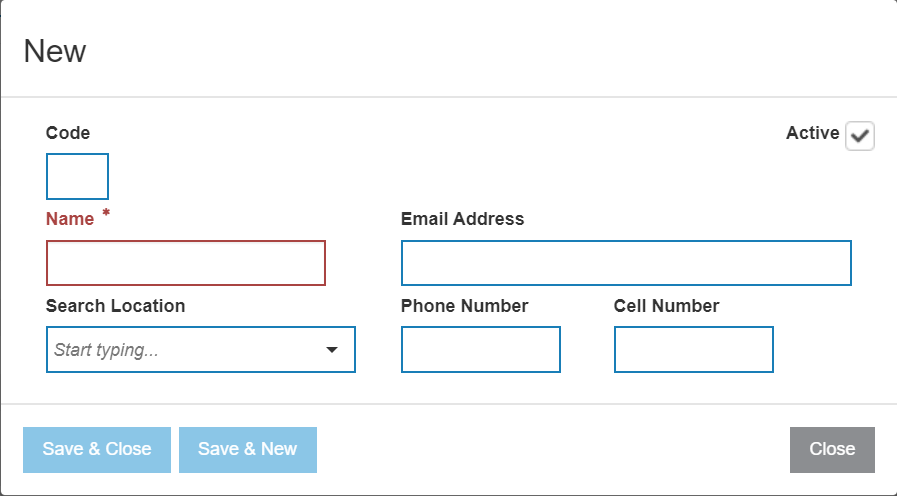
The fields on the New Salesperson code window are:
| Field | Description |
|---|---|
| Code | A three character alphanumeric code that represents the salesperson code throughout the system. |
| Name | The name of the salesperson. |
| Search Location | The location where the salesperson code appears as a valid code. |
| Phone Number | The salesperson's phone number. |
| Cell Number | The salesperson's cell phone number. |
| Email Address | The salesperson's email address. |
The Active box controls whether the salesperson code is active for use within the system:
- Selected: Activates or reactivates the salesperson code for use within the system.
- Not Selected: Indicates that the salesperson code is deactivated within the system.
Use these buttons to complete your work:
- Save & Close — Saves all entries and closes the New Salesperson code window.
- Save & New — Saves all entries and opens a blank New Salesperson code window.