
CNH DQR Inspections
Use CNH DQR Inspections to retrieve the Delivery Quality Report (DQR) checklist summary (id, type, etc.) from CNH. IntelliDealer provides a list of inspection checklists belonging to a vehicle and a link to CNH Electronic Technical Information Manuals (eTIM).
To access the CNH DQR Inspections screen, open the Equipment Profile of a CNH machine, locate Machine Quick Links and click the CNH DQR Inspections button.
 The CNH DQR Inspections screen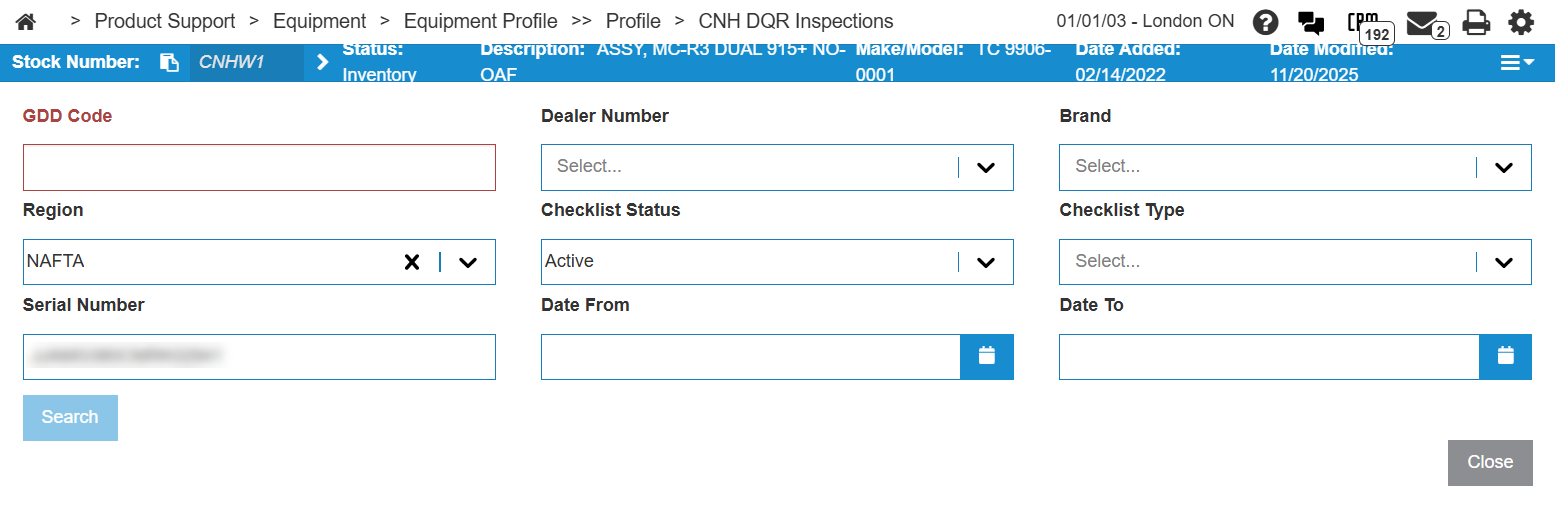
The Dealer Number drop-down lists only CSPS-authorized dealer numbers configured for CNH DEP. Non-CSPS dealer accounts do not appear in the list.
The search fields on this screen are:
| Field | Description |
|---|---|
| GDD Code | A code that identifies the dealership within the Global Dealer Directory (GDD). |
| Dealer Number | The CSPS-authorized dealer number to search for. The drop-down includes only dealer numbers whose description contains CSPS (for example, CNHCSPS or CNHCSPS*). If a dealer number does not appear in the list, verify CSPS dealer number setup on the vendor profile. See Configuration: CNH CSPS. |
| Brand | The brand to search for. |
| Region | The region to search within. |
| Checklist Status | The status of the checklist to search for. |
| Checklist Type | The type of checklist to search for. |
| Serial Number | The serial number of the current vehicle. This field is automatically populated. |
| Date From | Use these fields to narrow the search to be within the specified date range. |
| Date To |
Enter your search criteria then click Search to retrieve a list of inspection checklists for the vehicle from CNH DEP.
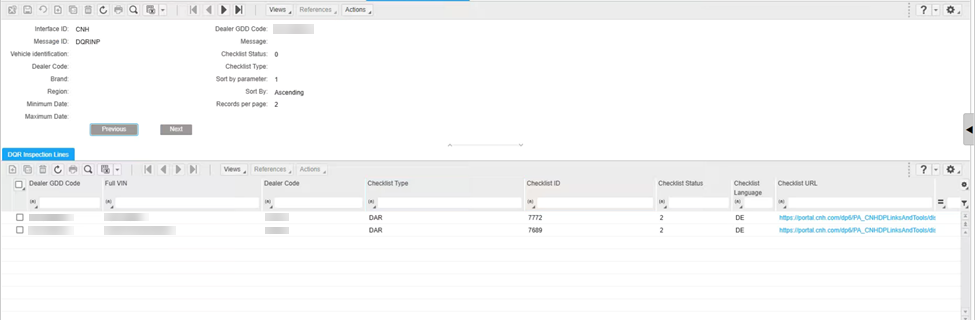
Click Close to return to the Equipment Profile.
Security: 800 - Equipment Profile, or 810 - Work Orders, or 813 - Work Order Quoting
Feature: 6429 - CNH Data Exchange Platform
Revision: 2026.08