
Consignment Reports
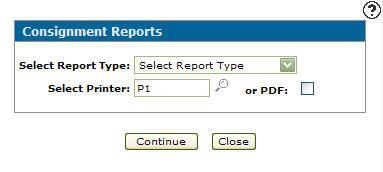
Use the Consignment Reports screen to print summary or replacement reports or run a consignment report for an individual customer.
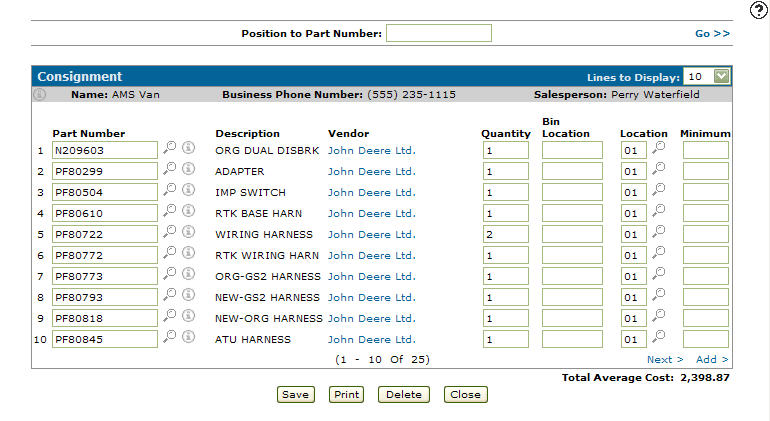
To open the Consignment Reports screen, click the Print button or the Print summary or replacement reports link on either the Consignment (search) screen or Consignment screen.
Topics in this section are:
Running a Consignment Report
-
Navigate to Product Support > Parts > Consignment.
-
Click the Print summary or replacement reports link.
-
Select the options for your report, referring to the table below.
-
Click Continue to create the selected consignment report.
If you selected PDF, you can view the report output on the View PDF screen.
 The
The 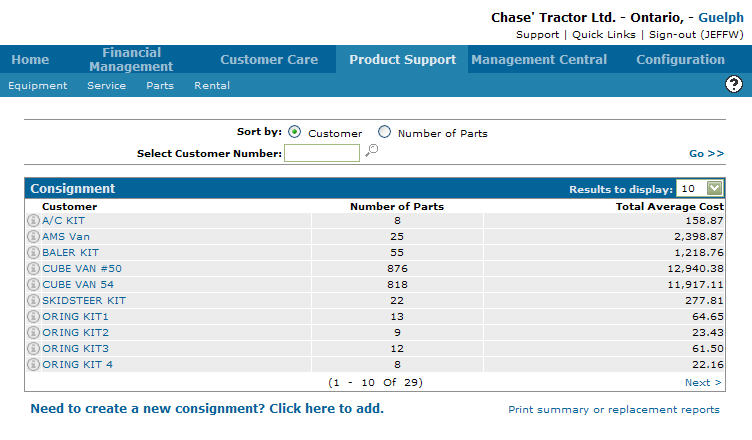
Running a Consignment Report for an Individual Customer
-
Navigate to Product Support > Parts > Consignment.
-
Click on a Customer.
-
Click the Print button.
-
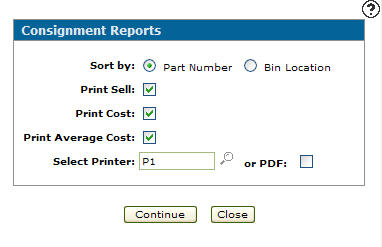
Select the options for your report, referring to the table below.
-
Click Continue to create the consignment report.
You can view the report output on the View PDF screen.
Screen Description
Sorting options on the Consignment Reports screen are:
| Sort by | |
|---|---|
| Field | Description |
| Part Number | Sorts the information displayed on the consignment report by part number. |
| Bin Location | Sorts the information displayed on the consignment report by bin location. |
Fields on the Consignment Reports for individual customers are:
These fields only appear on the Consignment Reports screen when accessed by clicking the Print summary or replacement reports link:
| Field | Description |
|---|---|
| Select Report Type |
Select a consignment report type to run from the drop down list.
|
| Select Printer | Select the printer that will print the consignment reports. |
| or PDF | Creates a PDF file of the consignment report(s). which can be viewed via the PDF Viewer. |
Reports produced are:
| PAR218S | Consignment Inventory Summary |
| PAR218C | Consignment Inventory Suggested Replacement |
| PAR218D | Customer Consignment Inventory |
Buttons on the Consignment Reports screen are:
| Button | Description |
|---|---|
| Continue | Prints the selected consignment reports. |
| Close | Closes the Consignment Reports screen and returns to the Consignment screen. |
Revision: 2026.07