
Trial Balance
Use the Trial Balance screen to run a trial balance report by date (TBR10842) for a selected GL month. The report lists all accounts with their debit and credit balances, supports OEM-specific formats, and can submit data to vendor systems.
Note: The Trial Balance screen is available to all dealers. OEM-specific Report Type options appear in the drop-down only when the related feature is licensed.
To open the Trial Balance screen, navigate to Financial Management > General Ledger > Financial Reporting and select Trial Balance from the Financial Reporting Runs list. See Running a Financial Report.
 Trial Balance screen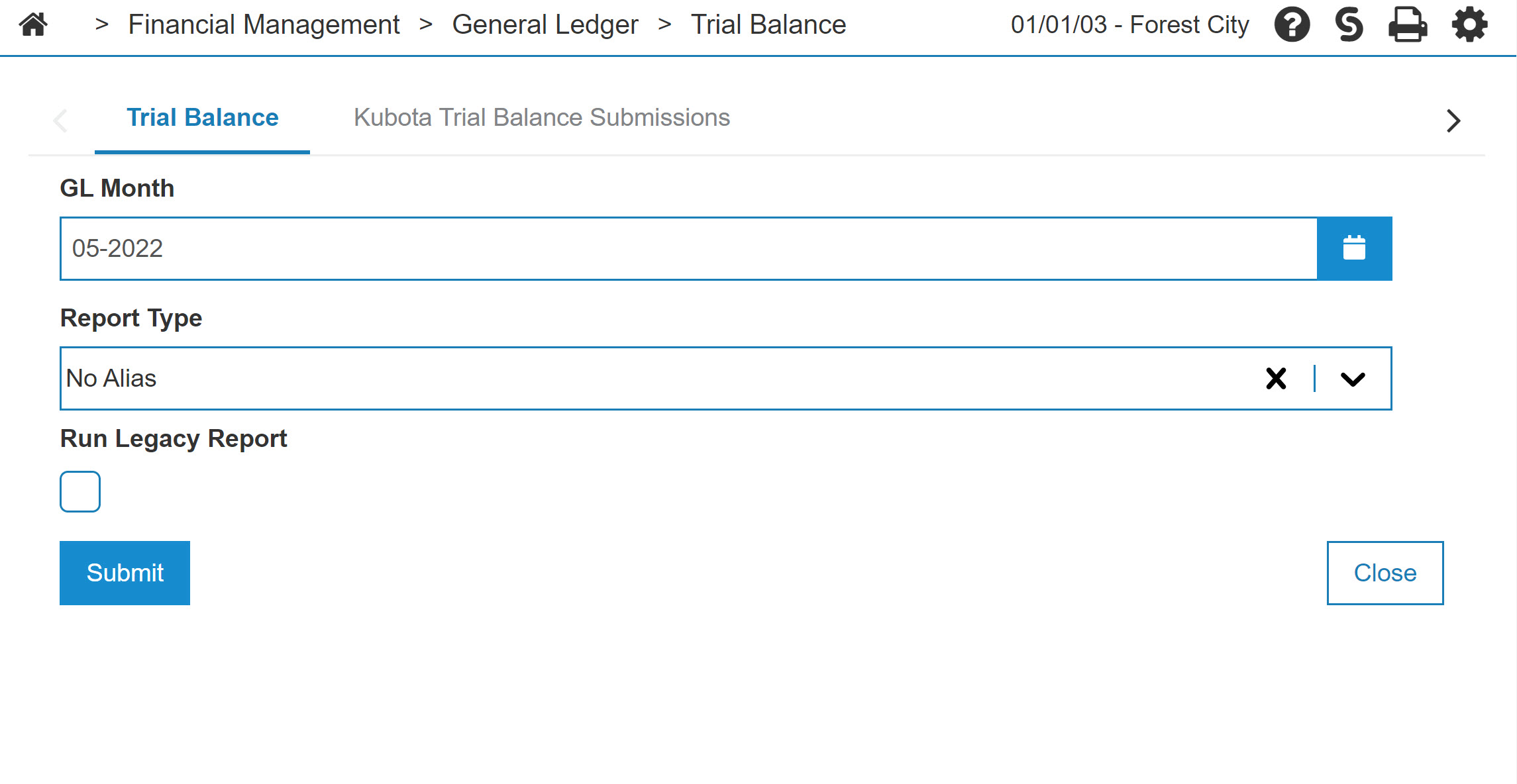
Topics in this section are:
Kubota Financial Report
Before you transmit a trial balance report to Kubota:
-
Feature 6410 (Kubota Dealer Analytics) must be licensed.
-
Configure at least one Kubota dealer number for the division in which the report is submitted. Configure Kubota dealer numbers in Configuration > Interfaces > Kubota > Interface Configuration.
Polaris Financial Report
Before you run a trial balance report for Polaris:
-
Feature 6426 (Polaris Financial Transmit) must be licensed.
-
Configure at least one Polaris dealer number for the division in which the report is submitted. Configure Polaris dealer numbers in Configuration > Interfaces > Polaris > Interfaces.
-
The financial submission only accepts dealer numbers set up for the specified dealer number in the Polaris system. Configure Polaris aliases for any account that is not mapped in the Polaris system.
How to Set Up Polaris Account Aliases
The most common issue when submitting the financial report to Polaris is unmapped accounts.
The submission to Polaris contains all GL accounts. However, Polaris only recognizes accounts they have set up. Set up a Polaris alias for any accounts that Polaris does not recognize. If multiple accounts map to the same Polaris alias, their account balances are summed together when submitted to Polaris.
To set up account alias mapping:
-
Navigate to Configuration > Interfaces > Polaris > Alias Account Management. This screen shows all GL accounts as well as each account's alias for different vendors.
-
Select an account by clicking a row.
-
Fill in the Polaris Alias field.
Polaris accounts are typically only five digits long and usually do not contain the cost center. For example, account 10001001 in IntelliDealer might need to be mapped to 10001 for Polaris.
-
Click Save.
Screen Description
The fields on the Trial Balance screen are:
| Field | Description |
|---|---|
| GL Month | Select the GL month and year for the report. |
| Report Type |
From the drop-down, select the vendor format for the report. Select No Alias to generate a PDF report without submitting data to a vendor. These features must be licensed to select the related vendor report type:
No Alias and Deere do not require an OEM feature. |
| Run Legacy Report |
When selected, runs the report through the legacy system instead of generating a PDF in IntelliDealer. Available when Report Type is No Alias, Deere, or CNH and Run Report Only is not selected. For CNH, legacy mode generates output without submitting financial transmission. When Run Legacy Report is selected, these options appear:
|
Note: When CNH is selected and financial data is transmitted, additional required fields (Dealer Code and Destination Name) must be provided.
Use these buttons to complete your work on the Trial Balance screen:
| Button | Description |
|---|---|
| Submit / Transmit | Generates the trial balance report. The button label is Transmit when data is submitted to a vendor, or Submit when only a report is generated. When a PDF is created, a link to the report appears in the PDF Viewer. |
| Close | Closes the Trial Balance screen without running the report and returns to the Financial Reporting Runs screen. |
See also: Trial Balance Report, Kubota Trial Balance Submissions, Financial Reporting.
Security: 602 - Financial Management - General Ledger, Access Trial Balance Report
Revision: 2026.07