
Changing Printer Output Status to Hold
-
From any IntelliDealer screen, move the cursor over Quick Links and select Printer Output from the pop-up menu.
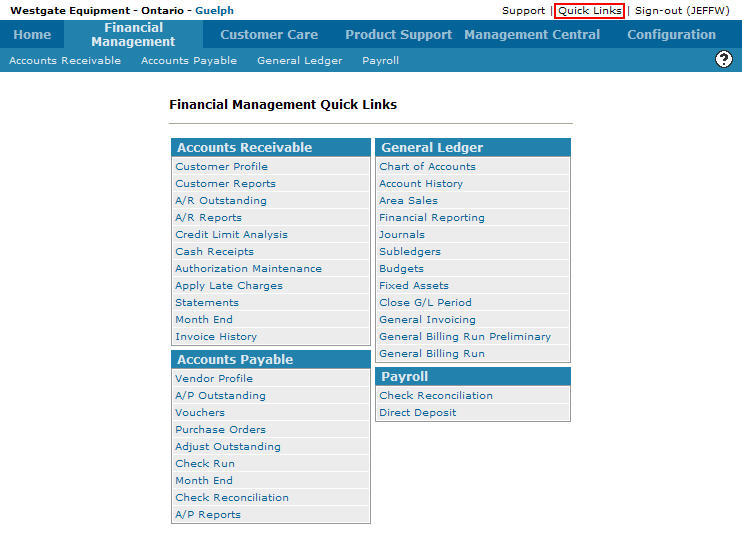
Financial Management Quick Links screen
-
The Printer Output screen will appear.
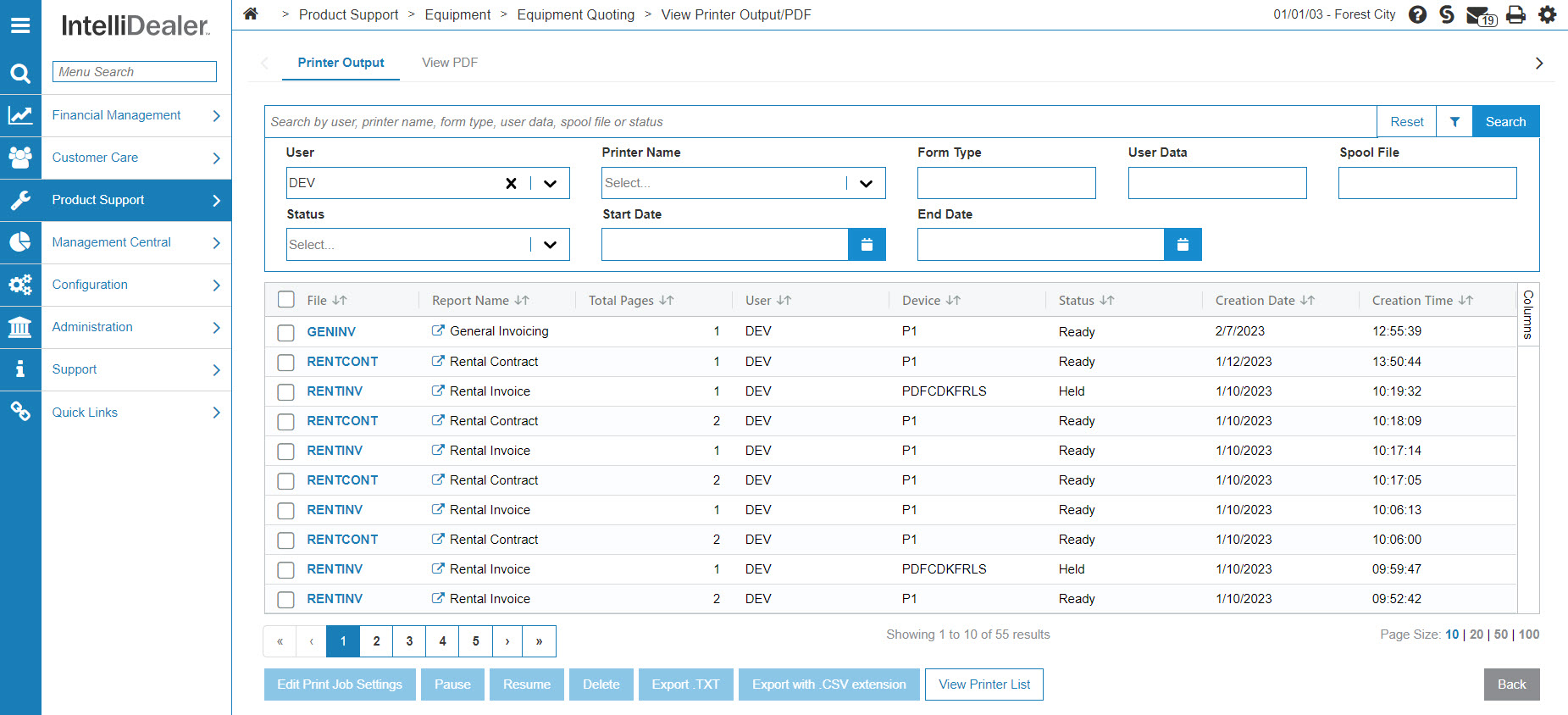
Printer Output screen
-
On the Printer Output screen, select the printer output File you want to hold by clicking on the checkbox next to the name of the file.
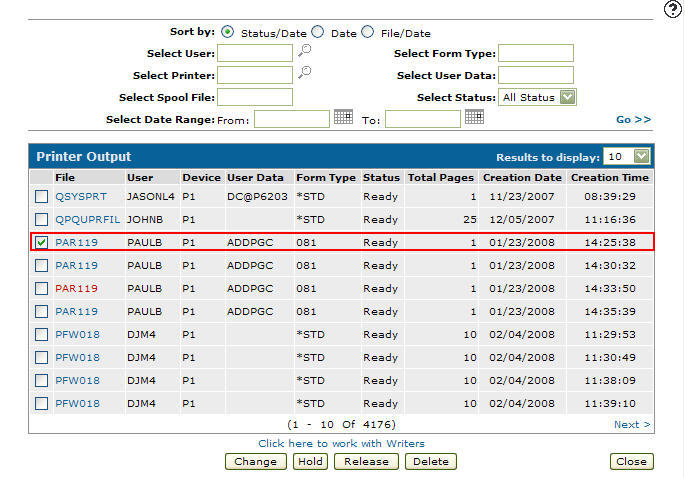
Printer Output screen
-
Click the Hold button, the status of the printer output file you selected will change to held indicating that the file is on hold.
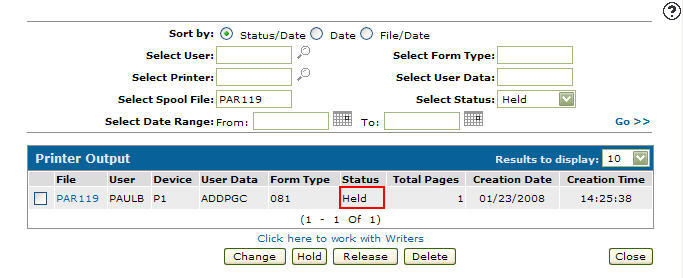
Updated Printer Output screen