
Editing a KPI Threshold
Allows you to modify KPI Threshold values in the system.
-
From anywhere in IntelliDealer , click on the Configuration > General Ledger > General > KPI Thresholds.
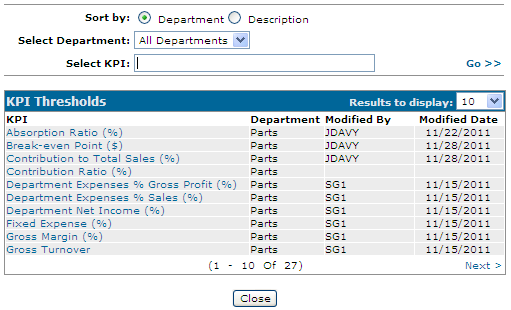
The KPI Thresholds Listing screen appears.
-
Click on a threshold link to edit it.
The KPI Threshold screen appears.
-
Modify the performance values for this KPI as necessary. See KPI Thresholds.
-
To complete your work, click one of these buttons:
-
Save— to save the new values.
-
Save & Next—to save the new values and move onto editing the next KPI threshold.
-
Close—to close the KPI Threshold screen without saving.
-