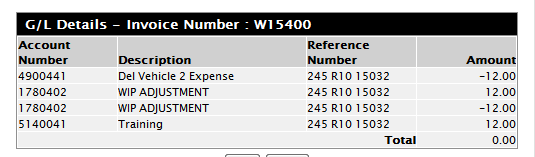
Here are some details on non revenue type labor entries and how to drive actual technician pay rate to a specific expense (or cos) account.
Technician set-up :
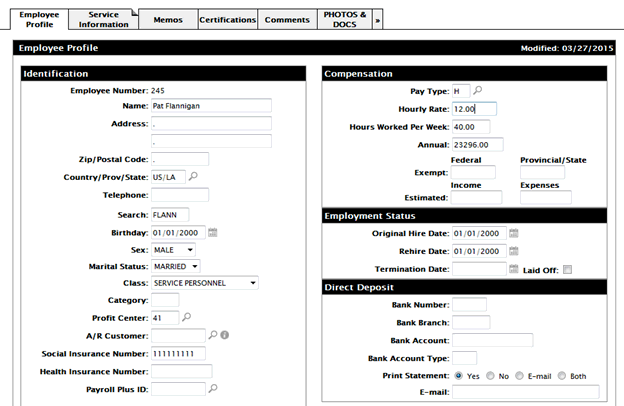
Service Tab
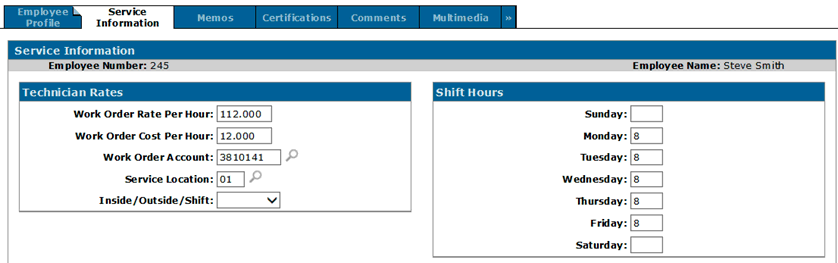
Using premium code 10 as the example. Set to payroll rate (P), and bill out percentage to 0, but 100 % cost
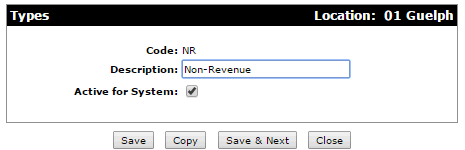
A type will be used for Labor Pricing purposes. Having this type assigned to each non-revenue technician’s segment will ensure that the proper accounts and premium code are used for all of their labor entries. This is set up under Configuration > Service > Work Orders > Types.
A labor pricing record is required to ensure that the proper sale account, cost of sale account, and premium code are used whenever a non-revenue technician makes a labor entry to a work order.
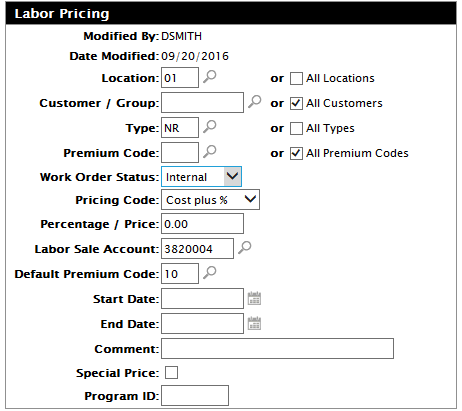
The above example states that the non-revenue premium code will be used when:
- The work order is in location 01
- The work order segment is assigned type ‘NR’
The pricing code is set to List plus % because it refers to the sale amount calculated when labor is posted. Since the premium code was set up to track no revenue, the labor pricing record is calculating $0.00 + 0%, which is still $0.00.
The Sale account should be set up like below:
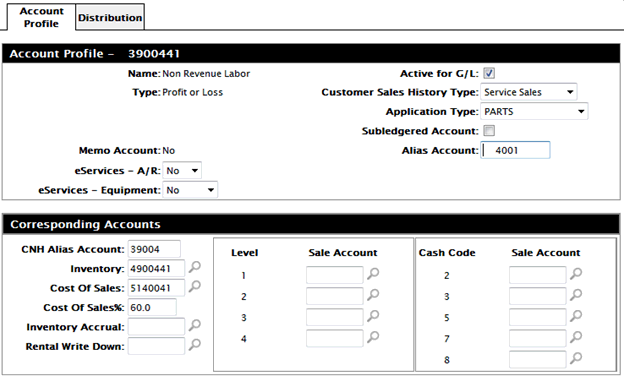
Please note in the example above, 4900441 is your labor inventory account. the same account that is debited with the payroll amount. (payroll labor expense account)
The rate per hour can be hidden if necessary -- this is a security setting. If the person keying labor knows the tech's rates it is sometimes useful to see the rates on the screen
(it will show the tech's actual pay rate if a non revenue premium code is selected)
Applying labor

The amounts (costs) are not visible anywhere in the open work order.

The invoice history shows no dollar amount
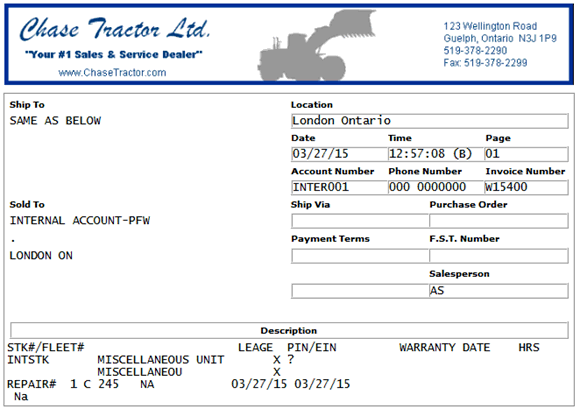
The only spot you see any numbers is in the g/l history link. This can be controlled with security.
(There is no sale entry)