
Description: Customers have credits that dealer would like to apply against outstanding invoices.
Solution: Under Cash Receipts in Accounts Receivables create a new batch and search for the customer # in question:
The cash receipts screen should look like this:
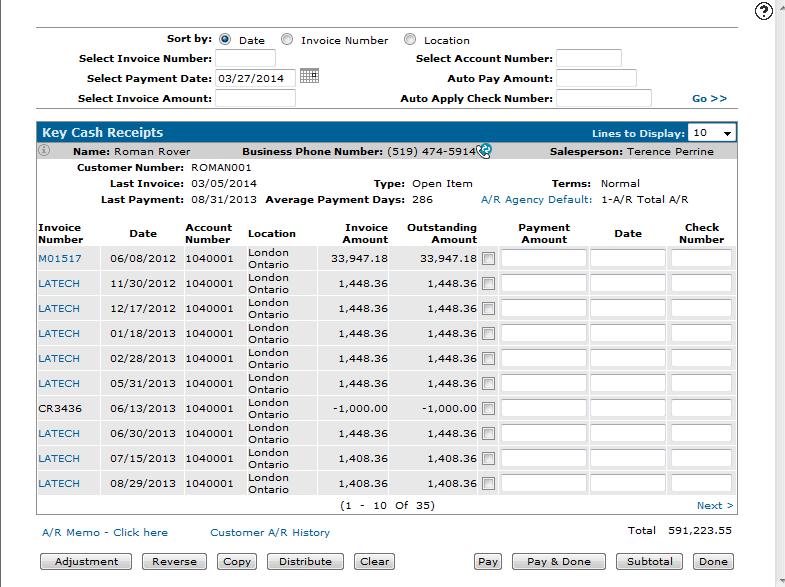
Check the credits that you want to use and the invoice amount that you would like to apply it against. If the invoice amount in greater than the total credits then key in the amount to be paid off in the payment amount field and hit pay.
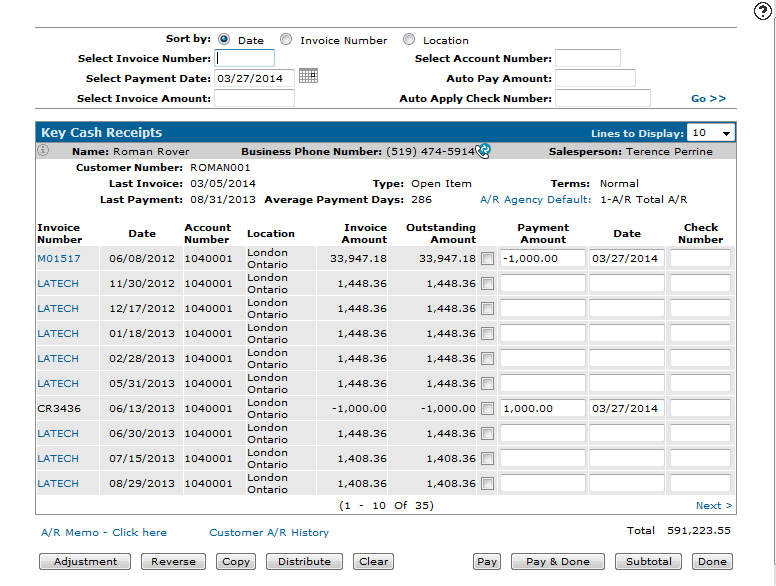
Hit pay and done to come out of the cash receipts screen. The details screen should show you the accounting transactions. In our case we used the credit of $1000 and applied it against invoice M01517.
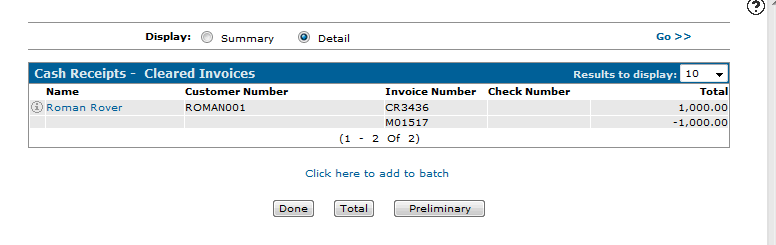
Update batch to complete.