
Create Special Parts
Create a part for each method of payment you will accept towards the Powerplan account.
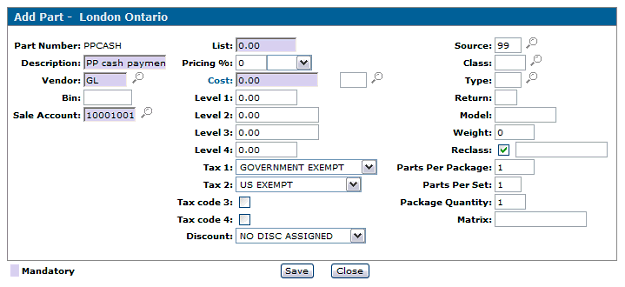
- Vendor should be ‘GL’
- G/L account should be the method of payment
- List and Cost should be 0
- Tax codes should be exempt (or unchecked for 3 & 4)
- Source should be 99
Taking payment via Parts Invoice
Open Parts invoice to customer in question.
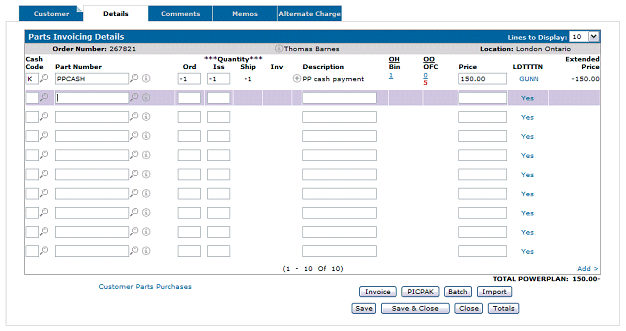
- Use Powerplan cash code (drives Powerplan interface)
- Use desired payment part number based on method of payment
- Sell a quantity of -1
- Accounting will DR cash (or other payment method depending upon part), and CR Powerplan.
- Invoice will be receipt for customer.