
Key Features
- Ability for management to authorize non-standard rental rates at the point of sale
- An authorization request can be triggered by a lower tendered rate only or both a higher and lower tendered rate
- Ability to allow a % tolerance in the rate change via an Allowable Override Percentage setting
- Authorization still required for subsequent rate changes if it exceeds the previous authorized rate
- Requires a “live” conversation between user and manager to authorize rate change
Configuration
There are only a few steps to set up the Rental Rate Override Authorization feature
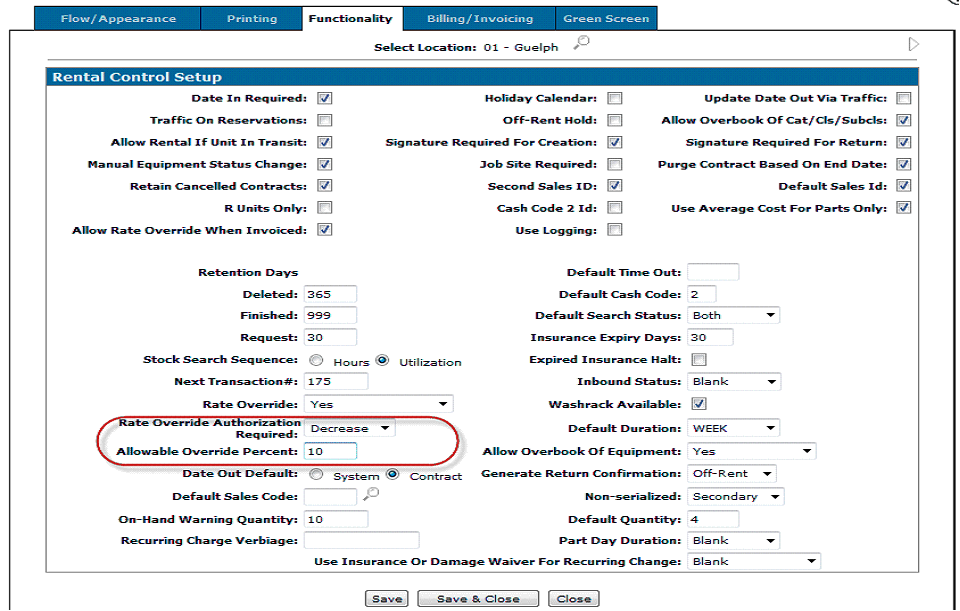
1. In IntelliDealer go to Configuration Rental Setup Rental Control Setup Functionality
2. Set the Rate Override Authorization Required value to ‘Decrease’ or ‘Both’. Decrease means to trigger the authorization request if the rental rate tendered is lower than the standard rate. Both means to trigger the authorization if the rate is lower or higher than the standard rate.
3. Optionally, set the Allowable Override Percent. If the rental rate is equal to or within that percent above or below the standard rate, the authorization request will not be triggered.
 Additional Notes
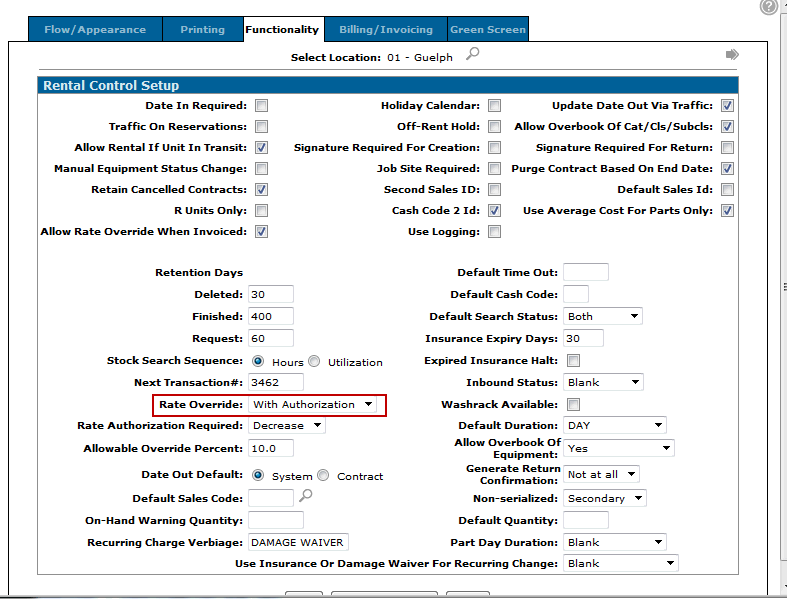
In order to have this work, the Rate Override drop down box needs to be set to 'With Authorization':
Also, you will only get the prompt for authorization at the time you change the rate if the option to print invoices in billing runs is checked under the Billing/Invoicing tab:
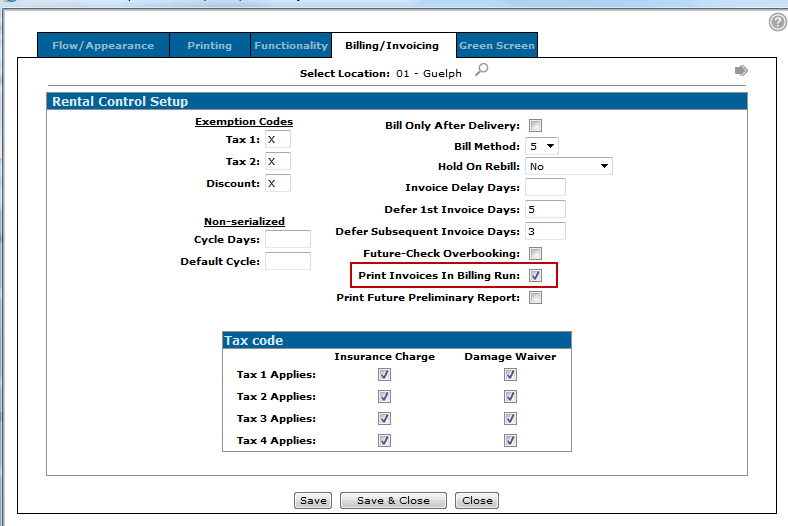
With this box unchecked, the rate override prompt will appear at the time the print invoice option is selected under the invoicing tab of the rental contract.
Security
You need to configure selected users to authorize the Rental Rate Override Authorization requests.
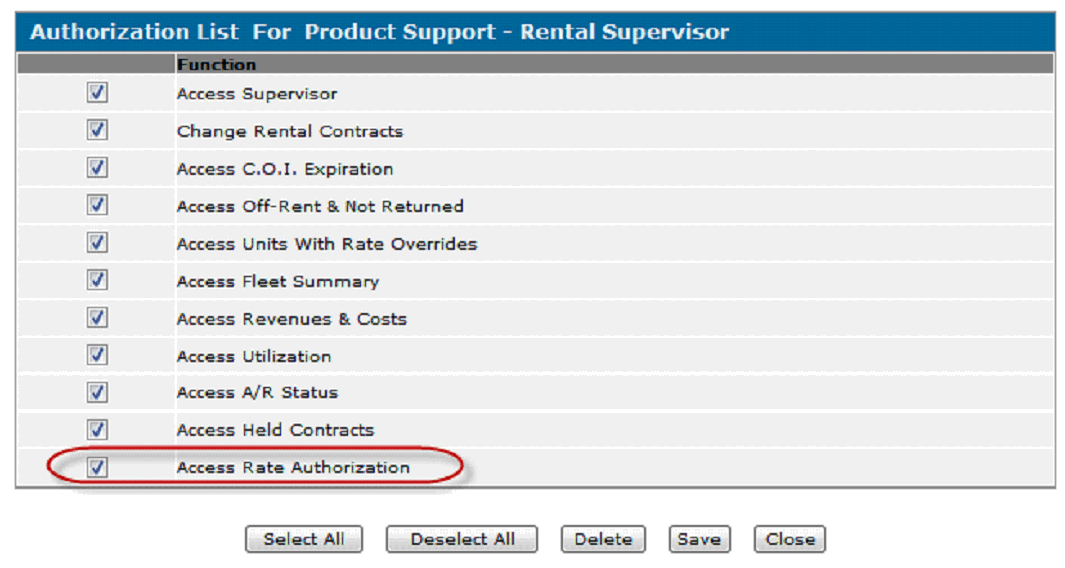
- In IntelliDealer, go to Security switch 843 Product Support Rental Supervisor
- Check the Access Rate Authorization box to activate this security switch for the selected user
Rate Override Example
Requesting An Override
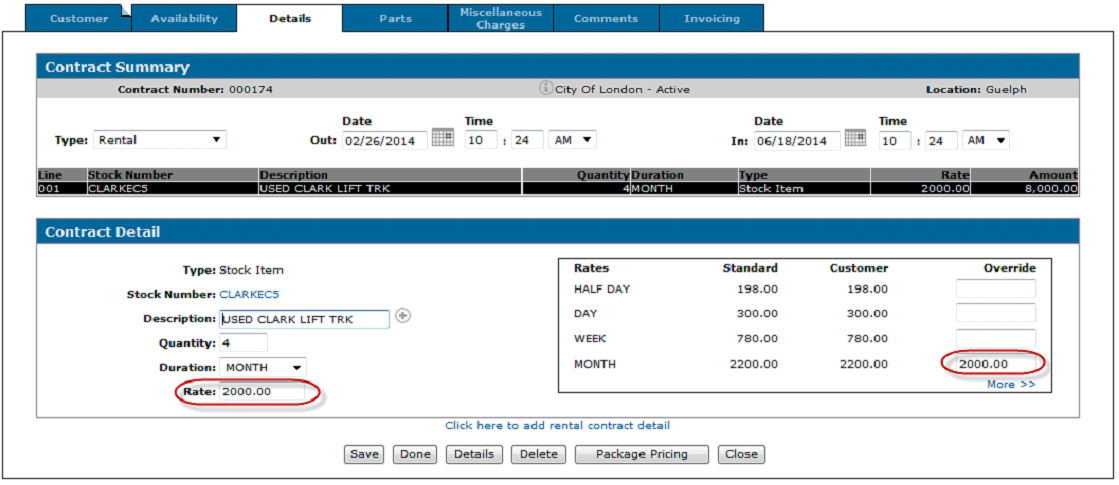
- A user overrides the rate from $2,200 to $2,000.
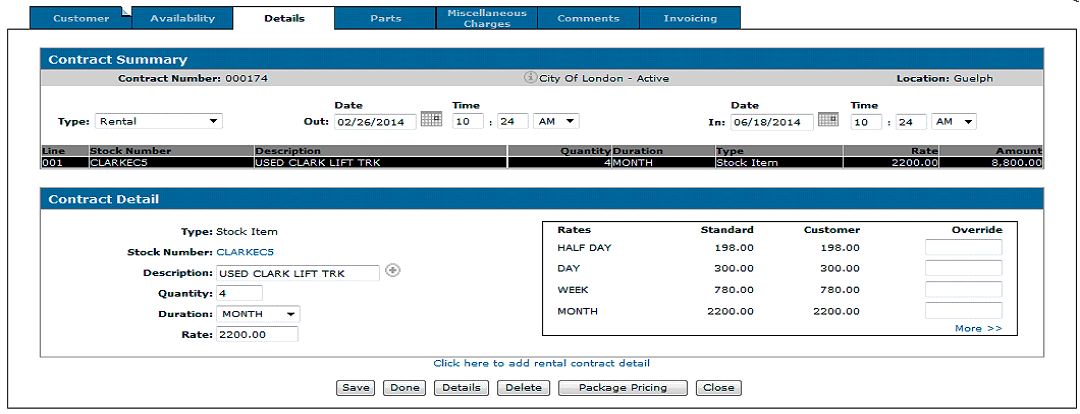
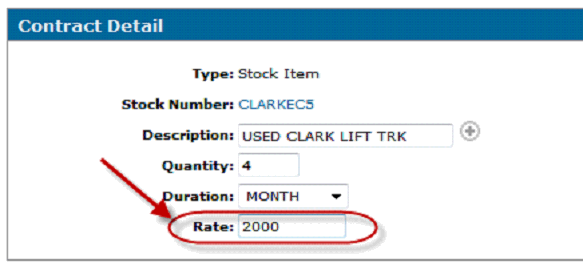
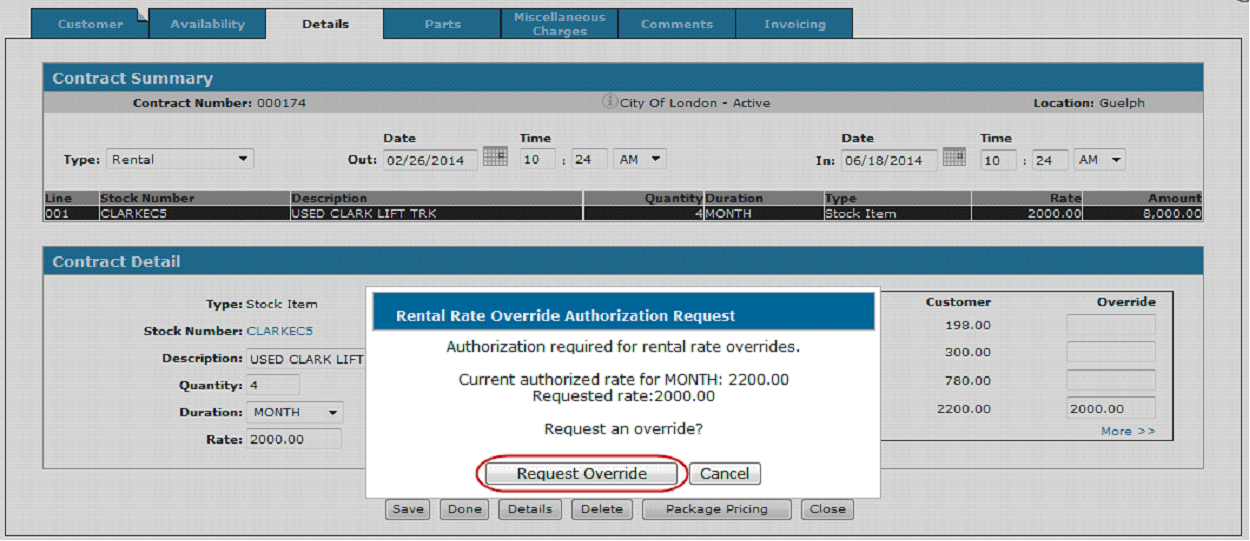
- The rental user is then presented with a Rental Rate Override Authorization Request
- Click on the Request Override button to send the request
- The Rental Rate Override Authorization Request screen appears again but now asked the user to wait for rental management feedback, i.e. approval.
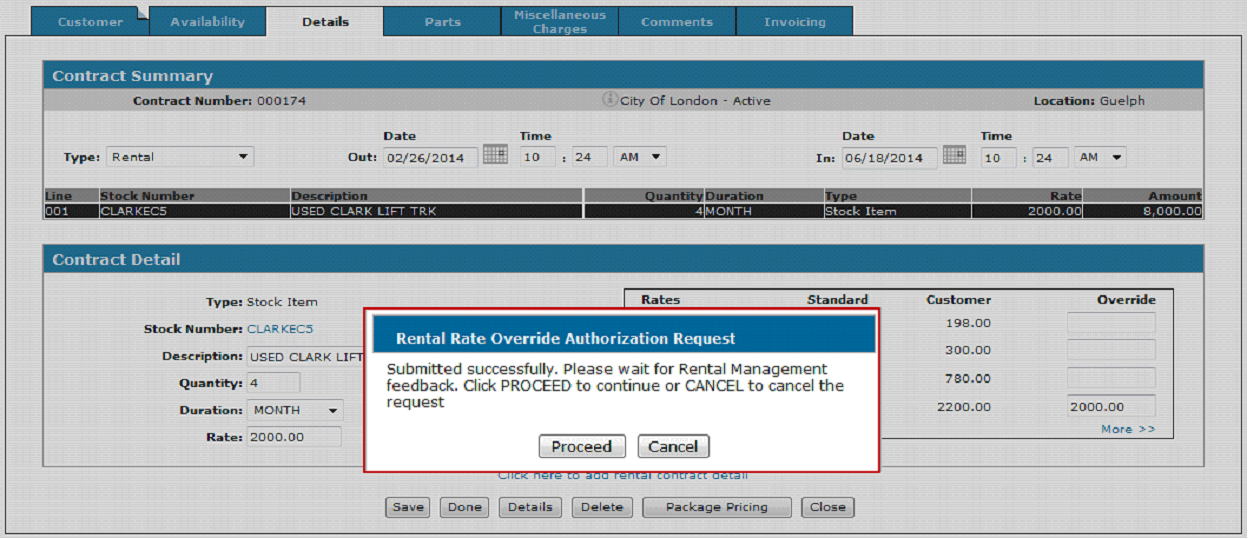
- The user needs to contact the approver to see if the request has been approved before clicking on the Proceed button.
- If the Proceed button is clicked before the request has been approved or rejected, the Rental Rate Override Authorization Request screen will be returned
- If the user clicks on the Cancel button he or she will be returned to the Details tab of the contract but the rate will revert back to the previous rate. In this example, $2,200.
Approving a Rental Rate Override
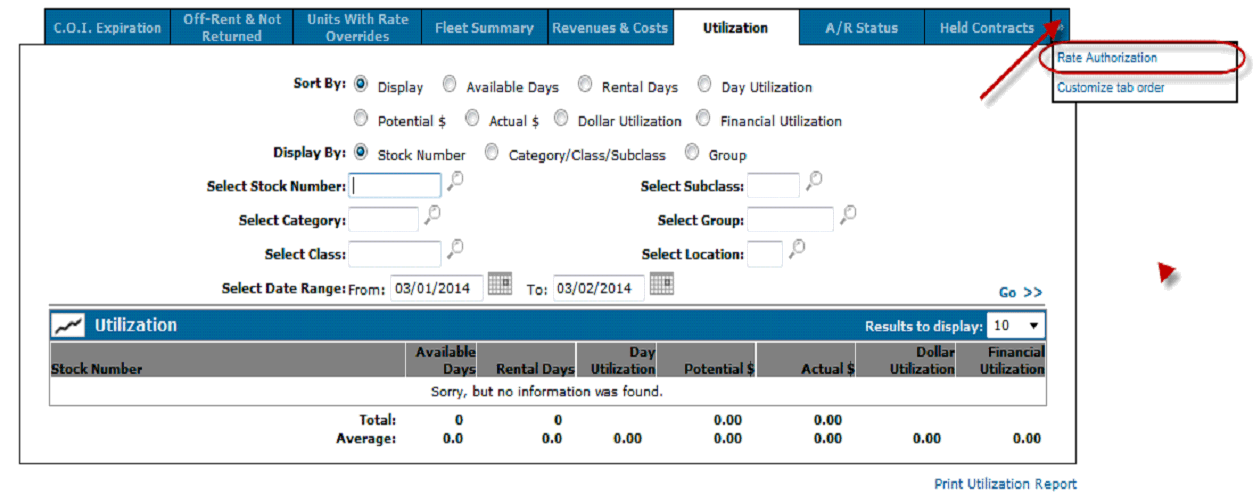
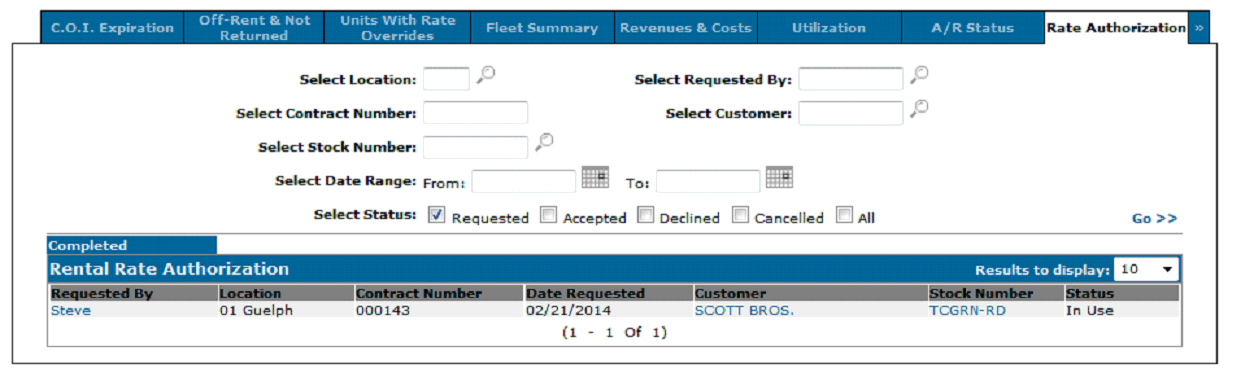
- Authorization requests appear in the Rate Authorization screen
- This is found in Rental Supervisor Rate Authorization
- The default location for the Rate Authorization screen is under the chevron on the far right side of the Supervisor screen
- It is recommended to move this tab to a more convenient tab position
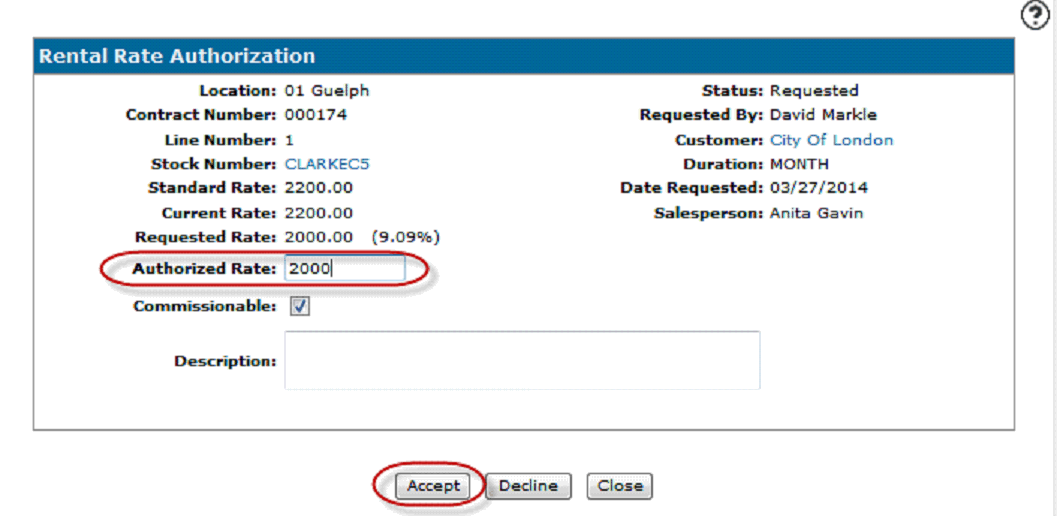
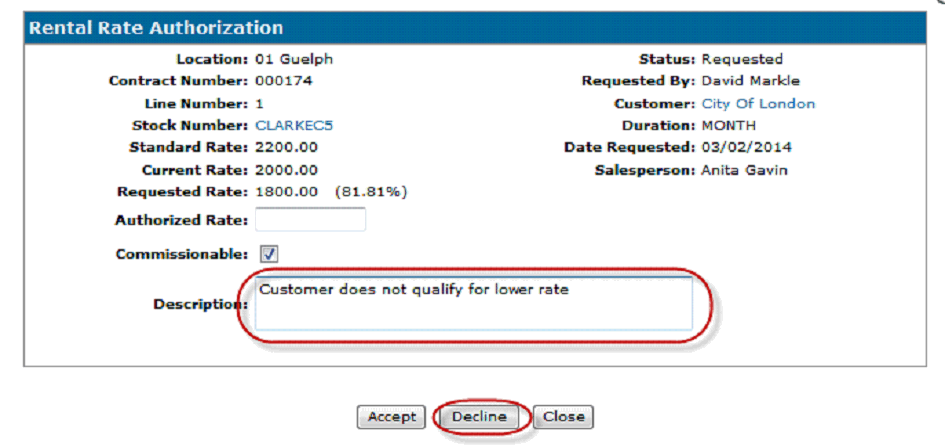
- The approver authorizes the rate by keying in the authorized rate in the Authorized Rate field and pressing the Accept button
- The amount does not have to match the requested amount because in some cases the authorizer and the user may negotiate a new rate after the user has submitted the requested rate
- The request is removed from the screen when it is accepted or rejected
- The user can click on the Proceed button now that it has been authorized
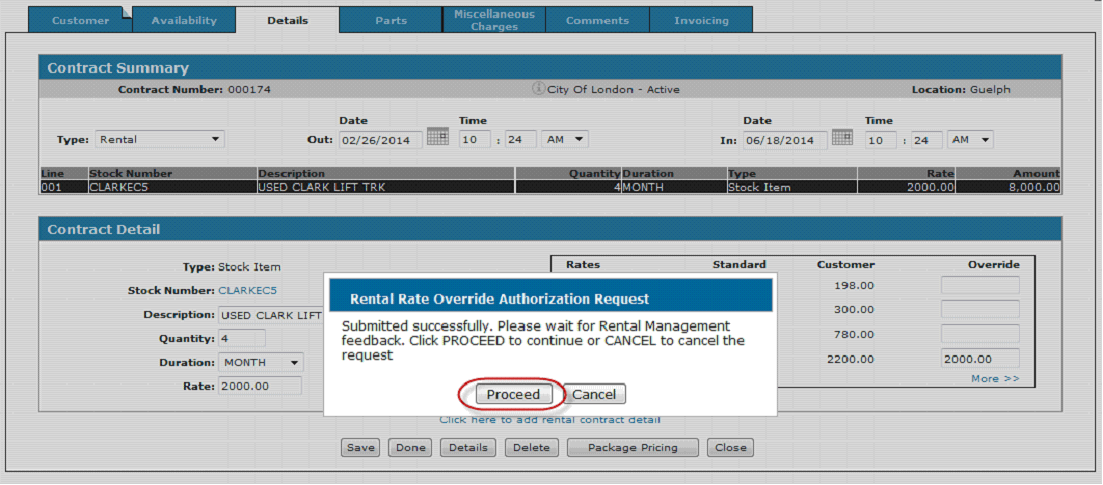
- The rate changes to the authorized rate
Rejecting a Rental Rate Override
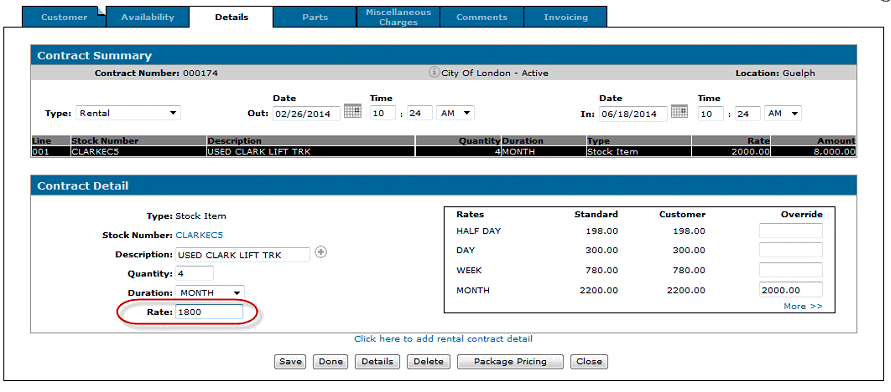
- The user enters a rate of $1,800 which is lower than the previously approved rate of $2,000
- On the Rental Rate Authorization screen, the manager rejects the request by keying a comment in the Description field and pressing the Decline button
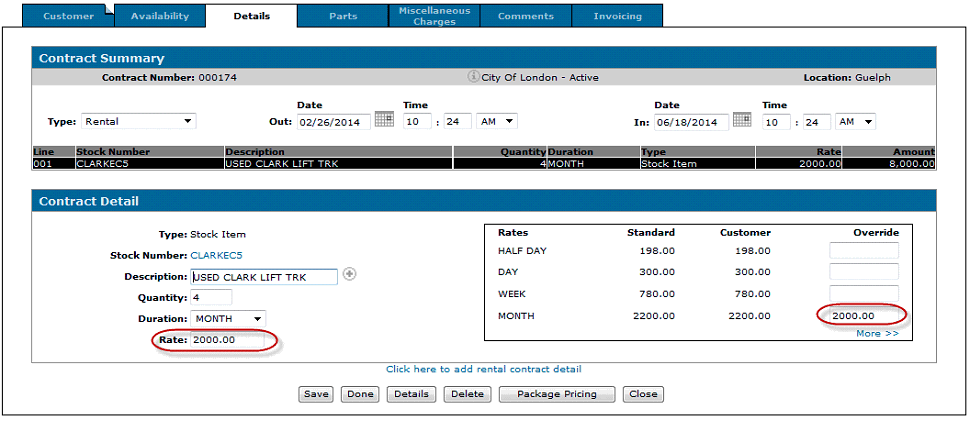
- When the user presses the proceed button, the rate is reset to the $2,000 rate because the $1,800 rate was rejected.
Other notes:
- Clicking Cancel on the Request removes the request from the Rental Rate Authorization screen but it is logged
- The No Charge option on the contract is considered as a rate override
- The Rental Rate Authorization logic applies to rental package pricing
- It is recommend to move Rate Authorization tab to more accessible location
- Authorization history details can be queried in file RNTAUTH with Data Miner.
- Authorizations that fall with the Allowable Override Percent will be logged but will not show on the Rental rate Authorization screen
- Maximum of 5 digits allowed in the RATE field.
- Available in Insight release