
To set up rental costing you should load the costing percentage on each of your rental fleet units through equipment master maintenance.
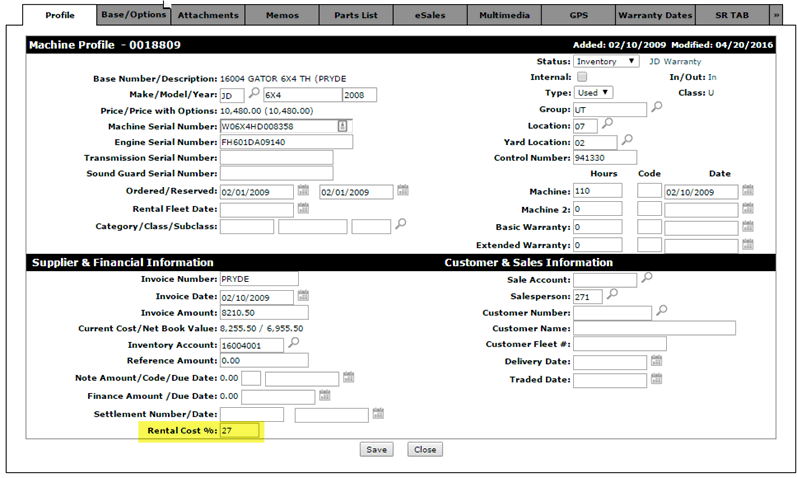
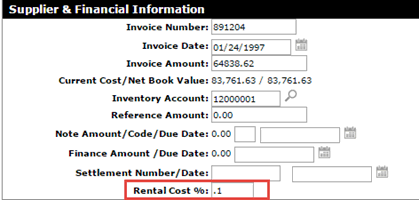
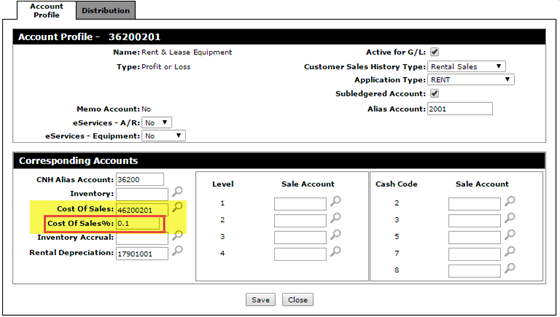
You must then put a cost of sale account on your rental sale account & a costing percentage. (The costing percentage is only used if there isn't one loaded on the stock #). If you want zero costing on certain units put 0.1 in the Rental cost % field (in green screen this was just the number 1). The logic the system uses to calculate the rental cost percentage is
- If the stock# Rental Cost is 0.1 the system knows to do zero costing - no costing entry will be made.
- If the stock# Rental Cost is blank then the system will try to use the cost of sales % on the rental sale account.
- If the stock# Rental Cost is blank and the default cost of sales % on the rental sale account is 0.1 then no costing entry will be made.
When you rent a machine out using this sale account for $1000 - The following entries occur:
36200021 (Rental Sale account) CR 1000.00
12200001 (Inventory account loaded on the stock#) CR 800.00
44620002 (Rental COS account) DR 800.00
10400 (Accounts Receivable) DR 1000.00
In this example this $1000 rental will reduce the inventory value on the stock # rented by $800.
Question - What happens if the current cost on my stock # is $500 and a rental will cost it down $800
Answer - When the billing run goes through it will make the following entries:
36200021 (Rental Sale account) CR 1000.00
12200001 (Inventory account loaded on the stock #) CR 500.00
44620002 (Rental COS account) DR 500.00
10400 (Accounts Receivable) DR 1000.00
The system will NOT put the NBV of a stock # below zero. If the costing entry should have been $800 but the current cost on the stock # is $500 then it will cost out at $500.
Note: On the BIL929 report (Rental Cost of Sales) there will be a message stating the following:
*** NET BOOK VALUE WOULD BECOME NEGATIVE UNLESS COSTING ENTRY REDUCED. COSTING ENTRY REDUCED FROM - 800.00- ***