
Multimedia
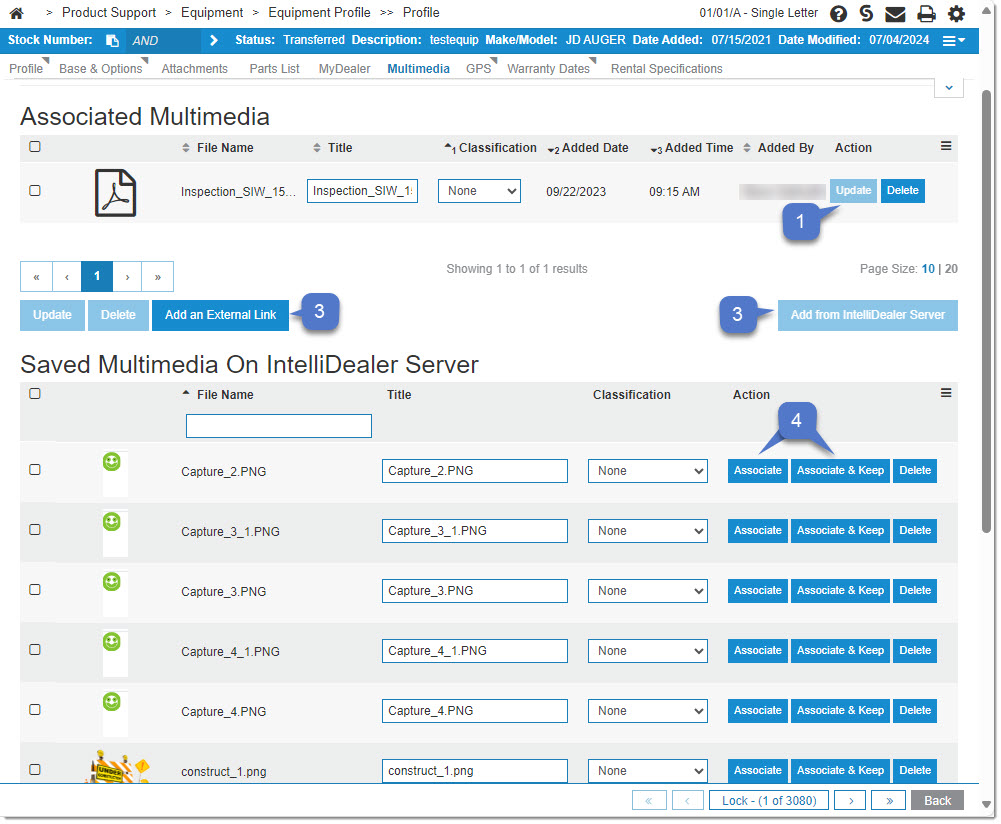
The Multimedia tab lists all relevant associated media on an equipment unit. Multimedia images only appear on equipment units. Images also appear as a thumbnail when listed on the screen.
-
The Update button saves any changes made to the media file(s).
-
The Add an External Link button opens into the Add Link window:
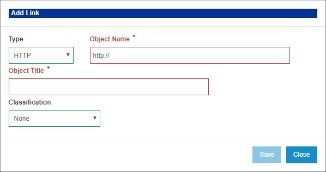
Use this option to link to other sites from IntelliDealer.
-
The Add from IntelliDealer Server button opens an extended menu beneath your internal file list that displays media files uploaded to IntelliDealer’s company server.
-
Use the Associate and Associate & Keep buttons to manage the relationships between image files and equipment units. See Select Images.
Security: 995 - User Security
Revision: 2023.12