
Real-time Billing System
The Real-time Billing System allows for real-time processing (where applicable) with immediate updates. It allows you to perform pre-processing edit checks and troubleshooting to reduce error situations. Invoices generated through Real-Time Billing display the code T in the invoice header, allowing users to easily identify invoices created through the Real-Time Billing process.
With the Real-time Billing System you can configure a scheduled billing process for recurring general and rental invoices, for example nightly. Scheduled invoices are processed individually so that if there is an issue for one invoice, the rest can continue to run.
The topics in this section include:
See also:
Security Prerequisites
You can enable real-time billing for a location, or for only a few users at a time, allowing you to control the roll out of this feature in your dealership.
How Location Settings Interact with User Security
Real-time Billing can be controlled at both the location level and the user (security) level.
If Real-time Processing is enabled at the Location level, it applies to all users at that location, regardless of user or user group security settings.
If Real-time Processing is disabled at the Location level, the system will use user or user group security settings to determine access.
Note: Location-level settings override user-level security when enabled. For Parts, only the location-level setting is currently used.
Enabling a Location
To enable the Real-time General Billing System for all users at a location:
-
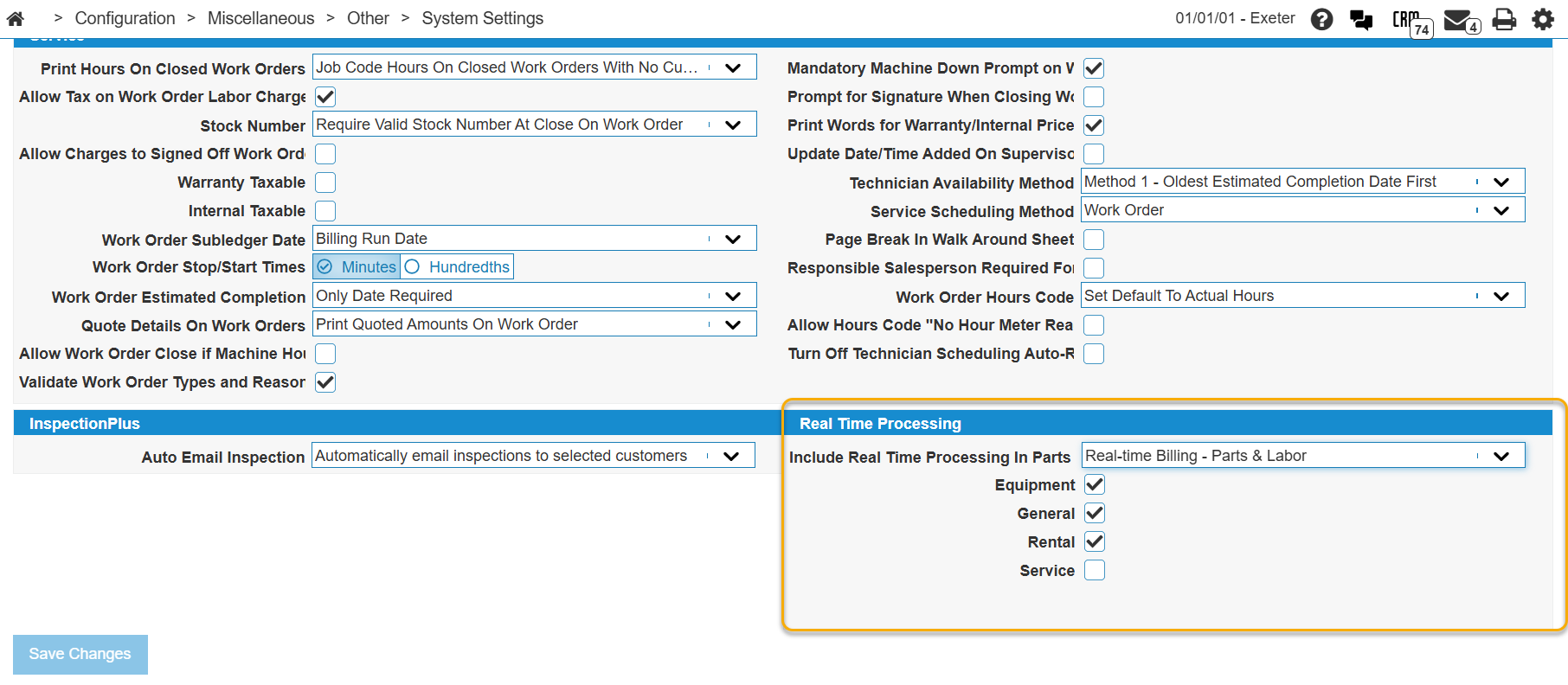
Navigate to Configuration > Miscellaneous > Other > System Settings and click the Location tab.
The System Settings - Location screen opens.
-
Scroll down to the Real Time Processing section.
-
Select the checkbox for the areas you wish to enable, referring to System Settings - Location, Real Time Processing section for details.
-
Click Save Changes.
Enabling Users
Note: User-level security settings are only applied when Real-time Processing is disabled at the Location level.If enabled at the Location level, all users automatically use Real-time Billing and individual security switches are ignored.
To enable only specific users at a location:
-
Navigate to Configuration > Miscellaneous > Other > System Settings and click the Location tab.
-
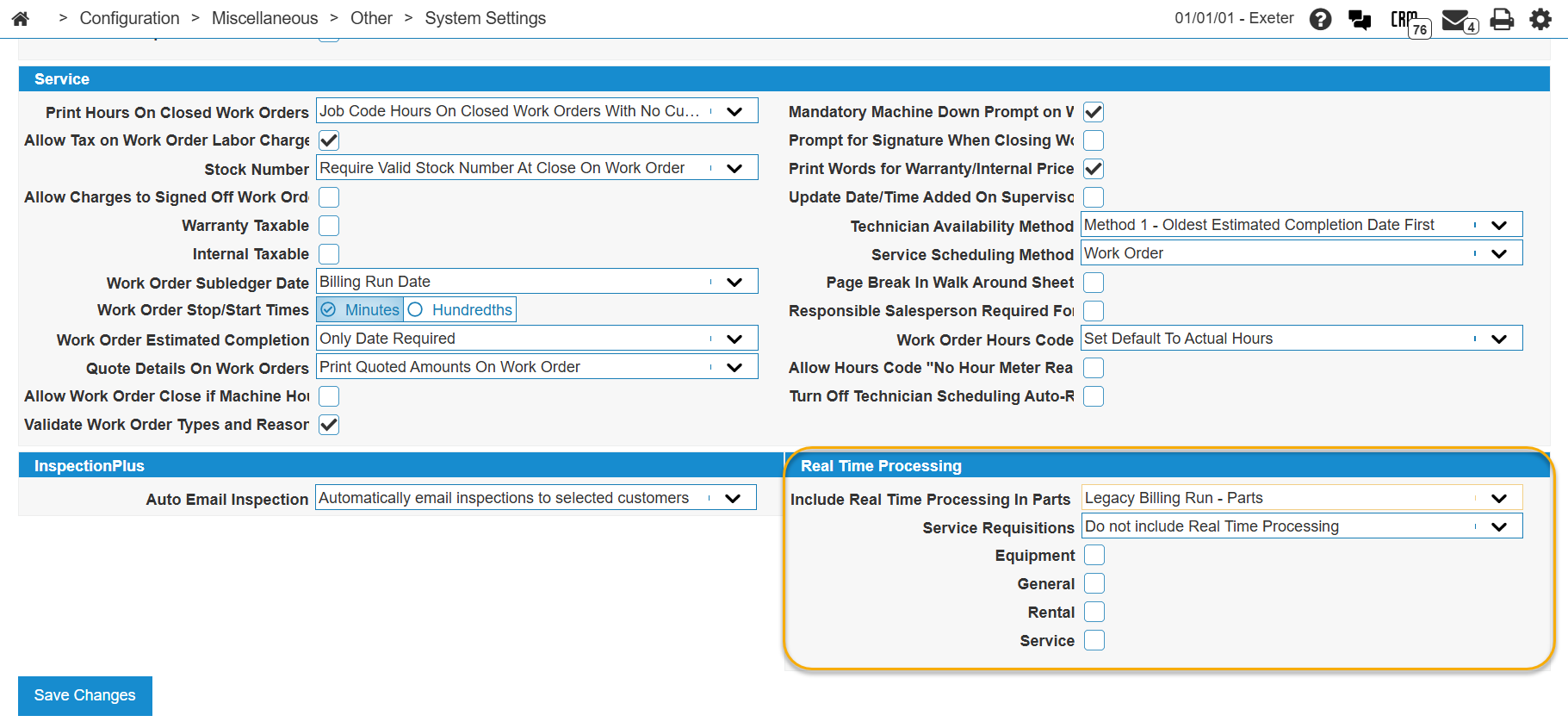
Scroll down to the Real Time Processing section and ensure that no checkboxes are selected.
-
Click Save Changes.
-
Navigate to Administration > Settings > Security.
-
For each user you wish to enable set one or more of these security switches:
System Security Switch Description System 505 - Management Central - Utilities Access to Data Portal Reports Controls access to the output of the billing runs to the Data Portal. System 602 - Financial Management - General Ledger Allow Bill Invoice in General Invoicing Activates the real-time General Billing System. System 802 - Equipment Invoicing Allow Bill Invoice in Equipment Invoice Activates real-time billing for equipment invoices. System 810 - Service Work Order Allow Bill Invoice in Work Order Activates real-time billing for service work orders. System 840 - Rental Counter Allow Bill Invoice in Rental Contract Activates real-time billing for rental contracts. System 994 - Web Admin Access Batch Jobs Gives the user the ability to use the Job Scheduler utility.
-
Save your changes.
Reports
Real-time Billing reports are posted to the Data Portal, from which you can either run the reports or access the data in Excel format. The raw data is stored in the BILLINGDAT file which can be also accessed via Data Miner or any other reporting tool.
Billing Date
The Billing Date column on the Real-time Billing Queue screen shows the date used for each queued invoice.
The billing date used when an invoice is processed through Real-time Billing depends on the module and how the invoice is submitted.
| Module / process | How the billing date is set |
|---|---|
| Parts invoicing (real-time) |
IntelliDealer uses the Actual Run Date from the Unattended Billing Runs calendar for the current calendar day. You do not enter a billing date on the parts invoice. See Real-time Parts Invoice Billing. If no unattended billing run is scheduled for the current day, IntelliDealer uses the current system date. |
| General invoicing, rental, equipment invoicing, and work orders (real-time) | Uses the Billing Date you set on the Bill Invoice screen when you submit the invoice. See Real-time General Billing Usage, Real-time Rental Billing Usage, Real-time Equipment Invoice Billing, and Real-time Work Order Billing Usage. |
| Scheduled unattended general and rental billing | Uses the Actual Run Date from Unattended Billing Runs for the day the scheduled job runs. See Billing Schedule and Unattended Billing Runs. |
Note: Dealers who schedule unattended billing to run in the morning with an Actual Run Date of the previous day (for example, to align with maintenance windows) see that same date on parts invoices billed interactively that morning. Review the Unattended Billing Runs calendar if the billing date on a real-time parts invoice is not what you expect.
FAQ
 Why was this developed?
As part of our modernization efforts, we listened to many dealer requests for real-time invoice processing. This feature replaces the legacy billing runs using modern Java coding which provides system performance gains, immediate roll-back if a problem is detected, and enhanced support features.
Is there a cost for this feature?
No, it is included in your regular IntelliDealer fees.
When will my invoice be processed?
The new billing system is real-time. As such, all accounting, inventory, etc. functions that would have happened in the legacy billing run, now occur as soon as the invoice button is clicked.
Where does the billing date come from when I bill an invoice in real time?
See Billing Date. In summary, real-time parts invoicing and scheduled unattended general and rental billing use the Actual Run Date from Unattended Billing Runs. Interactive real-time billing for general invoicing, rental, equipment invoicing, and work orders uses the Billing Date on the Bill Invoice screen.
What about recurring invoices (i.e. rental contract, general invoices)?
If there are rental contracts or general invoices with recurring invoices, there are jobs that can be scheduled to process these invoices. This may be daily or whatever schedule is desired. See Billing Schedule.
Note: While it is possible to schedule the billing process to run multiple times a day, only the first run of the day processes pending invoices. Currently, the only benefit to scheduling the runs more often than once every 24 hours is to pick up changes to the billing schedule which don't have a last run date set yet.
If I have 10 invoices to be processed by the recurring job, and there is an issue with one invoice, will the whole run fail?
No. One of the key benefits of the new billing system, is that if there is an issue with 1 invoice out of 10, the other 9 will process successfully, and only the one invoice will need to be actioned.
What if I don’t want to use the new billing system? Is it mandatory?
No, it is not mandatory. Real-time Billing can be activated by location settings or security switches, depending on configuration.
If enabled at the location level, it applies to all users. If disabled at the location level, security switches control access by user or user group.
Eventually the legacy billing runs will be sunset.
The switches that activate Real-time Billing are:
Does the new billing run system print the same reports as the legacy system? Where can I get the reports?
The data captured by the new billing system is posted to the BILLINGDAT data table. There is a new system feature called the Data Portal which allows the user to print new versions of the reports as well as export the data in an Excel format. See Reports.
What if there is an issue with the invoice I am currently working on when I process it? Will the run crash?
No, the new system will immediately return the issue to you to be rectified, then you can simply try again. If there are no validation issues, the invoice will process in real-time.
Is there any logging in the system of this feature?
Yes, the BILLINGLOG data table captures all events including user, invoice, system, dates/times, run name, etc. If an error occurs, click the error link on the Real-time Billing Queue screen to see the error details.
The customer name on an invoice appears differently in real-time billing than it does in the legacy system. Why is this?
A. In legacy billing, sometimes the customer name in the equipment profile was set to the description entered in the custom accounting for the invoice, but the customer number was correct. This occurred when the account keyed on the custom accounting line was an equipment sale account. In Real-Time Billing, the logic to use the description information was removed. Real-time billing sets the customer name to the Ship To name, if entered, otherwise it uses the customer profile name.
What does the code "T" in the invoice header mean?
Invoices include a code in the header to indicate their source. A new code T identifies invoices generated through the Real-Time Billing System.
The available invoice source codes are:
O – Online
B – Billing Run
R – Real Time Processing (legacy)
T – Real Time Billing