
Configuration: Province/State Codes Listing
Use Province/State Codes screen to search, edit and add province/state codes. Configured province/state codes are used within Customer Profile system and appear on the Country/Prov/State Code Selection screen.
To open the Province/State Codes ,navigate to Configuration > CRM > Profile > Province/State Code.
Warning: When using Integrated Rental, Country and Province/State fields in IntelliDealer Customer Profiles MUST use the abbreviations listed in Integrated Rental: Country and State Codes; otherwise an error will occur in the Integrated Rental system.
Topics in this section are:
Adding a Province/State Code
-
Navigate to Configuration > CRM > Profile > Province State Codes.
-
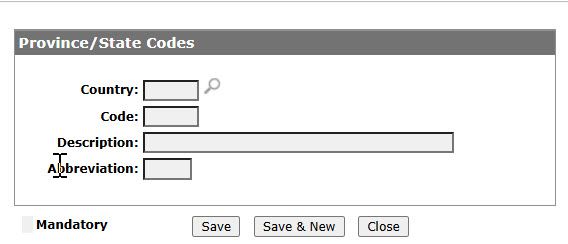
Click Need to create a new province/state code? Click here to add .
-
Fill in the fields referring to the table below.
-
Click Save button to save the new province/state code and return to the Province/State Codes screen.
- or -
Click the Save & New button to save the new province/state code and enter another.The Province/State Codes screen refreshes allowing you to add another province/state code without closing the screen.
 The
The 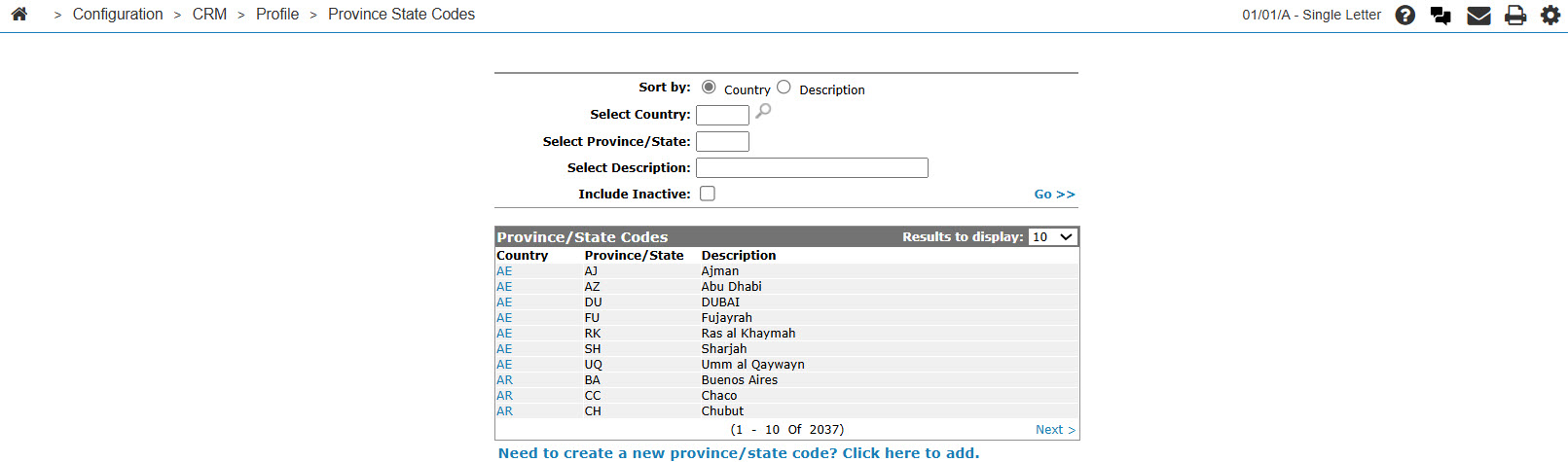
Editing a State Code
-
Navigate to Configuration > CRM > Profile > Province State Codes.
The Province/State Codes screen appears.
-
Click on a Country code.
The Province/State Codes screen appears.
-
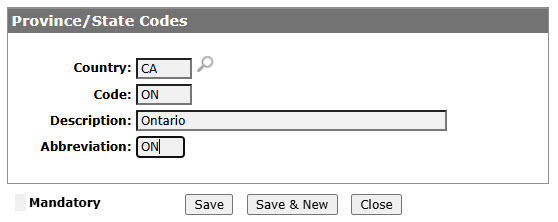
Edit any of the available fields referring to the table below.
-
Click the Save button to save changes made to the province/state code.
- or -
Click the Save & Next button to save any changes made to the province/state code and continue to the next province/state code on the list.
Screen Description
The sorting options on the Province/State Codes screen are:
| Sort by | |
|---|---|
| Field | Description |
| Country | Sort the search results by country. |
| Description | Sort the search results by description. |
The search fields on the Province/State Codes screen are:
| Field | Description |
|---|---|
| Select Country | Search for province/state codes by country. |
| Select Province/State | Search for province/state codes by province or state. |
| Select Description | Search for province/state codes by description. |
| Include Inactive | If selected, includes inactive province/state codes within the search results. |
The fields on the Province/State Codes screen are:
| Field | Description |
|---|---|
| Country | The code that represents the country throughout the customer profile system. |
| Province/State |
The province or state code. A blank province/ state may be used for any country other than Canada and the United States. |
| Description | A brief description of the province or state code. |