
Setting up the Bobcat Online Parts Catalog
Dealership personnel can use the Bobcat Online Parts Catalog tool to look up Bobcat parts information in IntelliDealer. IntelliDealer displays parts availability and Bobcat transmits pick lists for import into IntelliDealer invoices and requisitions.
Topics in this section are:
Configuring IntelliDealer
-
Navigate to Configuration > Miscellaneous > Other > System Settings and click the Location tab.
-
For each location, ensure the vendor number in the Bobcat Vendor Number field is the Bobcat vendor number in the parts department for that location.
-
Navigate to Financial Management > Accounts Payable >Vendor Profile.
-
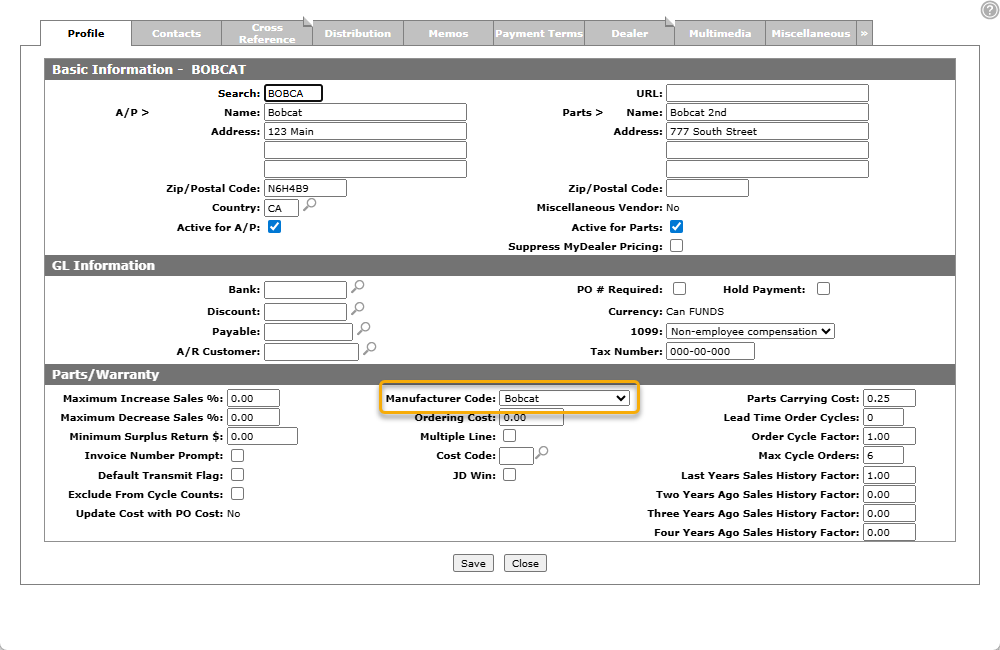
Search for the Bobcat Vendor Profile and open it.
-
Click Update/View Profile.
-
Set the Manufacturer Code to Bobcat.
-
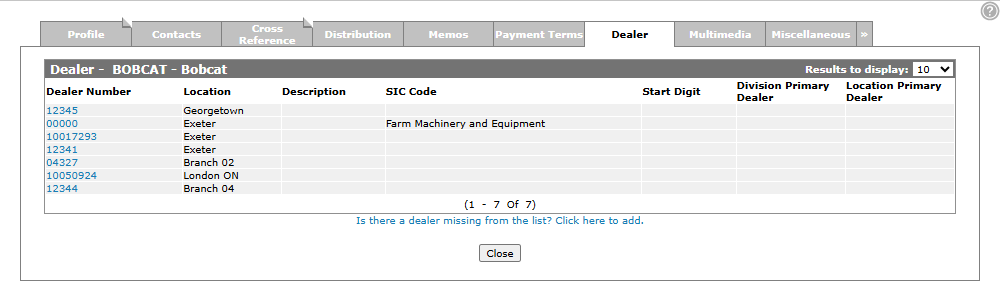
Click the Dealer tab.
-
Confirm that each location that is a Bobcat dealer has a Dealer Number listed. If a location is missing from the list, click the link to add it. See Adding a Vendor Profile.
Tip: Each dealer number should only be loaded into the list once.
-
If you add or remove a dealer number, wait for the Bobcat Cloud Dealer Configuration Job to run. By default it runs every night at 9 PM.
To view scheduled batch jobs, navigate to Administration > Settings > Batch Jobs to open the Job Scheduler: Batch Jobs screen.
-
To get your Cloud API credentials, navigate to Configuration > API Gateway.
The API Gateway screen opens.
-
Copy down the Client ID and Client Secret. You will need both to register on the Bobcat website.
 Location of the Bobcat Vendor Number on the Location tab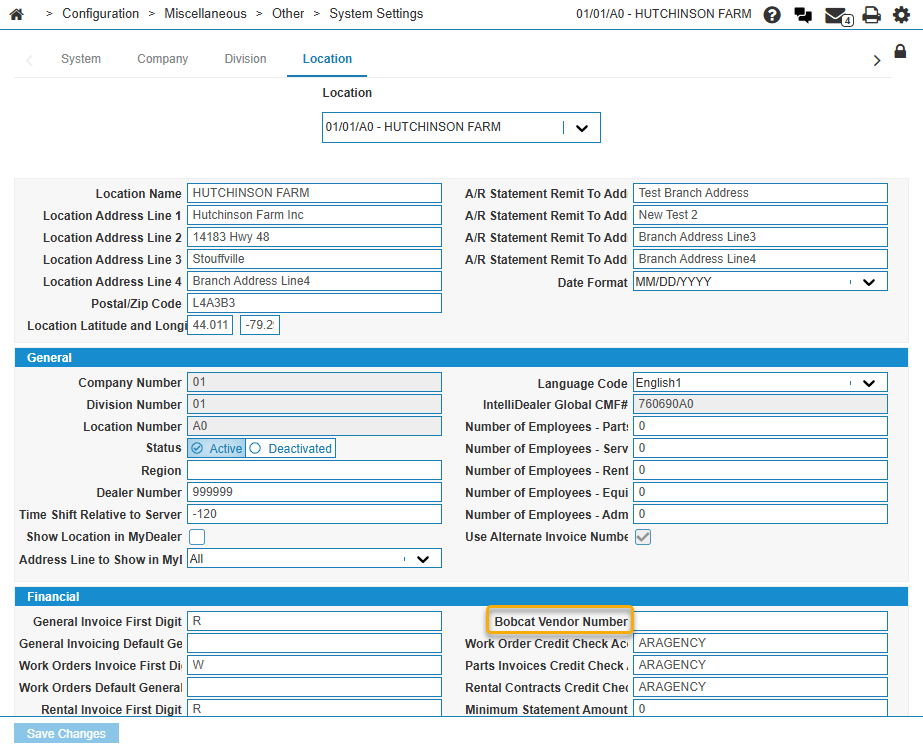
Configuring Bobcat
-
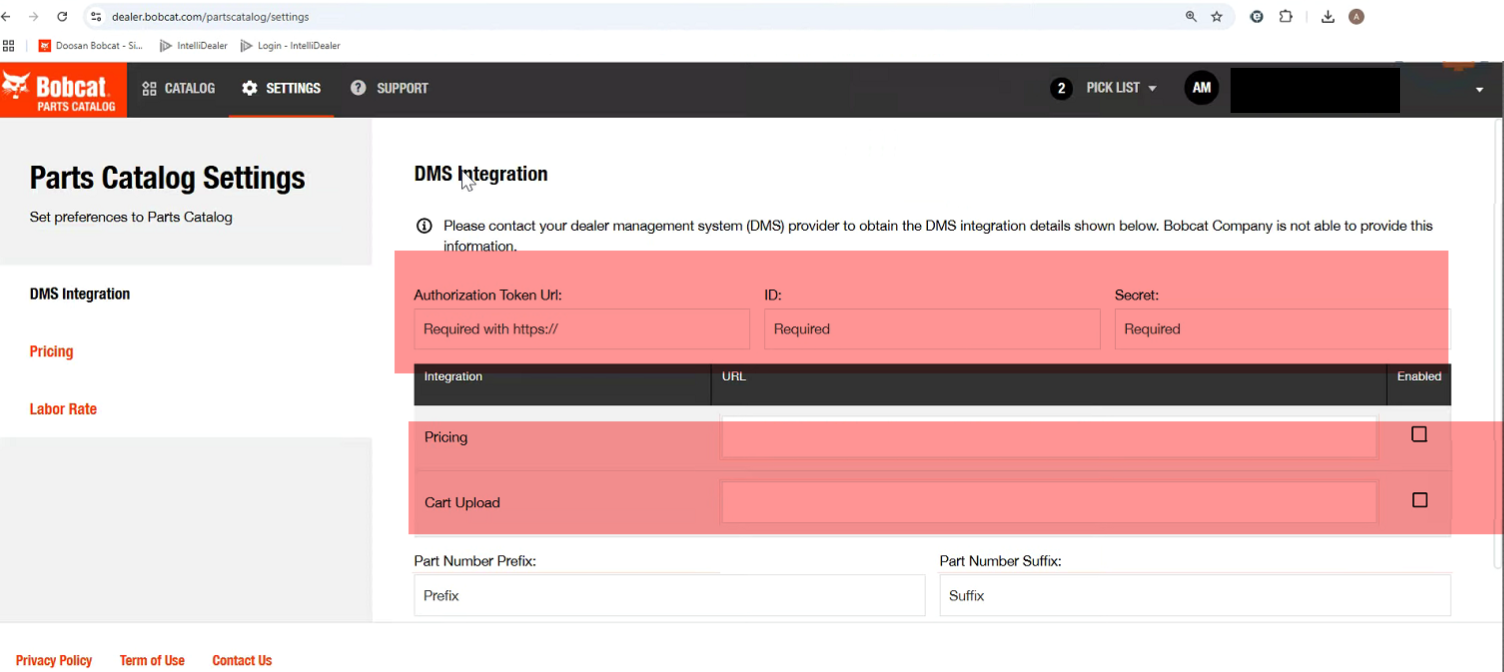
Open the Bobcat website and log in.
-
Navigate to the parts catalog.
-
Set the Authorization Token Url to:
https://api.intellidealer.com/ws-authentication/oauth/bobcat/token
-
In the ID field, enter the Client Id you copied from IntelliDealer. In the Secret field, enter the Client Secret from IntelliDealer.
-
In both the Pricing and Cart Upload fields, enter this Url:
https://api.intellidealer.com/ws-oem/ws/oem/bobcat/epc
-
Select the checkbox next to both the Pricing and Cart Upload fields.
Feature: 6001 - Bobcat BASS II
Revision: 2025.11