
How to Copy Settings from One Location to Another
-
Navigate to Administration > Settings > System.
The System screen will appear.
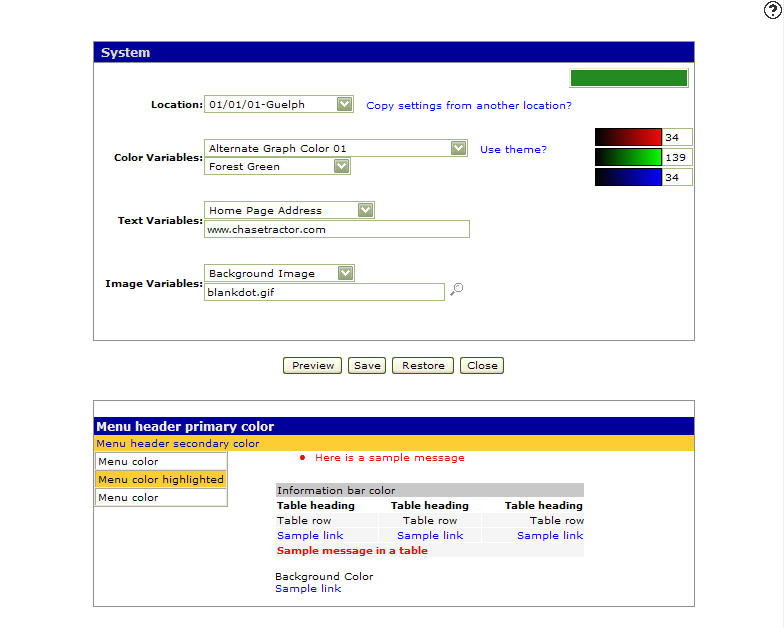
System screen
-
On the System screen, click on the Copy settings from another branch? link.
The Copy Configuration screen will appear.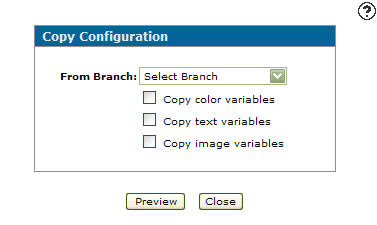
Copy Configuration screen
-
On the Copy Configuration screen, select a branch from the From Branch field.
-
(OPTIONAL) Click on the Copy Color Variables checkbox to include branch color variables.
-
(OPTIONAL) Click on the Copy Text Variables checkbox to include branch text variables.
-
(OPTIONAL) Click on the Copy Image Variable checkbox to include branch image variables.
-
Click on the Preview button.
The System screen will appear with the selected settings applied.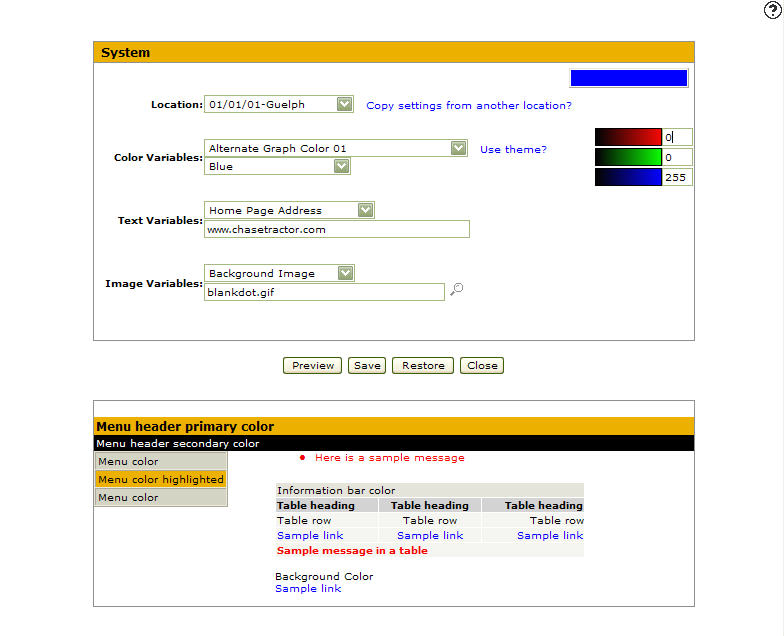
System screen
-
On the System screen, click the Save button to save the settings copied.
Note:
Click on the Restore button to change the color theme or system area color back to the default color.