
Job History Tab
The Job History tab displays additional details about jobs that have completed within the system.
Use the filter form to search by job name and date range. Enter values in Job Name, From Date, and To Date, then click Search to apply filters. Click Reset to clear the form.
 The Job History tab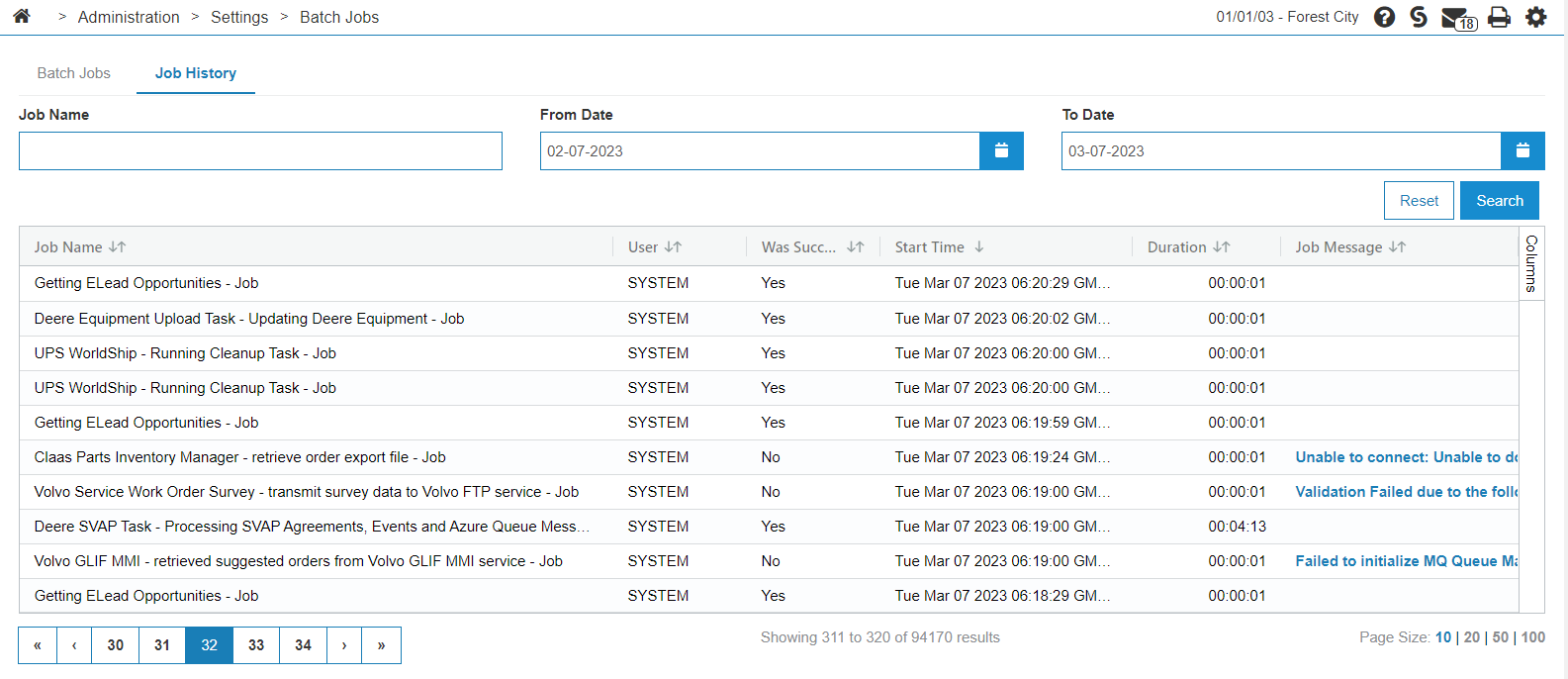
The fields on the Job History tab are:
| Field | Description |
|---|---|
| Job Name | The name of the job that ran. |
| User | The user that submitted the job. |
| Was Successful | Whether the job ran and completed successfully. |
| Start Time | The time the job began its run. |
| Duration |
The time it took to complete the job. The time format is HH:mm:ss. |
| Job Message | The error message at time of failure, if the job was unsuccessful. Click the message to open a modal with the full text. |
Security: 994 - Access Batch Jobs
Revision: 2026.04