
Copying an Executive Summary View
-
Navigate to Administration > Settings > Utilities.
The Utilities screen will appear.
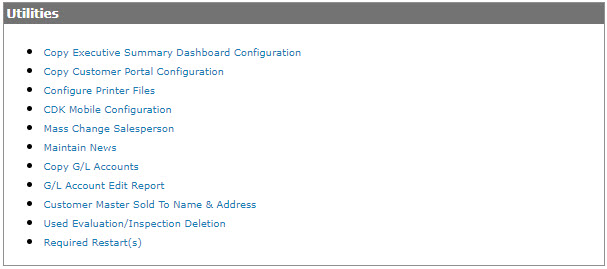
Utilities screen
-
On the Utilities screen click on the Copy Executive Summary Dashboard Configuration link.
The Copy Executive Summary Dashboard Configuration screen will appear.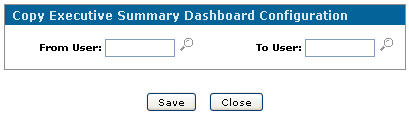
Copy Executive Summary Dashboard Configuration screen
-
On the Copy Executive Summary Dashboard Configuration screen, type in a From User.
- or -
Click on the Search icon, the User Selection screen will appear.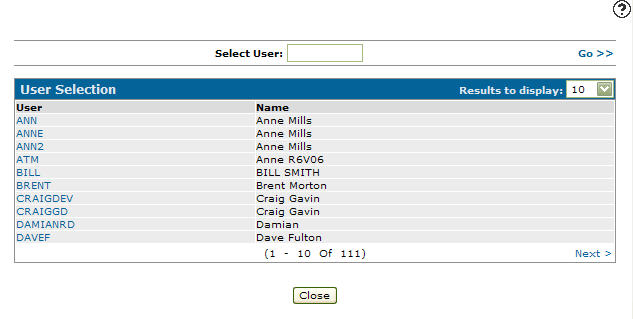
User Selection screen
-
Click on a User.
The Copy Executive Summary Dashboard Configuration screen will appear with the selected user in the From User field.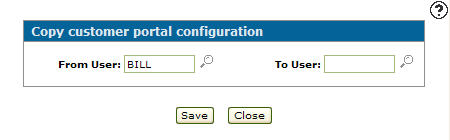
Copy Executive Summary Dashboard Configuration screen
-
Type in a To User.
- or -
Click on the Search icon, the User Selection screen will appear.
User Selection screen
-
Click on a User.
The Copy Executive Summary Dashboard Configuration screen will appear with the selected user in the From User field.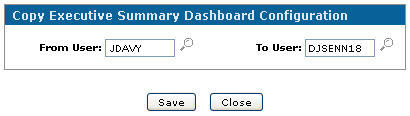
Copy Executive Summary Dashboard Configuration screen
-
Click the Save button, to copy the user's executive summary views.
Note:
Only Executive Summary Views that the To User is authorized to view will be copied.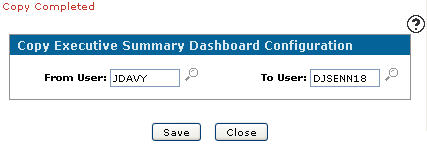
Updated Copy Executive Summary Dashboard Configuration screen