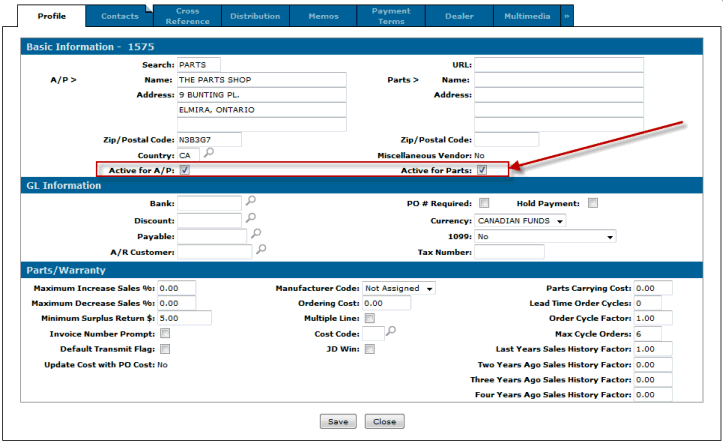
Description: As of Insight 2.0 there is an IntelliDealer option for dealers to remove a particular vendor's price tape data (the files are PARTPRC and PRUCONT). The price tape can then be reloaded if necessary using the normal steps.
Solution:
Make sure you enable the security under system 833:
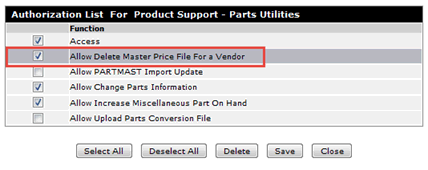
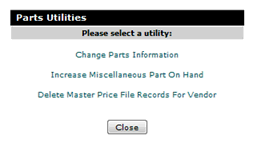
Once the security is enabled go into Product Support/Parts/Utilities and choose the option for 'Delete Master Price file Records for Vendor'
You can search for a vendor if needed or type on in manually. The search field will search all of the vendors in the system, not just ones with a price tape.
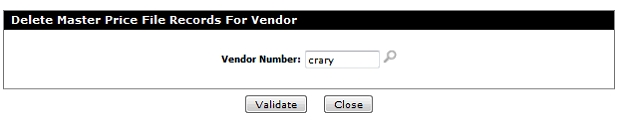
Once you have your vendor if you want to see the price tape information for them hit the validate button and you’ll see the vendor, the name and the dates for any price tape data there
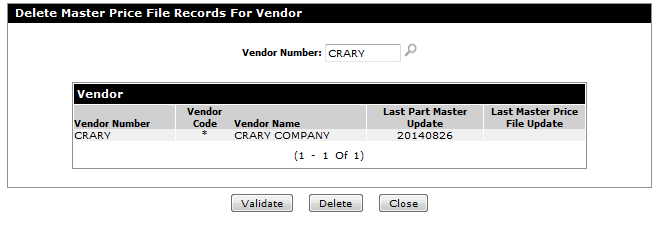
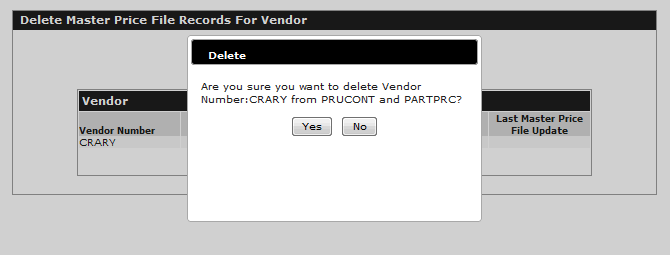
You can then hit the delete button to delete the tape. You’ll get this confirmation screen:
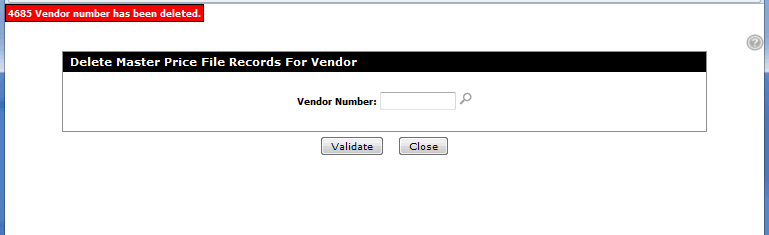
Once deleted you can reload the price tape if needed.
Note:
1) if you need to remove the vendor, contact support to have the PARTPRC table (in PFWTAB) removed from of the system. There is a project to have this option added but at this time it has to be manually done by support.
2) change the status in PartAdds table to D (or R to remove permanently)
3) Possibly deactivate the vendor itself or the parts switch on the vendor