
All users must be out of the service system. We recommend that all users be off of the system when you load your new flatrate files.
- Sign on as QSECOFR.
- Type in #FLATL on the command line you'll get the following screen:
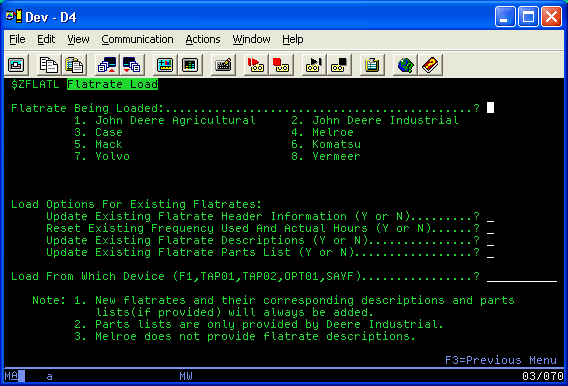
Note: After the FLATL process runs on the dealer machine, the date added and modified fields on the FLATRATE file for the records that have been added or modied will have the dates that the files were created at PFW, not the run date.