
In order for this feature to work properly, the following conditions must apply:
- This feature applies only to sales order requisitions (not sales order invoicing).
- Negative quantities are ignored (and will not increase consignment).
- An error message will be issued if a part that is being keyed is not in consignment.
- No back ordering of parts is allowed
Steps To Follow
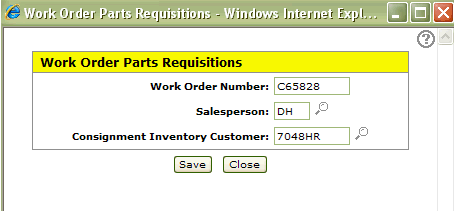
In IntelliDealer the consignment customer is set at the time the requisition is opened and CANNOT be removed afterward:
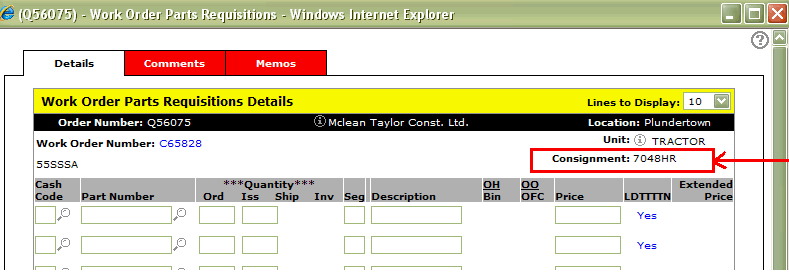
You can see that the ticket is for consignment on the details screen. All parts on this requisition will try to pull from the consignment listing for this customer so if a new part needs to be added that is not a consignment part, a new requisition must be opened. This process does not today handle the credits this same way.
To relieve inventory in green screen
To use this feature, enter C: followed by the consignment customer# in the FRT TERMS field on the sales order requisitions screen:
ZSO01 W/O PARTS REQUISITIONS 01 01 01 CHG
PARTIAL
CUS #: 0395229300 WAYNE LOWRY CURRENT: .00
ORD #: Q00005 R.R.# 1 31-60: .00
SALESMAN: WL KINCARDINE, ONTARIO 61-90: .00
N0G2G0 91-120: .00
SHIP TO: OVER120: .00
TOTAL: .00
FUT: .00
CR LIMIT: 0
PHONE: 519 3952293
P/O #: C66059 TAX1: 1 .07000 OPENED: 010899
SHIP VIA: TAX2: MODIFIED: 043099 B6
FRT TERMS: C:TRUCK001 TAX3»: SHIP CFM:
TAX4»: INVOICED: 111198
DISC: Q00005