
Add Traffic Subtypes
The Add Traffic Subtypes screen is accessed after clicking to create a new Traffic Subtype from the Traffic Subtype screen.
Traffic Subtypes can be defined here to be used within IntelliDealer.
The following information is displayed on the Add Traffic Subtypes screen:
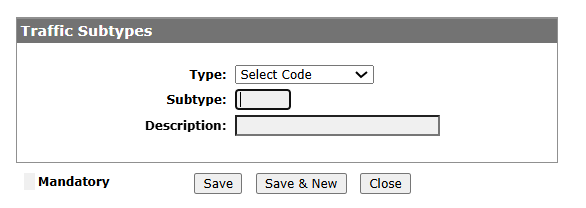
| Field | Description |
|---|---|
| Type | The target area to assign the subtype. A list of available will appear. |
| Subtype | The subtype abbreviation can be defined here. |
| Description | The subtype description can be defined here. |
If the dialog box is checked at the bottom left, then the subtype is Mandatory.
To Save recent changes to the Subtype, click Save.
Click the Save & New button to save all recent changes and open a new Add Traffic Subtypes screen for another entry.
The Close button will close the window.