
Search on Parts Cross Reference and Part Long Description
On part selection and listing screens in IntelliDealer, you can search using a cross reference part number or text from a part long description (extended description), not only the primary part number and short description.
Cross reference data is maintained on the Cross Reference tab of Parts Profile (or imported using Upload Parts Cross Reference File). Long descriptions are maintained on the Long Description tab.
Note: These searches apply to part cross references on Parts Profile: Cross Reference. They do not apply to vendor part cross references on the Vendor Profile: Cross Reference tab.
Search by Cross Reference Part Number
To include cross-referenced parts when you search by part number:
-
Navigate to Configuration > Miscellaneous > Other > System Settings and open the Location tab.
-
In the Parts section, select Include Cross-Reference Parts In Parts Search, then click Save Changes.
When the option is selected and you search in the Part Number field (for example, on the Parts Listing screen), IntelliDealer also returns parts that use the value you entered as a cross reference part number. Cross-referenced matches can appear in the Description column with reverse highlighting. Hover over a Description value to see cross reference part numbers loaded for that row. See also Searching Parts Listing.
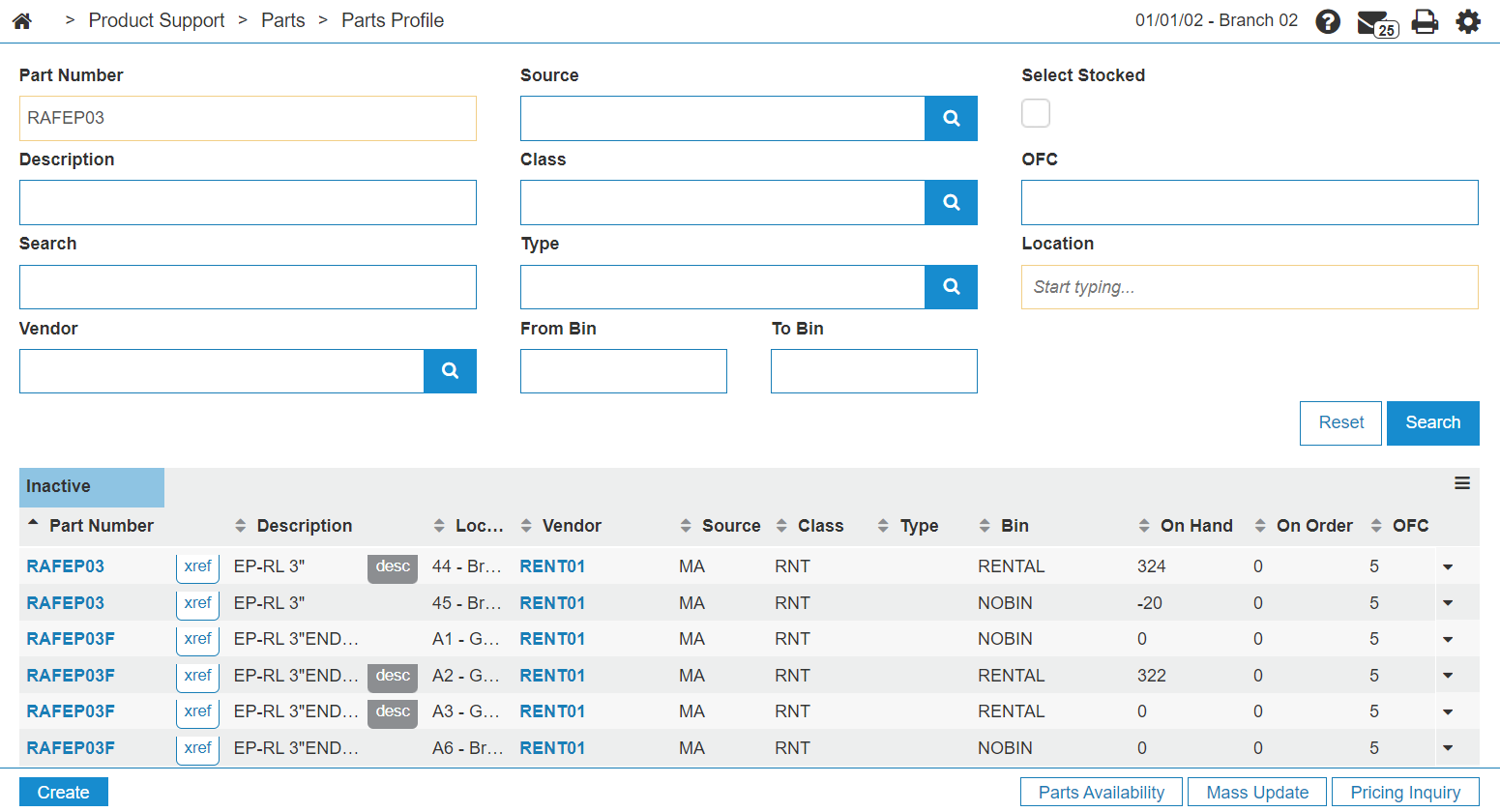
Search by Extended Part Description
When you search using the Description field on a part selection screen, IntelliDealer matches text in the part short description and in the Long Description field on the parts profile.
For example, a search for restriction returns parts that contain that text in either the description or the long description.
Hover over the + indicator to the right of the Part Number field to view the long description for a result without opening the profile. You can move to another part in the list; the long description updates for the row under the pointer without closing the pop-up.
 Description search and long description pop-up (example)
In this example, hovering over part AT178542 displays the long description Air Restriction Sensor.

Long description pop-up when moving to another part
Hovering over the next part displays its long description (for example, Air Restriction Indicator) without clicking Close.

Cross Reference Domments in Selection Pop-ups
When you open a cross reference pop-up from a part selection screen, the Comment from the Cross Reference tab is included in the list. This behavior is available across part selection in areas such as Parts Invoicing, Equipment Quoting and Equipment Invoicing, Parts Quoting, Work Order Quoting, and Rental Counter.

Revision: 2026.10