
Reasons
Use the Reasons screen to define valid work order repair reason codes for use within the work order system application. The Reasons code indicates what work needs to be done. A valid work order repair reason code appears on the Work Order - Reasons screen accessed by clicking the Search  icon next to the Reason field on the Segments tab.
To open the Reasons screen, navigate to Configuration > Service > Work Orders > Reasons.
Topics in this section are:
Adding a Work Order Repair Reason Code
-
Navigate to Configuration > Service > Work Orders > Reasons.
-
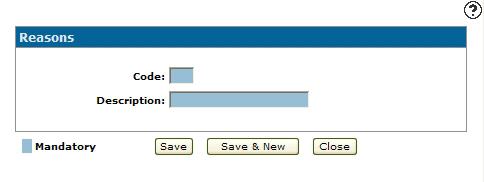
Click the Need to create a new reason? Click here to add link.
-
Enter a one character alphanumeric work order repair reason Code.
-
Enter a work order repair reason code Description.
-
Click Save to save the new work order repair reason code and return to the Reasons screen.
- or -
Click Save & New to save the new work order repair reason code and enter another one. The Reasons screen refreshes allowing you to add another work order repair reason code without closing the screen.
 The
The 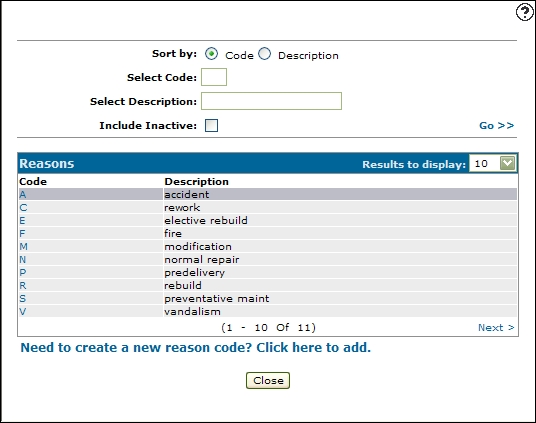
Deactivating a Work Order Repair Reason Code
-
From any IntelliDealer screen, navigate to Configuration > Service > Work Orders > Reasons.
-
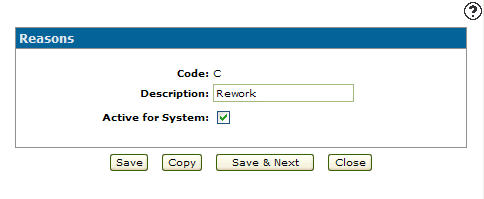
Click a Code.
-
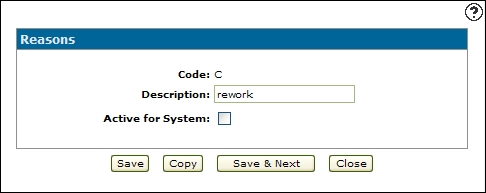
Select the Active for System checkbox, removing the checkmark.
-
Click Save to deactivate the work order repair reason code.
Screen Description
The sorting options on the Reasons screen are:
| Sort by | |
|---|---|
| Field | Description |
| Code | Sort the search by work order repair reason code. |
| Description | Sort the search by work order repair reason code description. |
The search fields on the Reasons screen are:
| Field | Description |
|---|---|
| Select Code | Search for a work order repair reason code by entering a work order repair reason code. |
| Select Description | Search for a work order repair reason code by entering a work order repair reason code description. |
| Include Inactive | If selected, includes inactive reason codes within the search results. |
The fields on the Reasons screen are:
| Field | Description |
|---|---|
| Code | A one character alphanumeric code which represents the work order repair reason code within the system. |
| Description | A brief description of the work order repair reason code. |