
Krone: Parts Ordering
Use the Krone Parts Ordering screen to configure Krone Agroparts Connect for parts ordering. Although Agroparts Connect supports multiple manufacturers, this interface is scoped to Krone only. After configuration is complete, users transmit released Krone parts orders from parts ordering, consolidated parts ordering, or parts invoicing purchase orders. See Krone Parts Order Transmit.
To open the Krone Parts Ordering screen, navigate to Configuration > Interfaces > Krone > Parts Ordering.
Krone Agroparts Connect parts ordering is separate from the nightly Krone Parts Locator inventory transmission. See Krone: Parts Locator.
Topics in this section include:
See also:
Prerequisites
Before you configure or use Krone Agroparts Connect parts ordering:
-
License feature 6527 - Krone Agroparts Connect.
-
Grant users security switch 821 - Product Support - Parts Ordering, Access Krone Parts Ordering.
-
Obtain Agroparts Connect user credentials and dealer numbers from Krone or Agroparts.
Configuration Setup
To configure Krone Agroparts Connect:
-
On the Vendors tab, assign the Krone manufacturer code to each vendor profile that will use Agroparts Connect parts ordering.
-
On the Dealer Numbers tab, configure Agroparts Company IDs by location for those vendors.
-
On the User Credentials tab, create a credential row for each Krone dealer number and enter the Agroparts Connect User, Password, and Vendor values supplied by Krone or Agroparts.
When a released parts order uses a vendor from the Vendors tab, the Transmit button appears on the parts order screen. See Krone Parts Order Transmit for the validation and submission workflow.
User Credentials Tab
Use the User Credentials tab to enter and maintain Agroparts Connect credentials for each Krone dealer number.
 The User Credentials tab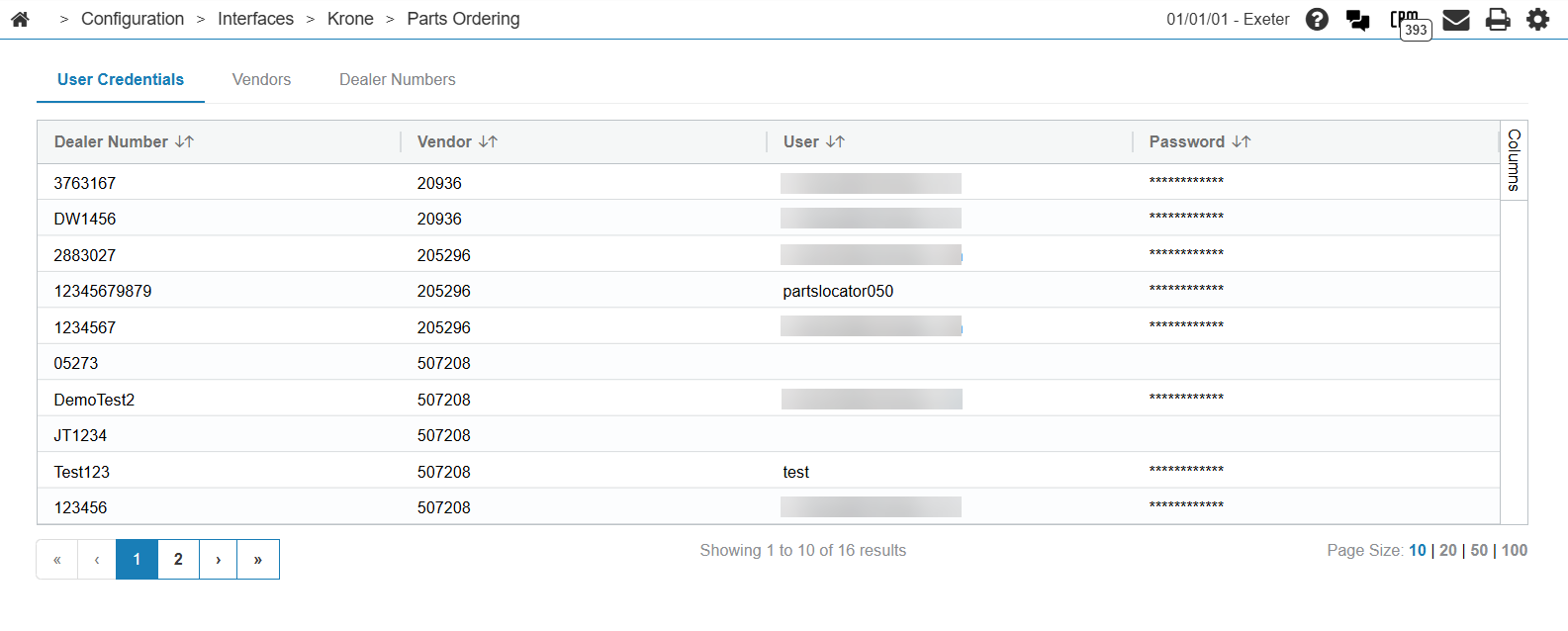
Click Create to add a credential row, or open an existing row to update credentials.
The fields on the User Credentials tab are:
| Field | Description |
|---|---|
| Dealer Number | The Agroparts Company ID for this credential set. This value must match a dealer number configured on the Dealer Numbers Tab tab. |
| Vendor | The vendor number associated with this dealer number. This value is used when the order basket is submitted to Agroparts. |
| User | The Agroparts Connect user ID for this dealer number. Agroparts typically provides this value as an email address. |
| Password | The Agroparts Connect password associated with the user ID. IntelliDealer encrypts this value when the order basket is submitted to Agroparts. |
Vendors Tab
Use the Vendors tab to view and maintain vendor profiles assigned to the Krone manufacturer code for parts ordering. Only vendors listed on this tab can use the Transmit button for Krone Agroparts Connect parts ordering.
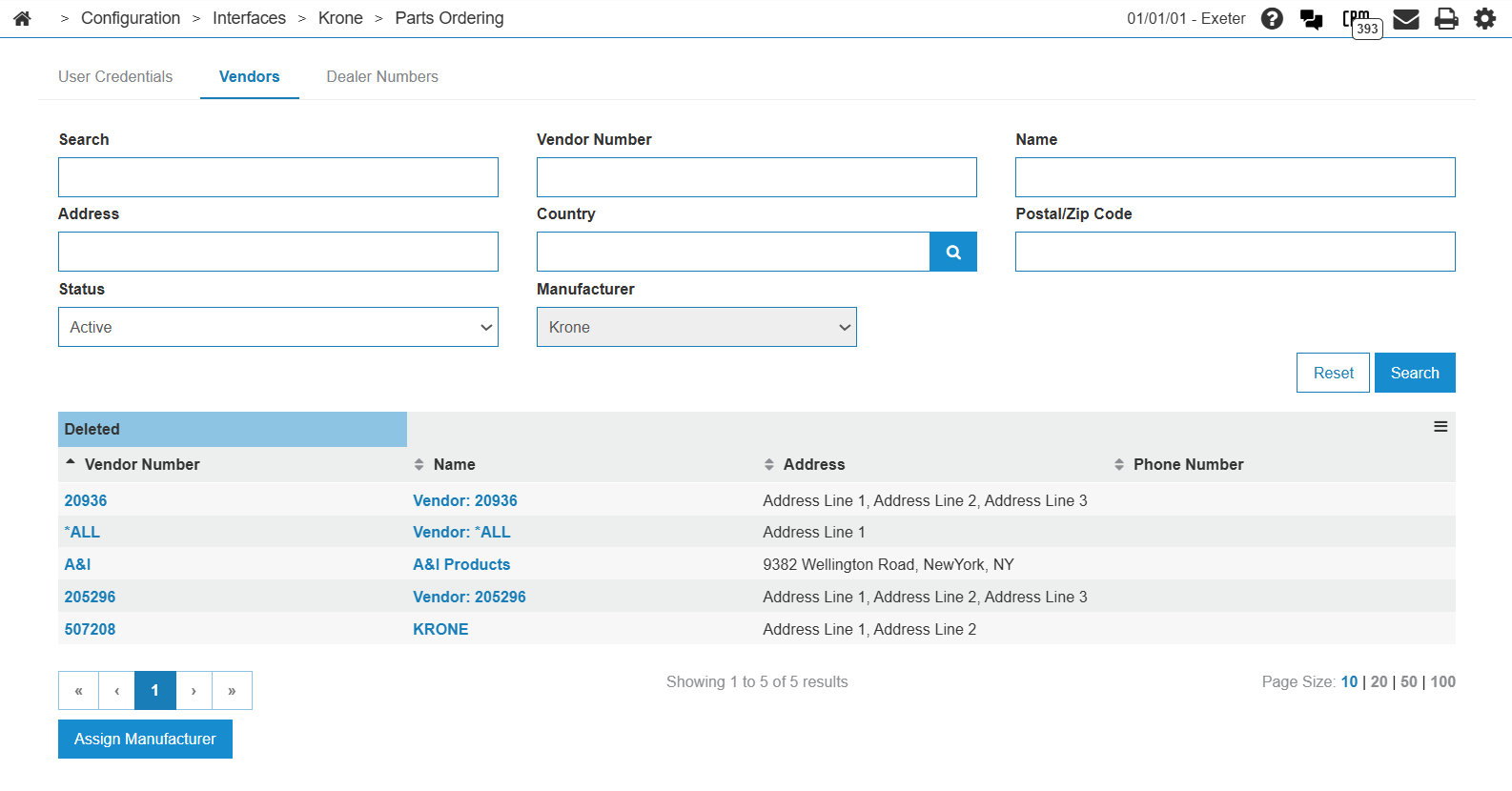
The fields on the Vendors tab are:
| Field | Description |
|---|---|
| Vendor Number | The vendor number from the vendor profile. |
| Name | The vendor name. |
| Address | The vendor address from the profile record. |
| Phone Number | The vendor phone number. |
Click Assign Manufacturer to assign Krone to the required vendor profile.
Dealer Numbers Tab
Use the Dealer Numbers tab to configure Agroparts Company IDs by location for the vendors assigned on the Vendors Tab tab.
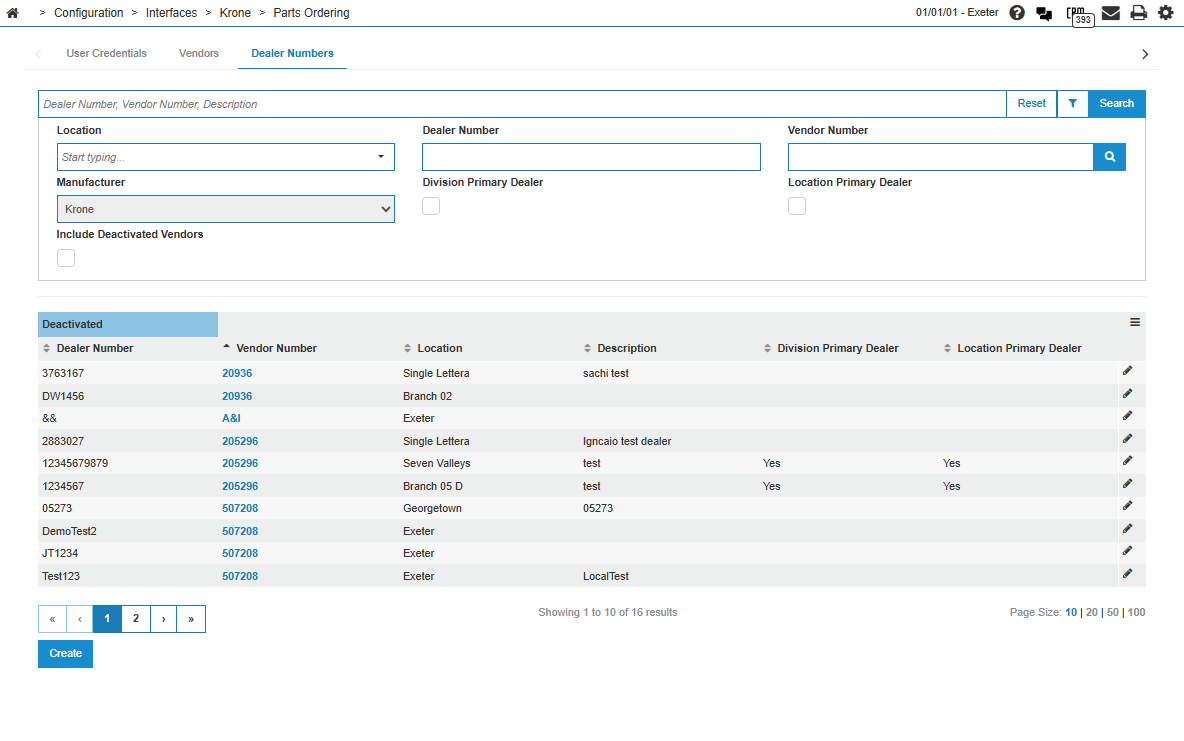
The fields on the Dealer Numbers tab are:
| Field | Description |
|---|---|
| Dealer Number | The Agroparts Company ID assigned to the dealership for this location. |
| Vendor Number | The vendor number associated with the dealer number. |
| Location | The IntelliDealer location that uses this dealer number. |
| Description | A short description for the dealer number entry. |
| Division Primary Dealer | Indicates whether this dealer number is the primary dealer number for the division. |
| Location Primary Dealer | Indicates whether this dealer number is the primary dealer number for the location. |
Click Create to add a new row and maintain the Agroparts Company ID mapping for each location.