
Deleting a Custom Screen Field
-
Navigate to Administration > Settings > Custom Screens.
The Custom Screen Fields tab will appear.
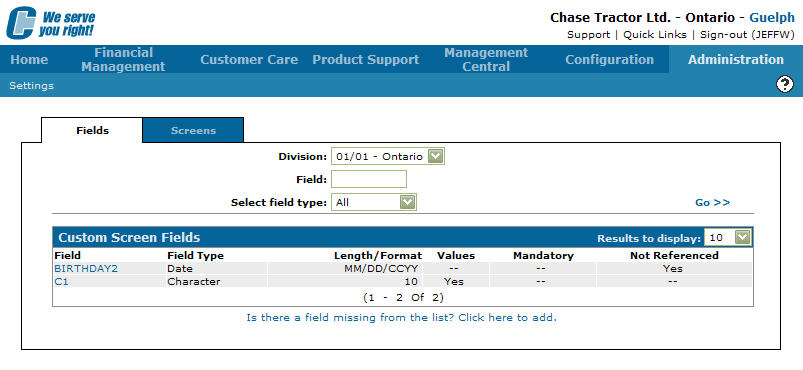
Custom Screen Fields tab
-
On the Custom Screen Field tab, move the cursor over a Field and select Edit Field from the drop down list.
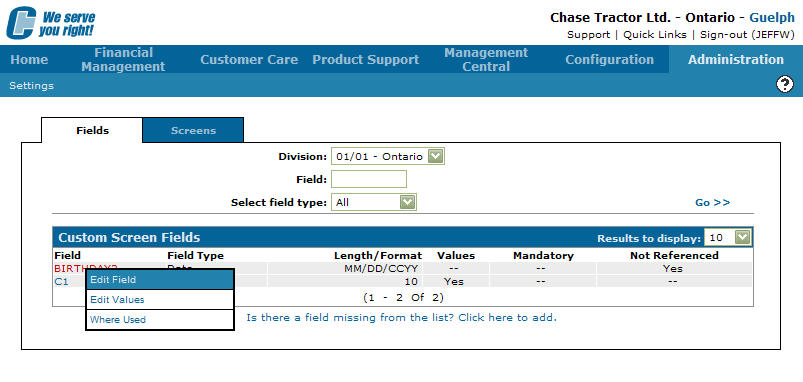
Custom Screen Fields tab
-
The Custom Screen Field Edit screen will appear.
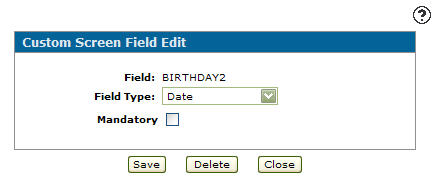
Custom Screen Field Edit screen
-
Click the Delete button.
The Confirmation screen will appear.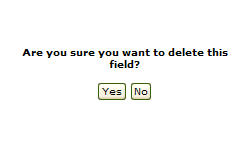
Confirmation screen
-
Click on the Yes button to delete the selected field.
The Custom Screen Field tab will appear with the selected field deleted from the list.