
Configuration: Return Codes
Use the Return Codes screen to setup parts return codes for use within the parts system. Valid return codes are setup on Return field on the Parts Profile tab. Return codes mark as non - returnable are used to drive the Non - Returnable Parts Highlighting feature on the Parts Highlighting screen. Return codes marked as Returnable or Last Year will appear on the Return Code field on the Surplus Returns screen.
To open the Return Codes screen, navigate to Parts > Profile > Return Codes.
Topic in this section
Adding a Return Code
-
Navigate to Parts > Profile > Return Codes.
-
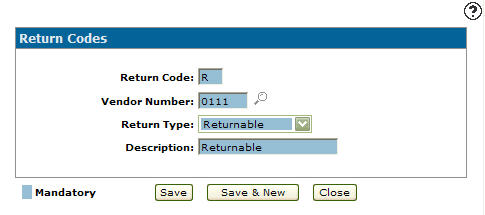
Click Need to create a new return code? Click here to add link.
-
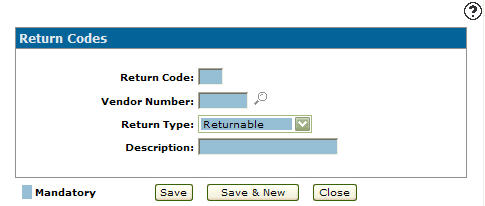
Enter a one digit alphanumeric Return Code used to represent the code throughout the parts system.
-
Enter the Vendor Number the return code is associated with.
- or -
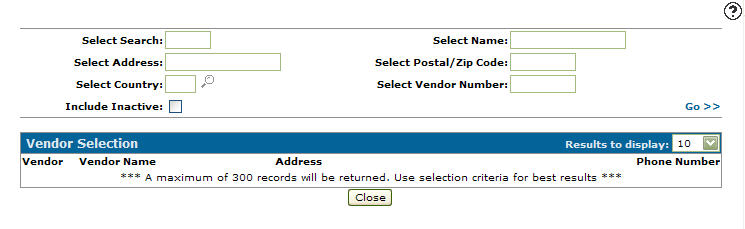
Click on the Search icon and search for a vendor number from the Vendor Selection screen.
 -
On the Return Codes screen, select a Return Type from the drop down list.
- Returnable: The code indicates that the part is returnable.
- Non-Returnable: The code indicates that the part is not returnable.
- Last Year: The code indicates that the part can be returned before the end of the year.
-
Enter a return code Description.
-
Click the Save button to save the new return code and return to the Return Codes screen.
- or -
Click the Save & New button to save the new return code.
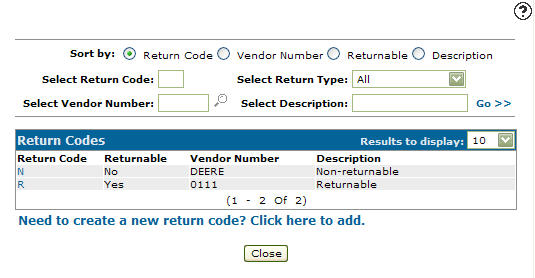
The Return Codes screen refreshes, allowing you to add another code without closing the screen.
 The
The 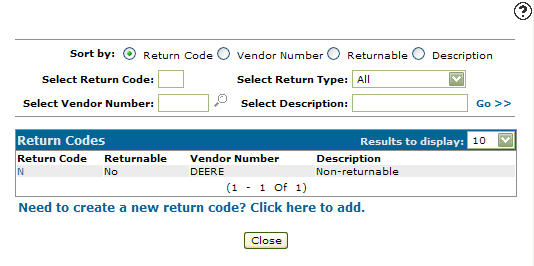
Copying a Return Code
-
Click on the Configuration tab.
-
Fill out the appropriate fields and click the Go >> .
-
Click Return Code.
-
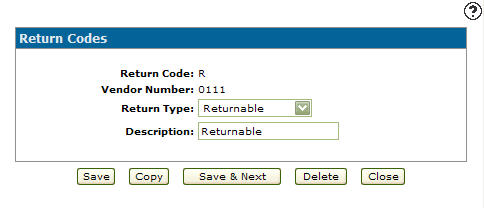
Click Copy button.
-
Once you have filled out all the desired fields click on the Save button to create the new return code.
Screen Description
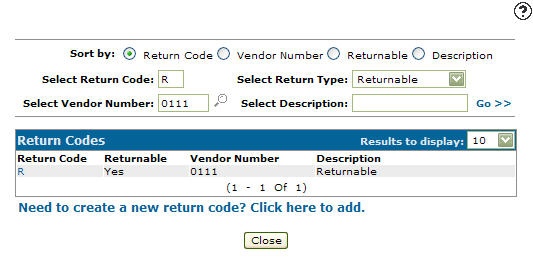
The sorting options appear on the Return Codes screen are:
| Sort by | |
|---|---|
| Field | Description |
| Return Code | Sort the search results by return code. |
| Vendor Number | Sort the search results by vendor number. |
| Returnable | Sort the search results by return codes marked as returnable. |
| Description | Sort the search results by return code description. |
The search fields on the Return Codes screen are:
| Field | Description |
|---|---|
| Select Return Code | Search for a return code by entering a return code. |
| Select Vendor Number | Search for a return code by entering a vendor number. |
| Select Return Type |
Search for a return code by entering a return type.
|
| Select Description | Search for a return code by entering a return code description. |
The fields on the Return Codes screen are:
| Field | Description |
|---|---|
| Return Code | A one digit alphanumeric return code used to represent the returnable state of the part throughout the parts system. |
| Returnable |
Indicates whether or not the part is:
|
| Vendor Number |
Indicates the vendor number the return code is associated with. |
| Description | A brief description of the return code. |