
Midnet Media
The Midnet Media page provides a central interface to configure the integration between your local business system and the Midnet Media platform. This ensures your equipment data and media assets are correctly mapped and transmitted to the external system.
To open the Midnet Media screen, navigate to Configuration > Interfaces > Equipment > Midnet Media.
Topics in this section are:
Midnet Media- Main
The Midnet Media- Main tab allows you to set general configuration details for the Midnet Media interface.
To open the Midnet Media- Main tab, from anywhere within IntelliDealer navigate to Configuration > Interfaces > Equipment > Midnet Media.
 The Midnet Media- Main tab appears.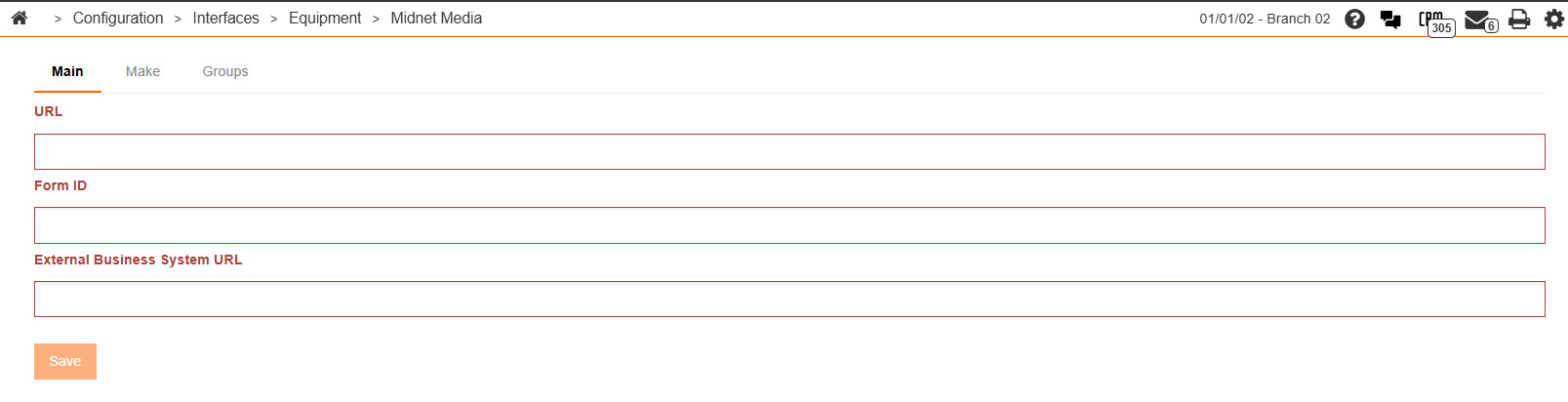
The fields on the Midnet Media - Main tab are:
| Field | Description |
|---|---|
| URL | The website address that the dealership's inventory data will be sent to. |
| Form ID | A unique ID number sent to the dealership by Midnet Media. |
| External Business System URL | The dealership website that Midnet Media will use to access and display equipment multimedia files. |
Click Save to save your settings.
Midnet Media: Make
The Make tab allows you to map the make codes stored within IntelliDealer to the make codes stored within the selected equipment listing system.
To open the Midnet Media - Make tab, from anywhere within IntelliDealer navigate to Configuration > Interfaces > Equipment > Midnet Media , then click the Make tab.
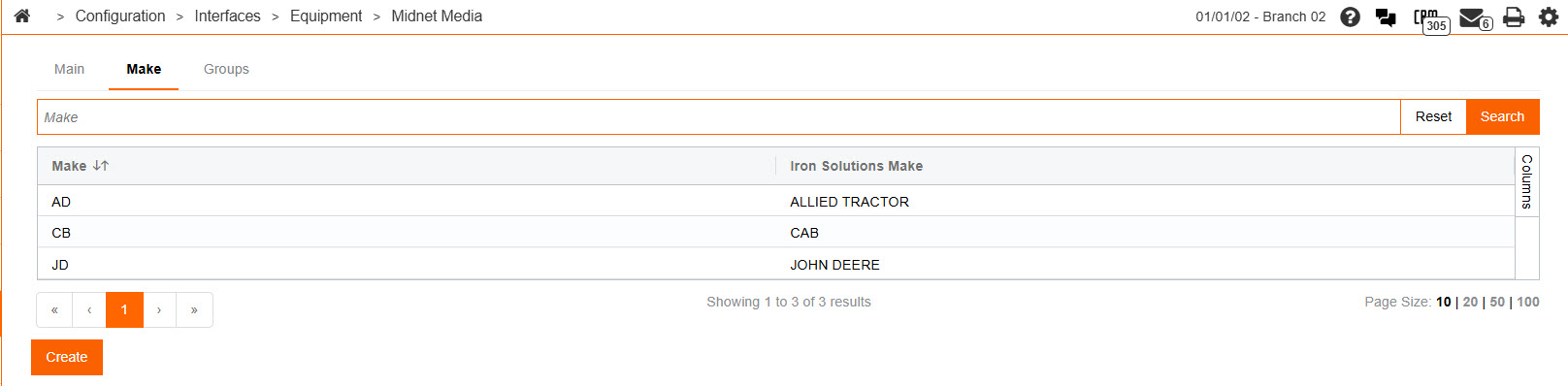
The fields on the Make tab are:
| Field | Description |
|---|---|
| Make | The make code as it appears in IntelliDealer. |
| Iron Solutions Make | The make code as designated by the vendor. |
Click the Create button to add a new make code.
Midnet Media: Groups
The Groups tab allows you to map the group codes stored within IntelliDealer to the group codes stored within the selected equipment listing system.
To open the Midnet Media- Groups tab, from anywhere within IntelliDealer navigate to Configuration > Interfaces > Equipment > Midnet Media, then click the Groups tab.
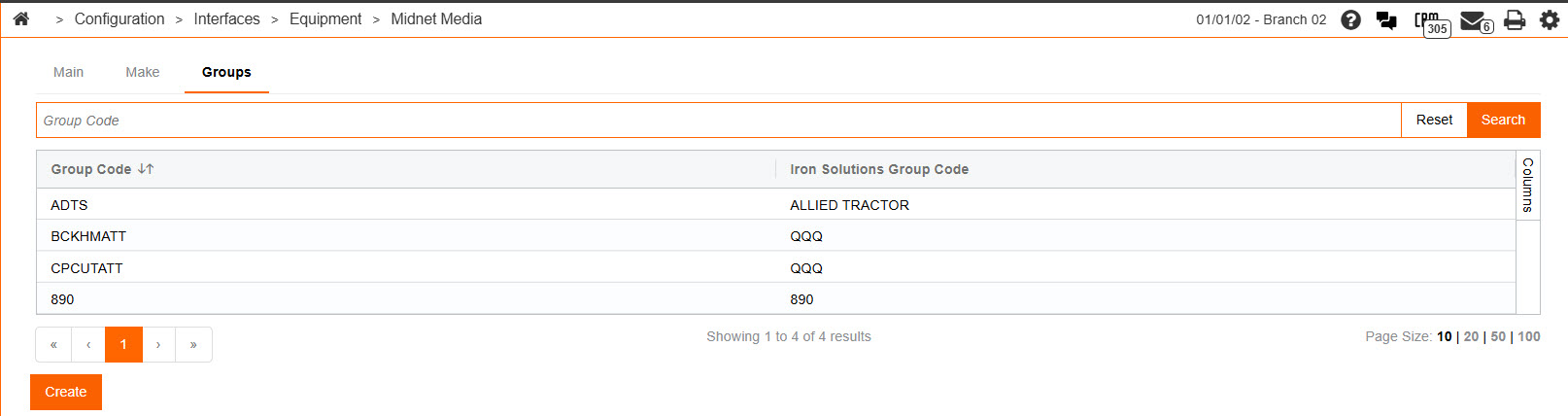
The fields on theGroups tab are:
| Field | Description |
|---|---|
| Group Code | The group code as it appears in IntelliDealer. |
| Equipment Listing System Group Code | The group code as it appears in the selected equipment listing system. |