
Point 2
The Point 2 page provides a centralized interface to configure the integration between your local system and external multimedia hosting.
To open the Point 2 screen, navigate to Configuration > Interfaces > Equipment > Point 2.
Topics in this section are:
Point 2 - Main Tab
The Point 2 - Main tab allows you to configure the external business system URL for the Point 2interface.
To open the Point 2 - Main tab, from anywhere within IntelliDealer navigate to Configuration > Interfaces > Equipment > Point .
 The Point 2- Main tab appears.
The field on the Point 2 - Main tab is:
| Field | Description |
|---|---|
| External Business System URL | The dealership website that Point 2 use to access and display equipment multimedia files. |
Click Save to save your settings.
Point 2: Make Tab
The Make tab allows you to map the make codes stored within IntelliDealer to the make codes stored within the selected equipment listing system.
To open the Point 2 - Make tab, from anywhere within IntelliDealer navigate to Configuration > Interfaces > Equipment > Point 2 Media , then click the Make tab.
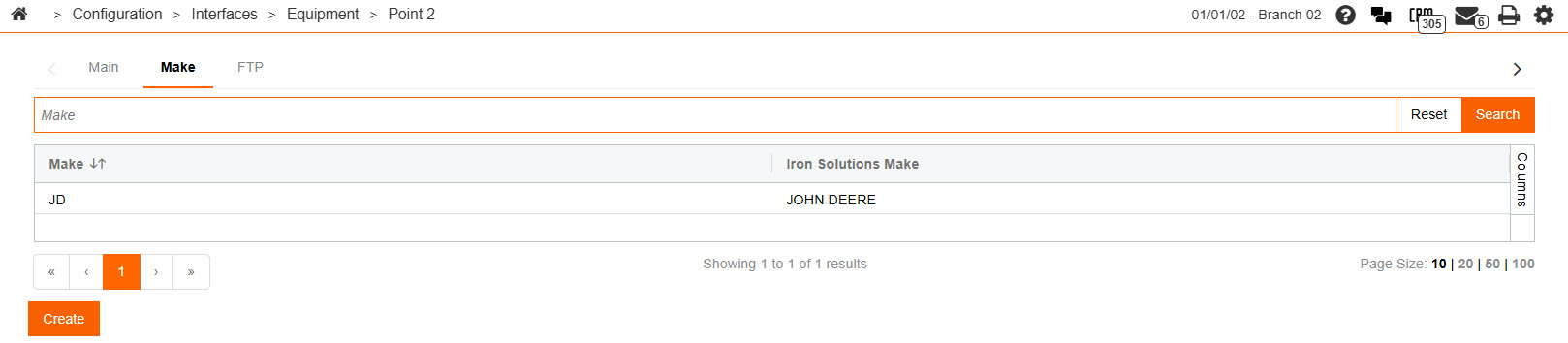
The fields on the Make tab are:
| Field | Description |
|---|---|
| Make | The make code as it appears in IntelliDealer. |
| Iron Solutions Make | The make code as designated by the vendor. |
Click the Create button to add a new make code.
Point 2: FTP Tab
The FTP tab allows you to configure the FTP server that the interface will use to transmit data.
To open the Point 2 - FTP tab, from anywhere within IntelliDealer navigate to Configuration > Interfaces > Equipment > Point 2, then click the FTPtab.
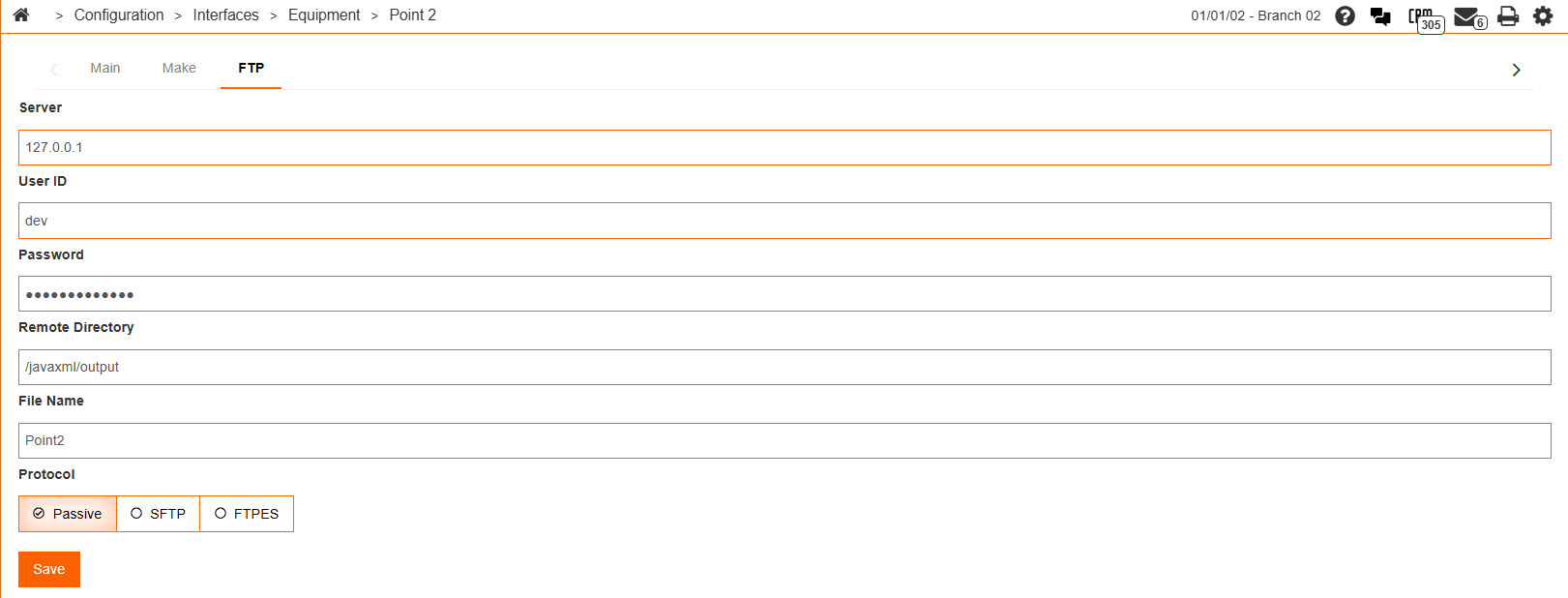
The fields on the FTP tab are:
| Field | Description |
|---|---|
| Server | The name of the FTP server that the interface uses. |
| User Id | The user ID that the interface uses to access the FTP server. |
| Password | The password that the interface uses to access the FTP server. |
| Remote Directory | The directory on the FTP server where files from the dealership are sent. |
| File Name | The name of the file being sent to the FTP server. |
| Protocol | The protocol used to access the FTP server. |
Click the Save button to save your changes.