
AvaTax: Work Orders and Work Order Quotes
This section provides information on configuring and using AvaTax with Work Orders and Work Order Quoting. Sections include:
Configuration
You can enter the default Labor Product Codes by navigating to Configuration > Interfaces > AvaTax and clicking the Location tab. This product code is used for the labor charged or quoted on the work order and if parts are quoted through the Quote/Estimate tab on the work order. On the same interface, you can enter the default Sublet, Service Call and Delivery Product Codes. These product codes are used for the corresponding charges if they are being quoted on the Quote/Estimate tab of the work order. Additionally, you can specify whether warranty and internal billable transactions are transmitted to Avalara using the Transmit Warranty Transactions and Transmit Internal Transactions fields. These settings default the Warranty Taxable and Internal Taxable checkboxes on new work orders. These default values can be overridden on a work order-by-work order basis as required.
 Configuration > Interfaces > AvaTax, Location tab screen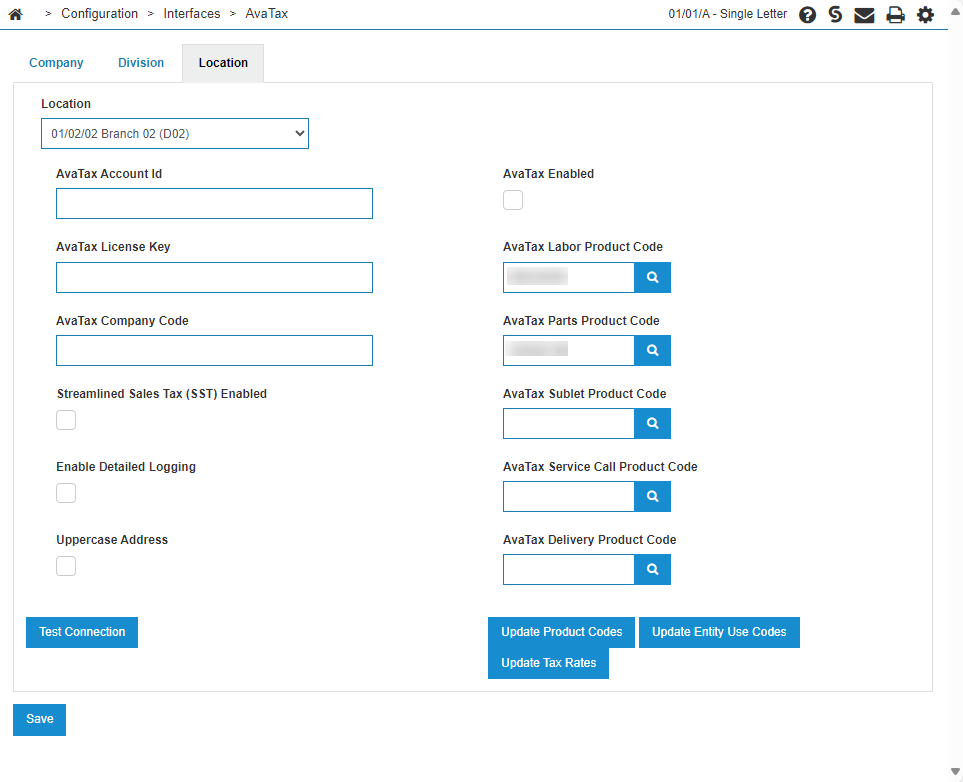
Work Orders
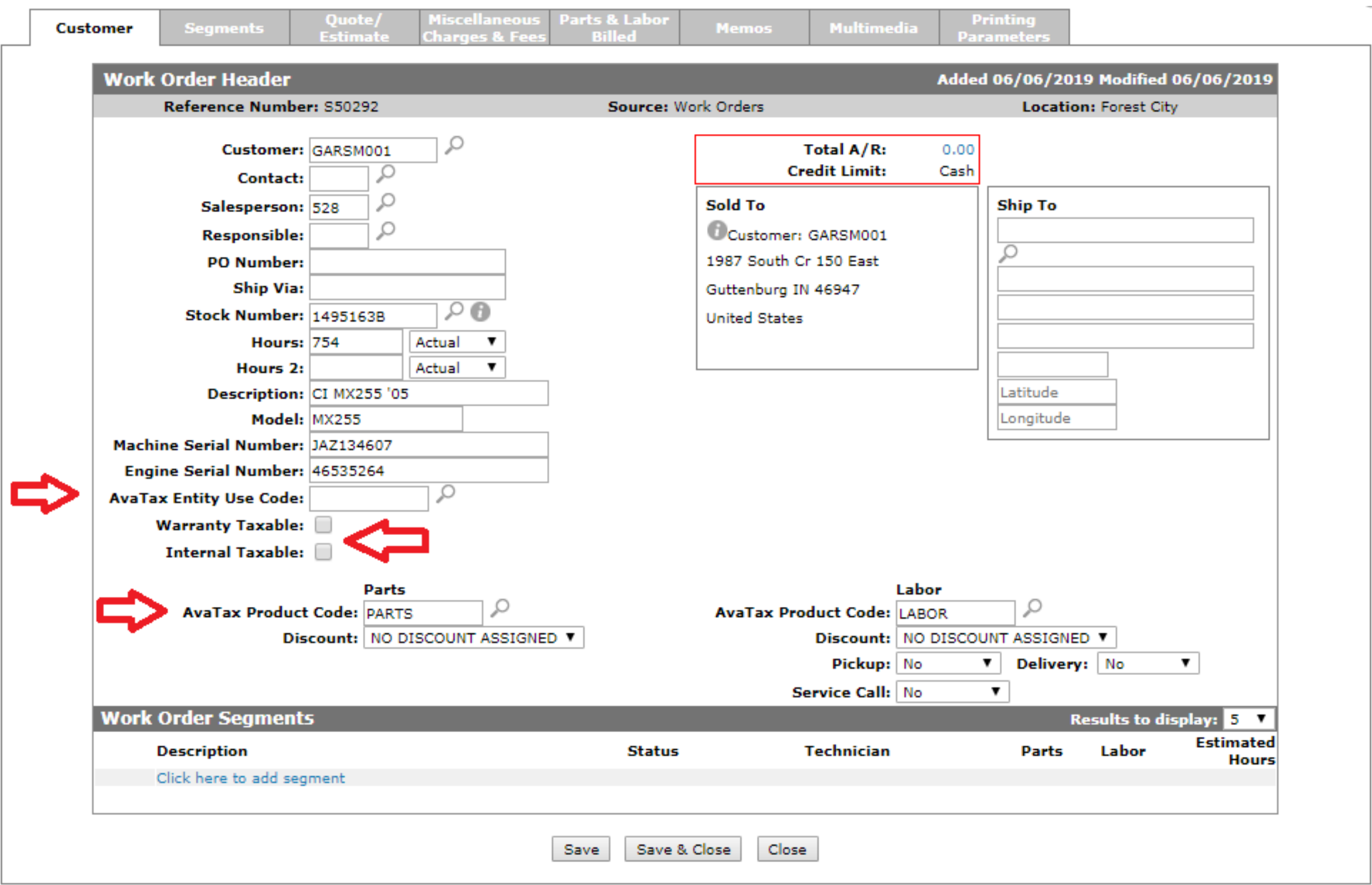
On the Customer tab of Work Orders, the AvaTax Entity Use Code field is available and defaults according to the customer.
Special product codes for the AvaTax Entity Use Code field are:
-
CDKOMIT—these items are not reported to AvaTax. Use this code for transactions that are non-taxable.
-
FOREIGN—for items being shipped internationally, and are therefore not subject to your country's tax laws.
Since AvaTax can only validate addresses in the US and in Canada, you should use one of the above product codes when shipping outside of these areas.
The Warranty Taxable, Internal Taxable, AvaTax Product Code for Parts, and AvaTax Product Code for Labor fields default according to the values on Configuration > Interfaces > AvaTax on the Location tab. These values can be overridden as necessary.
Note: Work orders and invoices for internal customers (as specified in the Category field on Customer Profile) are never transmitted to Avalara, regardless of the Internal Taxable setting.
Note: For a Work Order reversal, the system communicates with AvaTax during the billing run and sends a special ‘refund’ transaction for the original invoice. The invoice cannot be reversed more than once.
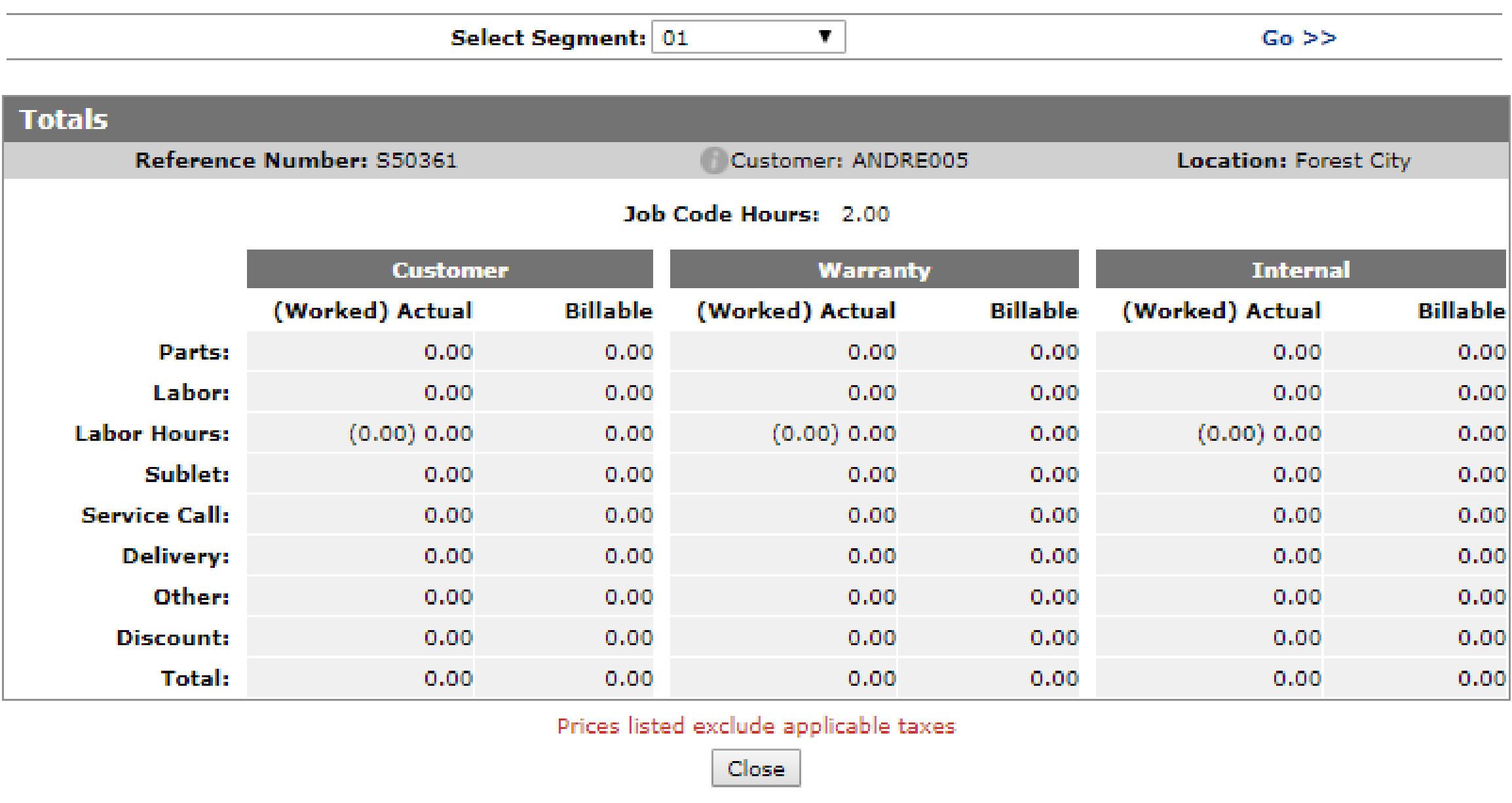
When looking at the Totals window for the work order, be aware that taxes are not shown for individual segments as noted on the bottom.
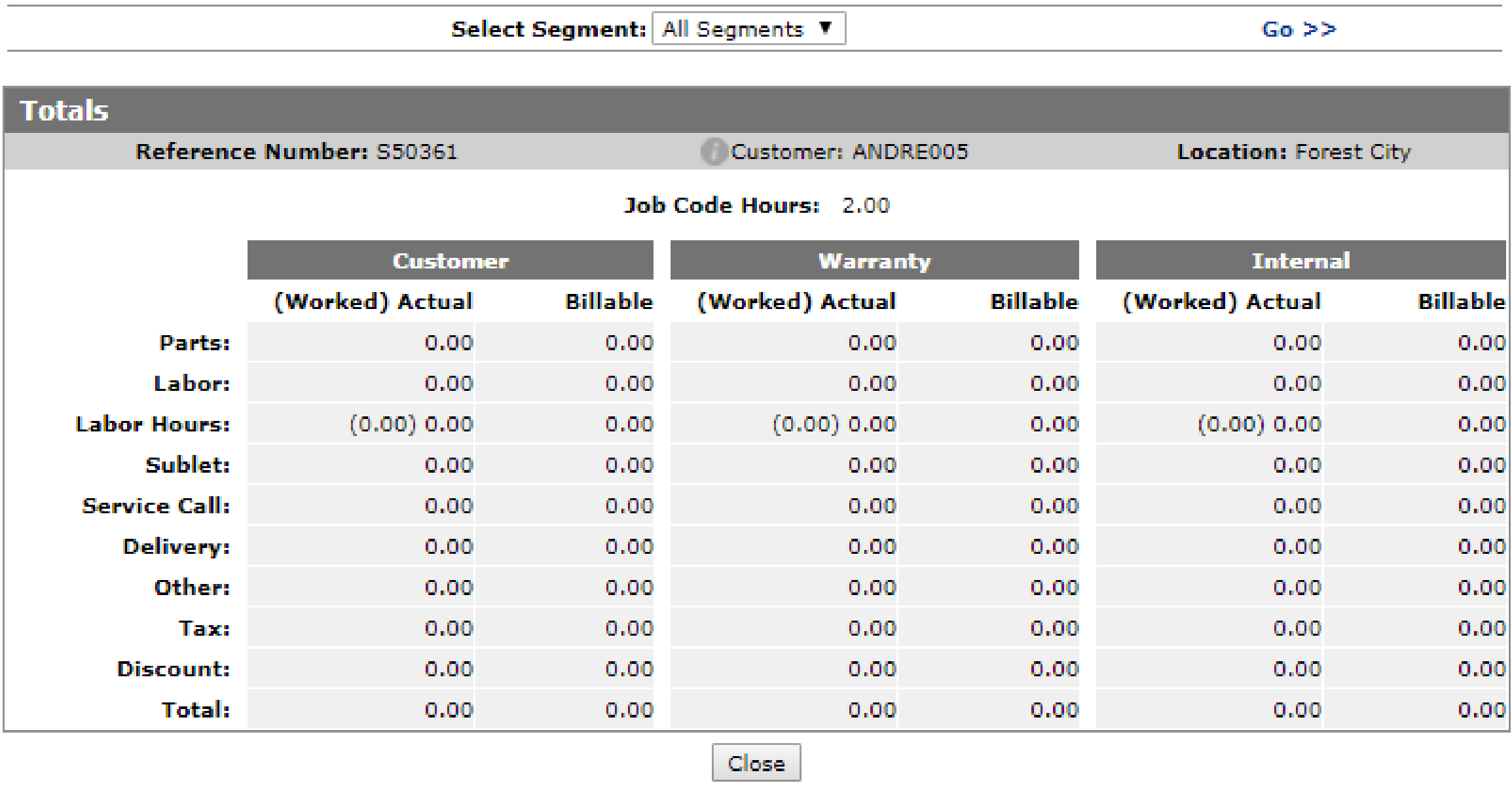
To display the tax total for the work order, you must select All Segments at the top of the window, then click Go >>.
Work Order Quotes
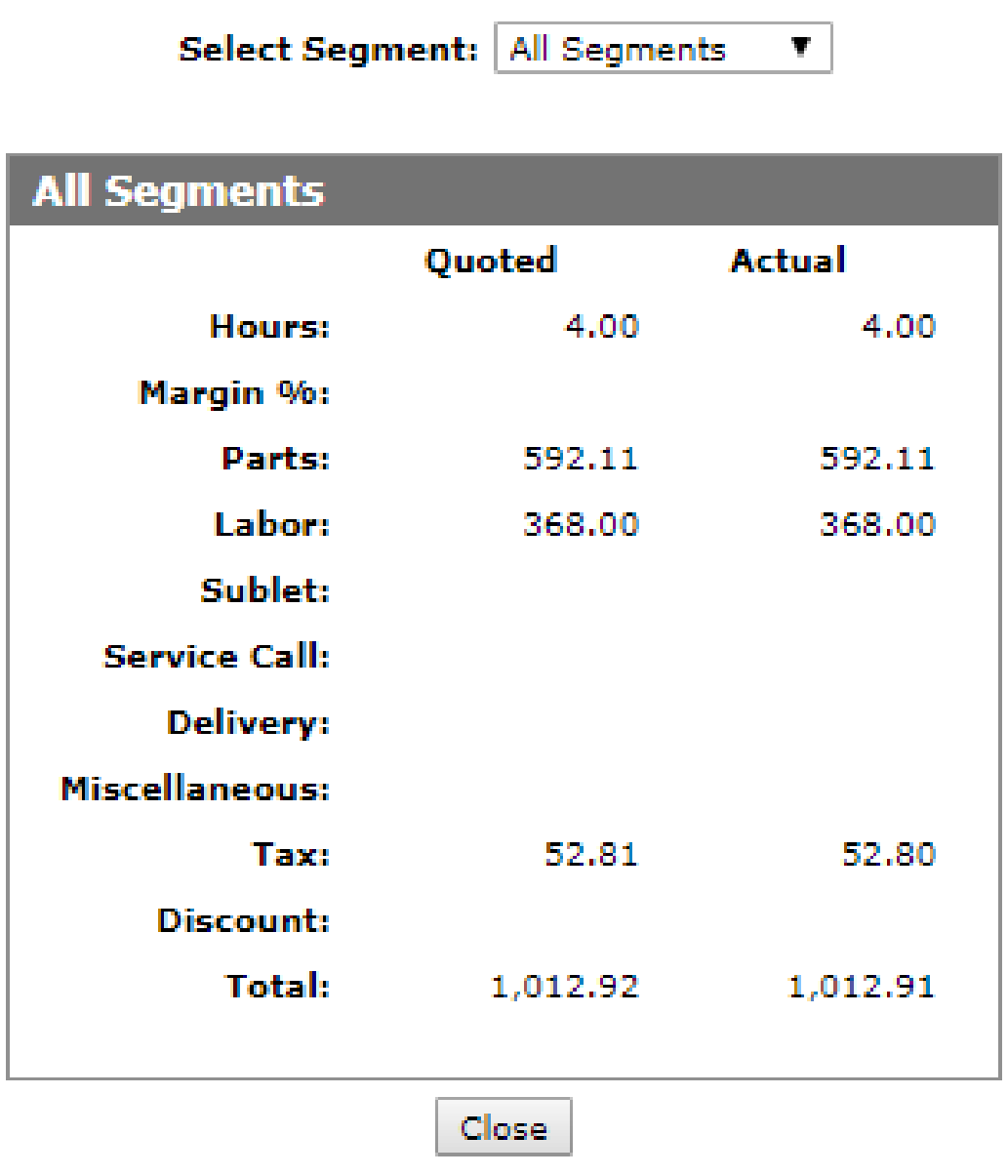
Work Order Quoting uses the same configuration as Work Orders. In addition, when looking at the Totals window for the quote, be aware that taxes are not shown for individual segments as noted on the bottom.
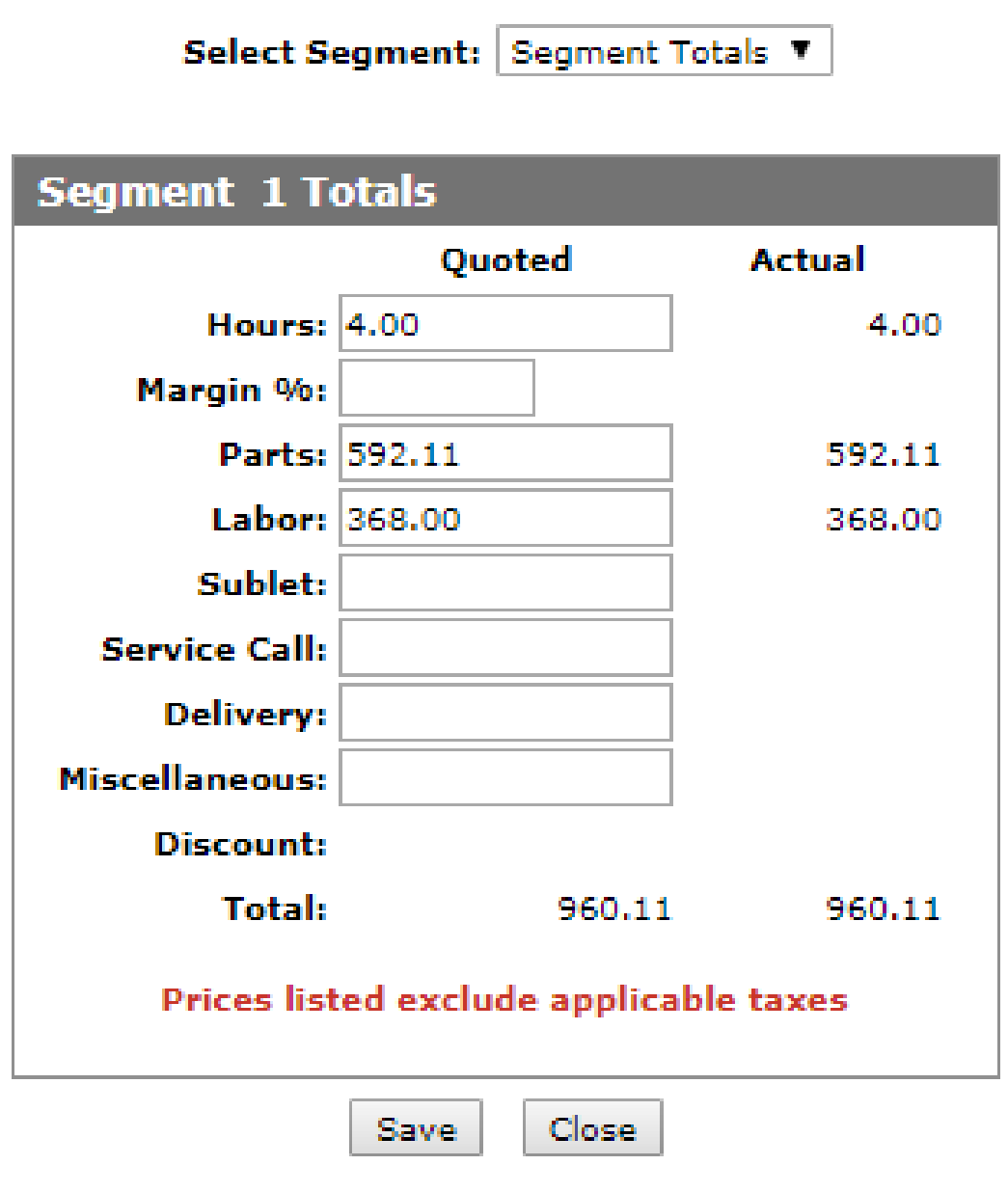
To display the tax total for the quote, you must select All Segments at the top of the window.
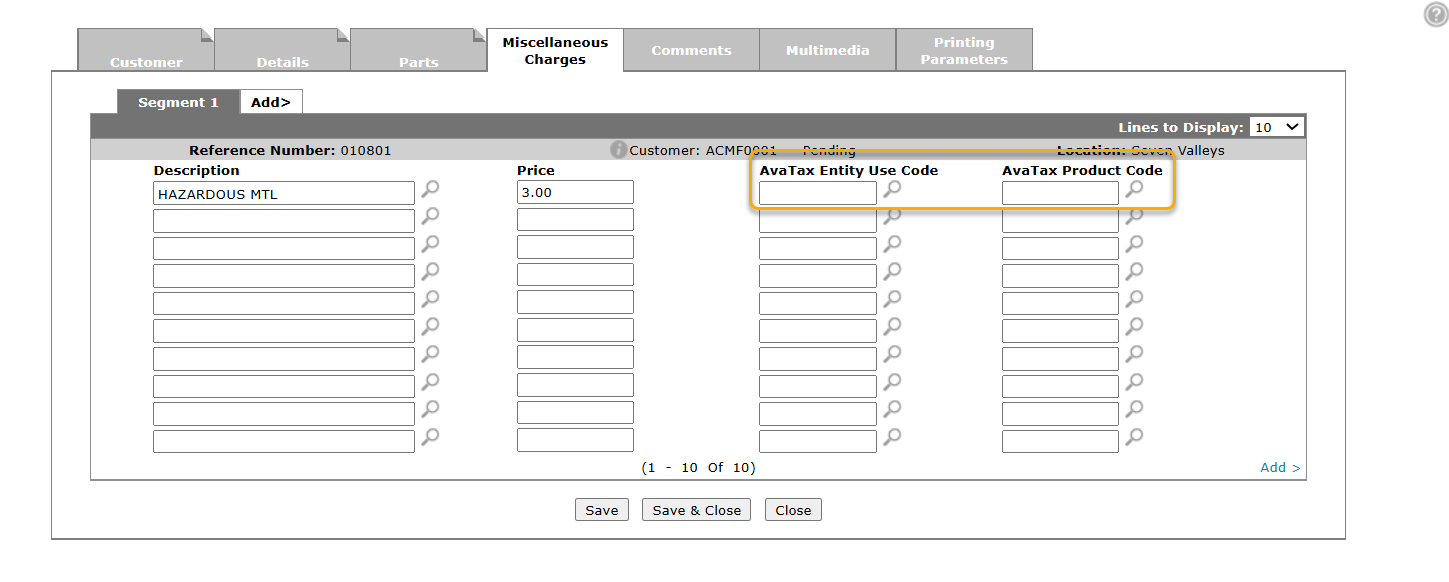
When you are on the Miscellaneous Charges tab of Work Order Quoting, the AvaTax Entity Use Code and AvaTax Product Code fields are available to override as necessary. If the AvaTax Entity Use Code is left blank, the system uses the AvaTax Entity Use Code configured on the Customer tab when communicating to AvaTax. The AvaTax Product Code defaults to the product code configured on the part number associated with the miscellaneous charge in the Configuration > Service > General Ledger > Miscellaneous Charges table and can be overridden if desired.
AvaTax calculation and printed quote tax
When AvaTax is enabled on a work order quote, IntelliDealer sends two tax requests to Avalara:
-
Actual—itemized line detail (individual parts, labor, and miscellaneous charges) based on requisition and segment detail. This is the same style of calculation used when the work order is invoiced.
-
Quoted—summarized bucket amounts for each segment (for example, one Parts Quote line for the total parts amount, one Labor Quote line for labor, and separate lines for sublet, service call, delivery, and miscellaneous quote totals).
The Totals window displays both columns. The Quoted tax column always reflects the summarized-bucket AvaTax calculation.
Tax and grand total on a printed work order quote use these rules:
| Condition | Printed quote tax |
|---|---|
| Quoted segment totals match actual totals (no manual override on the Totals window) | Actual—itemized calculation; matches invoice-style tax. |
| Quoted bucket amounts were manually overridden (Parts, Labor, and so on) | Quoted—summarized-bucket calculation based on the overridden quoted amounts. |
Note: Summarized quoted values can produce different tax than itemized actual values in jurisdictions where surtax or cap rules apply per line item. For example, Florida county discretionary surtax applies to the first $5,000 of each distinct line. When all parts are sent as one Parts Quote line, AvaTax applies the cap once to that total rather than to each part line individually. Keeping quoted totals equal to actual totals (without override) allows the printout to use the itemized Actual tax, so tax and grand total align with the eventual invoice calculation.
Correcting the AvaTax Product Code on Open Requisitions
When you change the AvaTax Product Code on a Parts Profile, new transactions including that part use the updated code. Lines that were already added to a Work Order Parts Requisitions Details tab keep the product code that was in effect when those lines were entered. Updating the part profile alone does not change AvaTax product codes on previous requisition lines.
On a Parts Invoicing Details tab, you can override the AvaTax Product Code on a line using the Tax, Discount & Level window. That override is not available on work order parts requisition lines. To align open requisition lines with a new product code, use the manual correction process below.
-
In the Parts Profile, temporarily set the AvaTax Product Code back to the code that was used when the part was originally added to the requisition.
-
On the work order parts requisition, enter credit or return lines that back out the part quantity that was posted with the old product code. Use negative quantities or credit requisition lines as your site normally does for parts returns on a requisition.
-
In Parts Profile, assign the new AvaTax Product Code.
-
Add new line(s) on the requisition for the part. The new lines use the updated product code from Parts Profile.
Note: For high-volume parts, changing the AvaTax Product Code in Parts Profile can affect many open documents. Perform the profile changes when transaction volume is low, or when users are off the system, so other open requisitions and invoices are not affected unexpectedly.
For background on assigning codes on parts, see AvaTax: Parts — Loading Product Codes.
Miscellaneous charge parts
If the part is used as a miscellaneous charge on the work order, you can correct the product code on the Miscellaneous Charges tab instead of using the requisition credit-and-re-add process:
-
Post a credit for the charge using the original AvaTax Product Code (set AvaTax Product Code on the post as required).
-
Post the charge again using the new AvaTax Product Code.
Note: The AvaTax Product Code on a miscellaneous charge post defaults from configuration for that charge. Confirm the code on each post before you submit it.